What we like
- Can receive important data and notifications in real time
- Long battery life
- Waterproof
- Customizable HUD display
- Can integrate with third-party accessories, devices and applications
What we don’t like
- They are slightly heavier than traditional sports glasses by about 5 grams
- They do not have electrochromic features
If you are a regular or competitive cyclist, I am sure you have used a bike computer and various sensors, like a heart rate monitor, speed, cadence, etc., to track your ride. Cybersight HUD glasses make it easier for you to track your ride by putting the data actually in your eyes. Curious about how they work? Read on for a review of the Cybersight HUD glasses and whether they are useful for you.
Table of Contents
This is a sponsored article and was made possible by Cybersight. The actual contents and opinions are the sole views of the author, who maintains editorial independence even when a post is sponsored.
Design
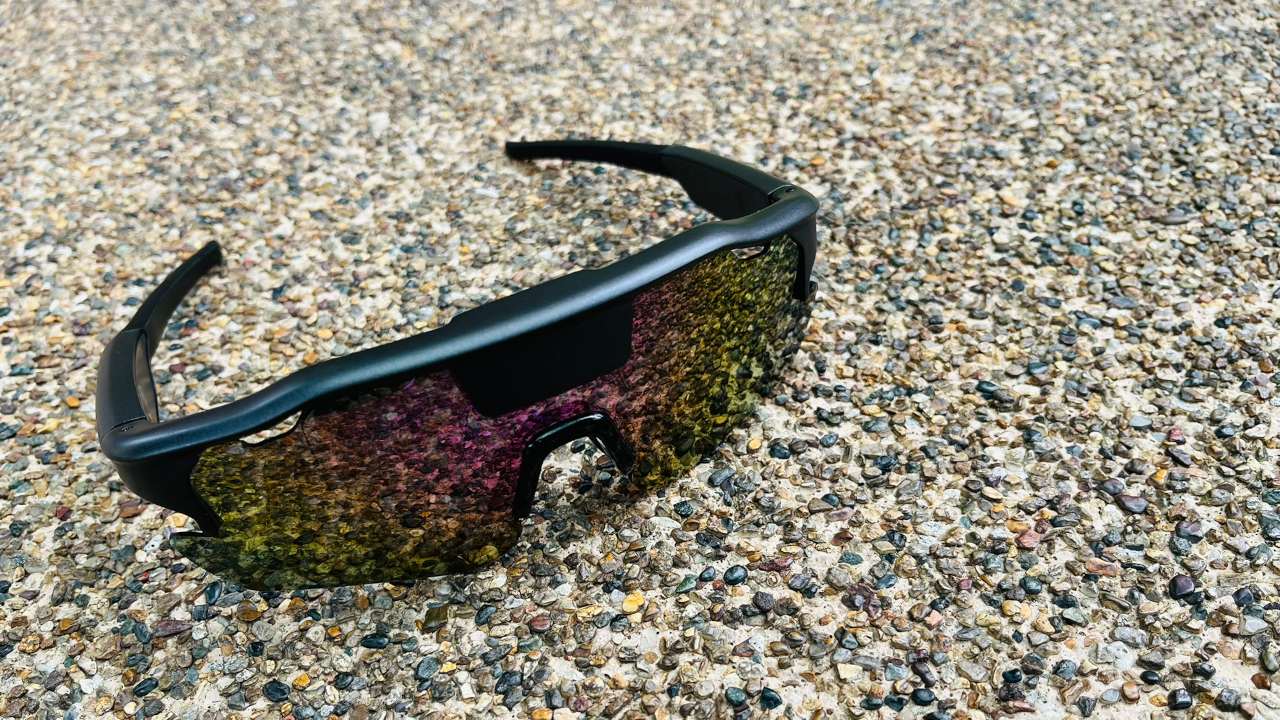
The Cybersight HUD glasses look just like a pair of stylish sunglasses from the outside. The magic lies in the interior of the frame, where a HUD panel is mounted. When the glasses are powered on and connected to your phone, they can show the data on the HUD.
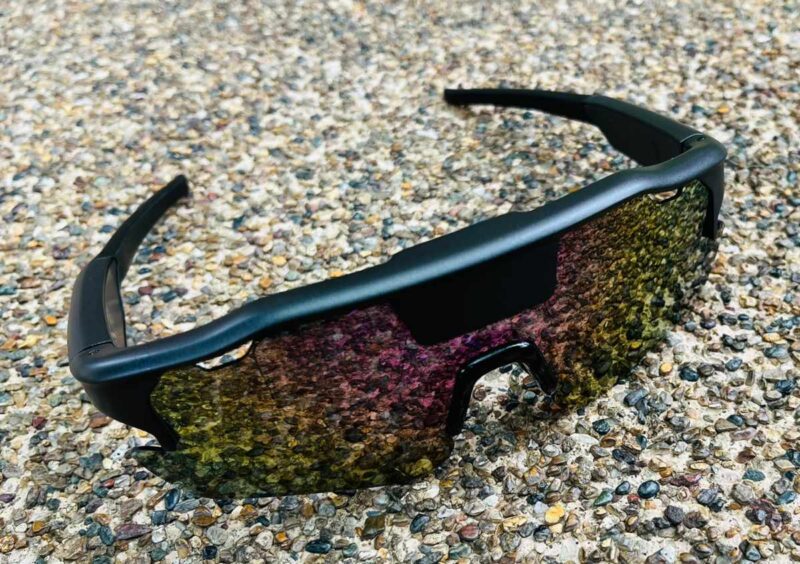
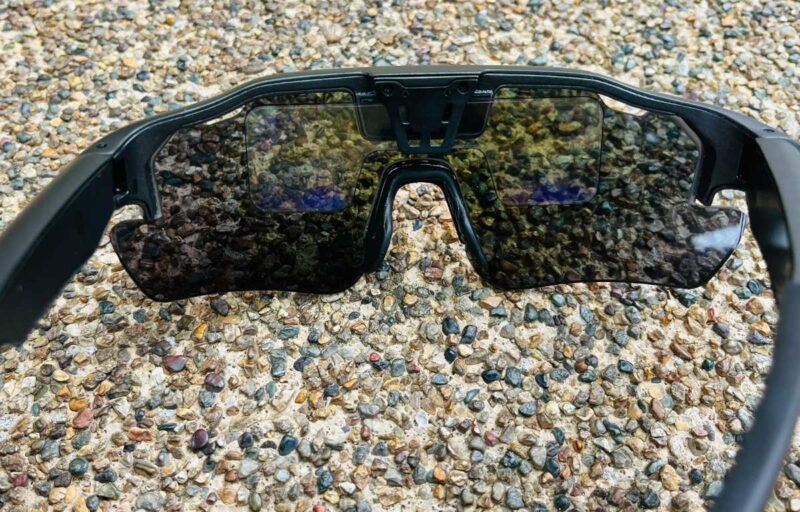
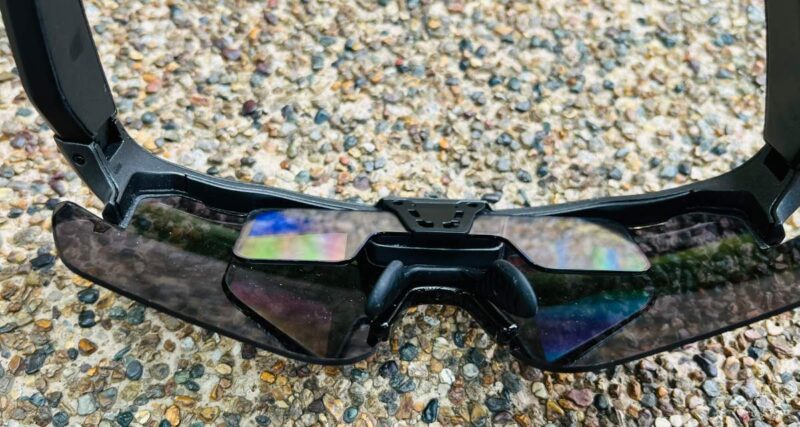
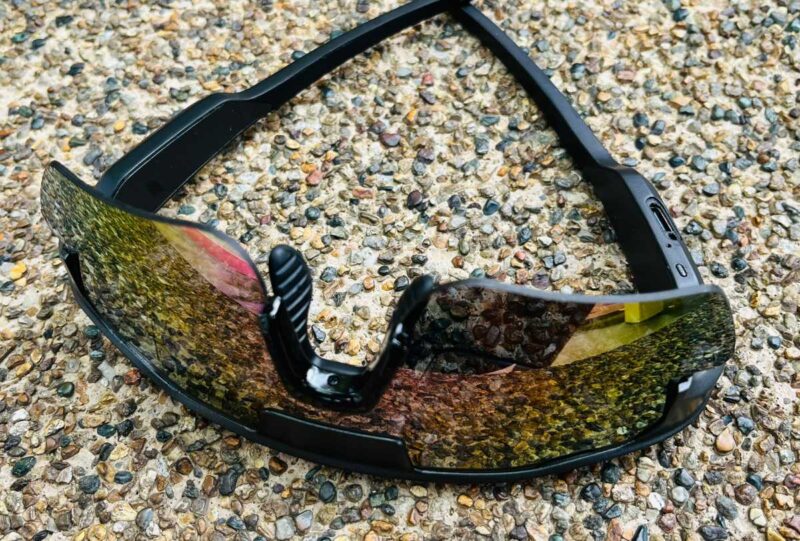
The right side of the frame is where the battery, charging port and power switch are located.
The lens that was shipped with my test unit is a polarized lens, which is great for day riding. The good thing is that the lens is interchangeable. If you are both a day and night rider, you can get the photochromic lens instead.
Specifications
| Weight | 39g |
| IP rating | IP54 Waterproof |
| Battery Life | 8 hours |
| Charging Time | 1 hour |
| Charging Port | Type-C |
| Lenses | Lake Gold Silver Photochromic |
| Maximum Brightness | 1500 nits |
| Display Mode | Binocular |
| Display Color | Green |
| Connection Method | Bluetooth 5.3 |
| Operating Temperature | -10° to 50° |
| Supported Platforms | iOS, Apple Watch, Android, Bike Computer |
| Supported Devices | All sensors with BLE (Bluetooth Low Energy) |
How They Work
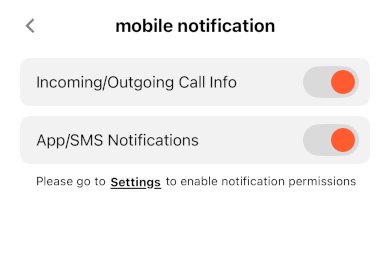
The real magic lies in the Cybersight mobile app. It acts as a conduit between your sensors and the HUD glasses. With the app installed on your phone, you can pair it with the HUD glasses and various sensors. When you start a ride, it will start to collect data from the sensors and display them on the HUD screen.
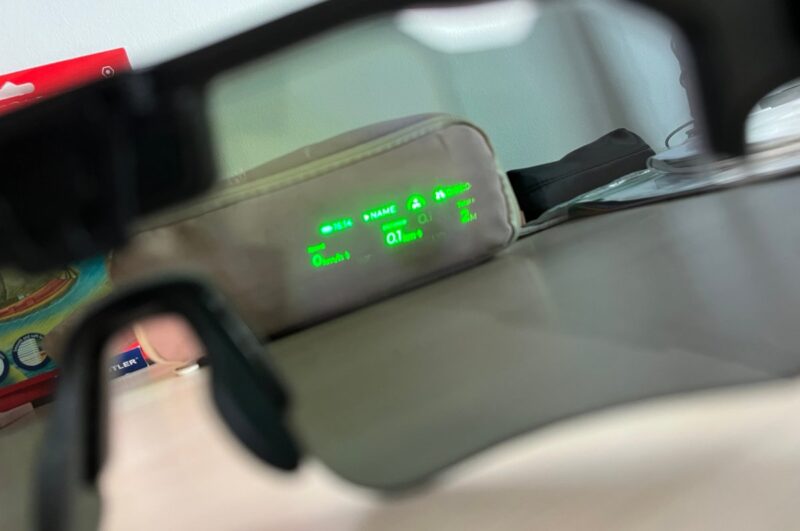
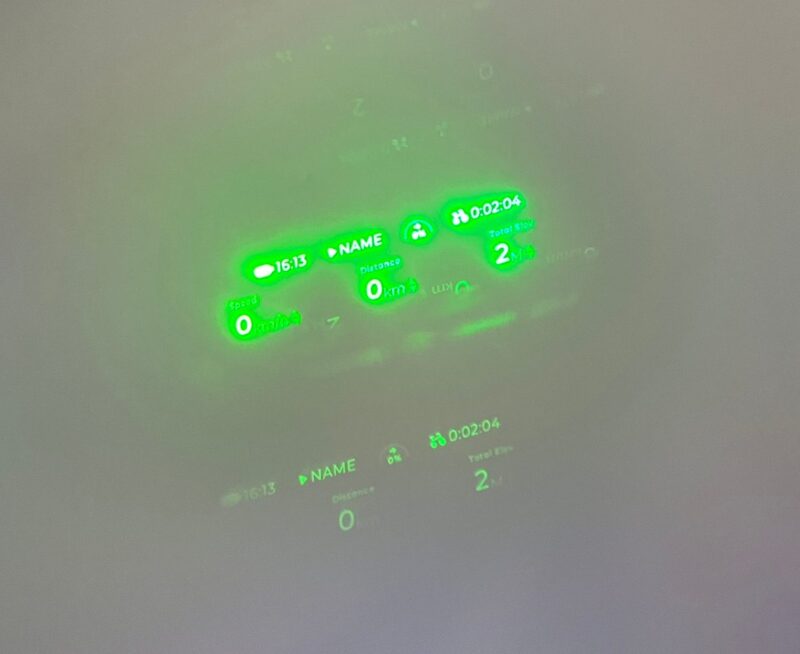
Without any sensors or hardware integration, you can make use of the phone’s GPS to track your cycling speed and distance. For additional data, you can connect a speed and cadence sensor, power meter, heart rate monitor, etc., to the phone and sync the data to the HUD glasses. Of course, all your sensors need to support Bluetooth to be able to connect to the phone. ANT+ devices are not supported yet.
Integrations with a few cycling helmets, like the Lumos smart helmet, to show turning direction or the Magicshine radar taillight to inform you of vehicles behind you. I find this to be really useful, as it allows me to know in real time of the number of vehicles and distance behind me.
Performance
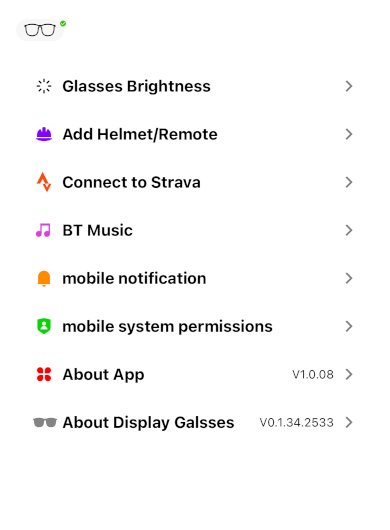
For the smart glasses to work, you have to start an activity in the mobile app. If you have various sensors connected to your phone, you can choose and customize the widgets to display in the HUD.
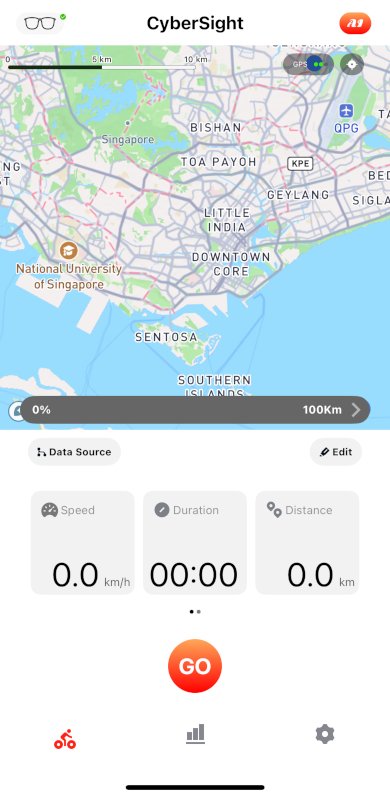
You can also choose to receive your mobile notifications in the HUD. If you are playing music, it can display the lyrics on the HUD too, though I find that to be very distracting.
Note: the lyrics display feature is turned off by default. You have to manually enable it for the lyrics to show up on the HUD.
You can adjust the brightness of the HUD in the app’s Settings. On a bright day, you will want to turn the brightness level to the maximum. Even then, I do find the display to be a bit dim. It will probably work better in the early morning or at night, when the sunlight is not so strong. According to the developers, the HUD will be 25% brighter when it hits the market, so hopefully, that will improve.
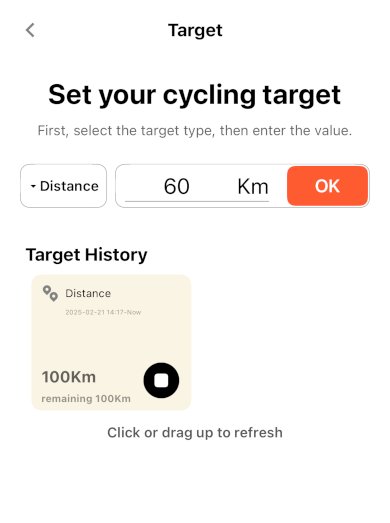
Setting a goal
Before you start a ride, you can set a goal, such as how far you intend to ride for the session. Once it is set, the app will constantly update you on your progress and how far you are from your destination.
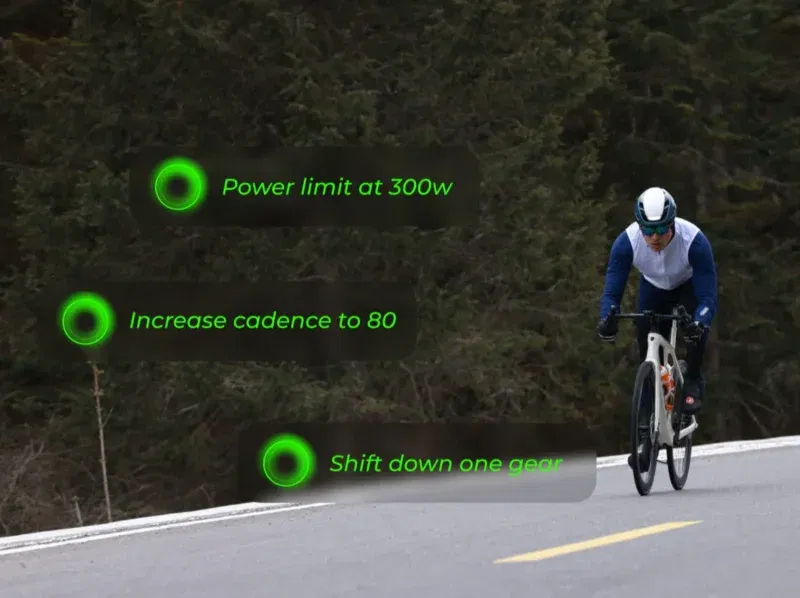
AI coach
With AI being the trend, it would be a surprise if these smart glasses didn’t come with any AI features. In fact, there is an AI coach that will constantly prompt you to “slow down your heart rate“, or mention “you are reaching your goal, keep it up!” etc.
Personally, I find that the battery life is pretty good. It takes around three rides of around two hours each to completely drain the battery. When the glasses are fully charged, I am quite confident that they can last throughout a ride.
Things That I Find Lacking
The manufacturer intentionally leaves out the speaker and microphone to further reduce the weight of the glasses. While it is useful to receive incoming call notification on the HUD glasses, I would appreciate it more if it would allow me to pick up the phone while riding. For now, I have to use extra ear buds for that.
Final Thoughts
While we reviewed this as cycling glasses, they can, in fact, be used for other sports, such as jogging as well.
It takes a while to get used to the Cybersight HUD glasses. On initial testing, I became too focused on the data on the HUD, rather than the road ahead, and that can be dangerous. It took a few rides for me to get used to them and start to appreciate their usefulness. If you want to improve your workout performance, and stay safe at the same time, the HUD glasses are definitely the right tool for you.
Subscribe to our newsletter!
Our latest tutorials delivered straight to your inbox