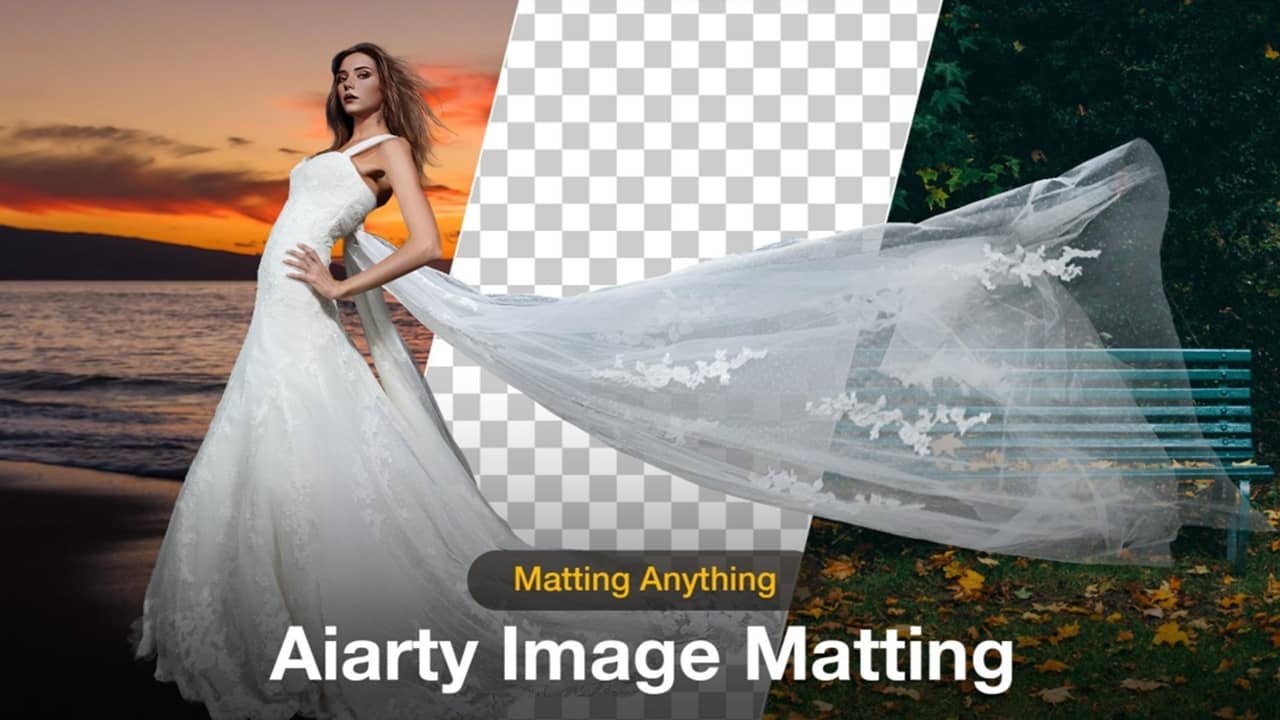
Many image matting tools are cumbersome, slow, and don’t quite give you the results you want. I took Aiarty Image Matting for a test drive to see how much better their AI image background removal process was, and I was pleasantly impressed.
This is a sponsored article and was made possible by Aiarty. The actual contents and opinions are the sole views of the author, who maintains editorial independence even when a post is sponsored.
AI Eliminates Common Hassles
Like many others, I’ve used various image editing tools throughout the years. Photoshop was often my go-to, but I’ve also worked with quite a few online tools as well, to do everything from simple cropping to the all important background image removal. Some tools worked well enough, but it was usually tedious to get the results I wanted. The end result would still leave blurred edges, missing pieces, or generally odd blending.
AI is helping eliminate much of those common hassles, but you still need the right software to get professional results. When I saw that Aiarty Image Matting could give me exceptional background removal quickly, I was excited to see if this was finally the image editing solution I’d been searching for.
What Sets Aiarty Image Matting Apart
It’s all in the details, literally. As someone with long hair, I can’t tell you how many times other matting tools have chopped off hunks of my hair when editing the background. It’s frustrating.
With Aiarty Image Matting, the training dataset has made a noticeable difference in results. The software used 320,000 images with a 4K or higher resolution to better distinguish every tiny detail for optimized results every time, like not removing my hair as part of the background.
Some of the standout features that make Aiarty a cut above the competition include:
- Works with high-res images for flawless 4K output
- Includes an image upscaler that upscales by 2X
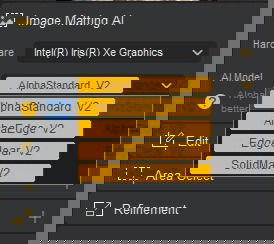
- Uses four state-of-the-art (SOTA) AI models (AlphaStandard V2, AlphaEdge V2, SolidMat V2, and EdgeClear V2)
- Utilizes TensorRT and CoreML acceleration for significantly faster AI inference
- Works well with complex subjects, such as semi-transparent and low contrast
- Designed to also work with AI-generated images
- Uses gradient alpha matte for smoother edges
- Offers batch processing (up to 3,000) for background removal and replacement
- Includes four brushes to manually refine
Now for my favorite feature: processing is done locally. I don’t have to upload my photos to a random server online and wonder if the company is deleting my images when I’m done.
Ideal for Personal and Professional Use
I’ll admit, I’m far from a professional when it comes to editing images. At first, I was slightly intimidated, thinking Aiarty Image Matting was only for professionals – but it’s designed for anyone.
For personal use, I found it ideal for removing backgrounds from family photos so that I could replace them with more creative options for holiday cards. It’s also perfect for isolating pets to create cute stickers and social media posts. And with one-click editing, I don’t need to get my hands dirty trying to figure out a bunch of complicated settings.
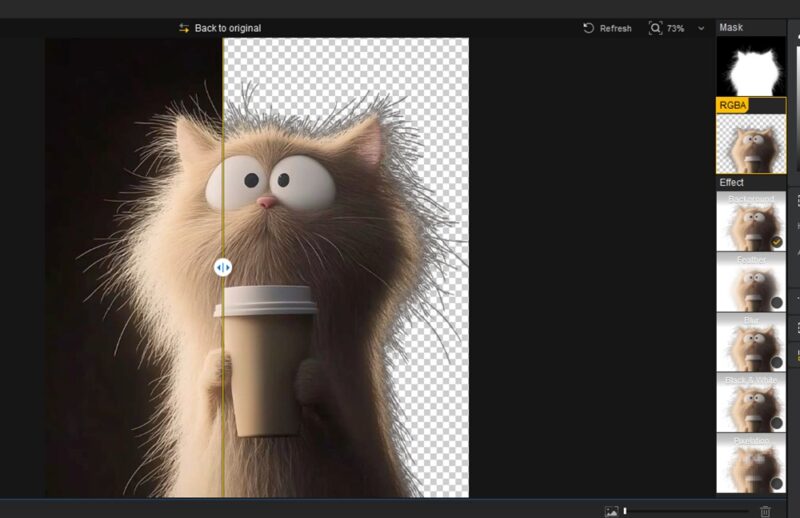
Obviously, for professionals, the opportunities are infinite. Create banners, social media posts, stunning photos, product images, and much more.
For online stores, take as many product images as you want, and use the batch image processing to remove all backgrounds at once. Then, upload your clean product images to your shop.
Aiarty Removes Background From Image
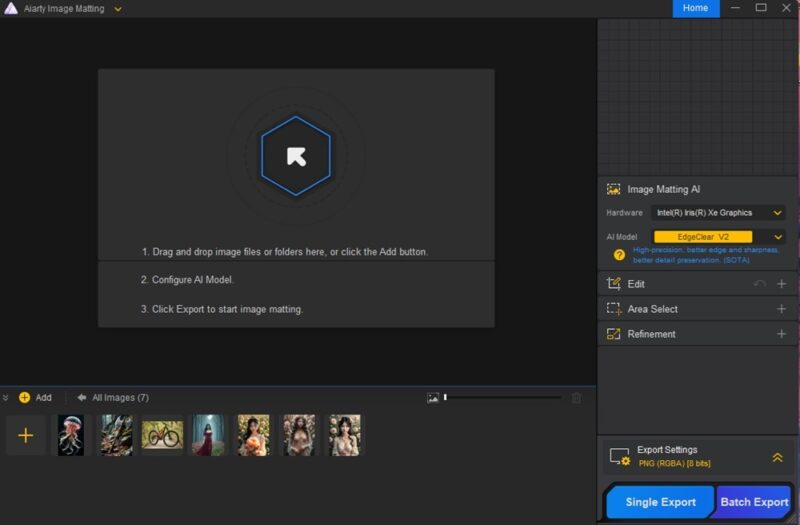
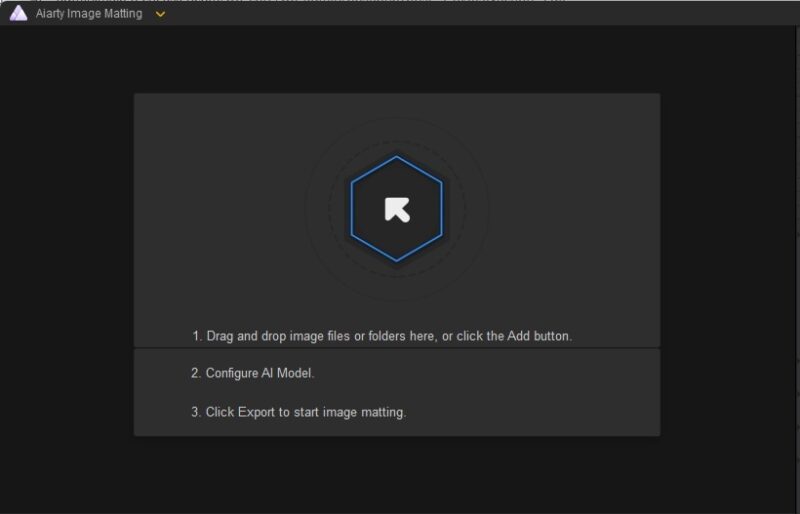
One of the things I love most about Aiarty Image Matting is that the software, which is available for both Windows and Mac, is so intuitive. For instance, when you first load it, it lists three steps for getting starting: add files, configure AI model, and export your file.
Also, I’m not expected to just magically know which AI model is best for my needs. On the right, I can select one of the four AI models. As I select one, a brief description tells me what types of objects/images it’s best for. The question mark also gives you a longer description to help you choose the best option for your needs.
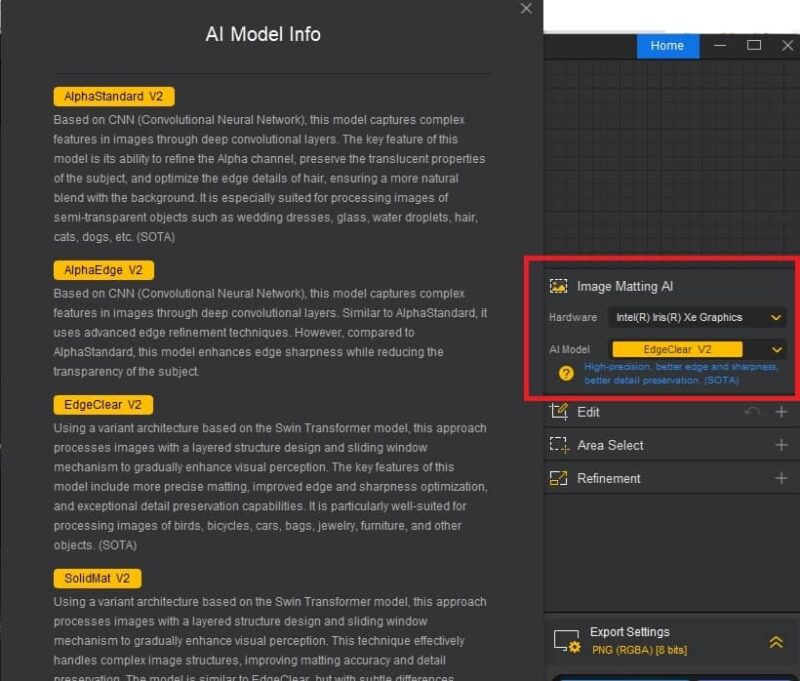
The default is EdgeClear V2, which is where I started. I used one of the sample images provided with the software for my first test. I stuck with the default settings, clicked Export, and waited patiently. Depending on your device, the image size, and AI model, it may take several minutes or more. The results were perfect.
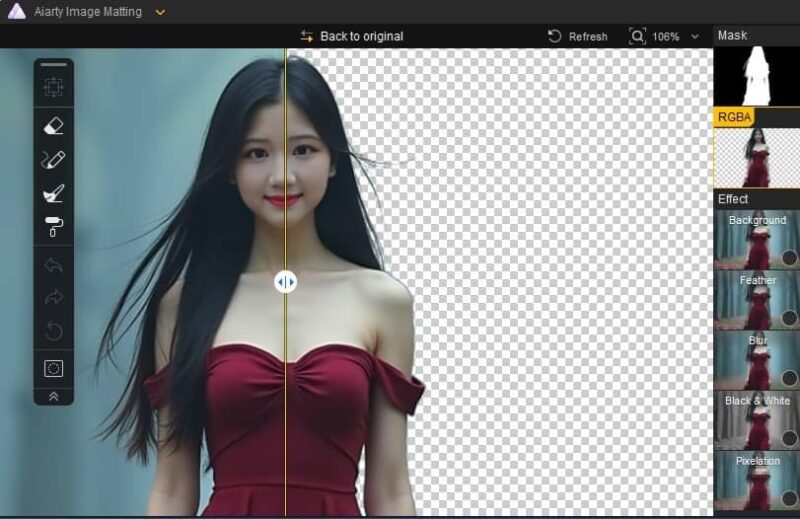
I can use the slider to see how my image will look with the background removed. Plus, there are more editing tools to refine the results, along with effects. Notice how Aiarty retains the woman’s hair, while effectively removing the background.
Before exporting, you can easily add a new background image. Select a background image from your computer, a solid color or gradient using the Background selector. I added a solid color background to a white cat image. Once again, every detail of the foreground image was preserved. I used AlphaStandard V2 for my AI model, as it’s better for hair.
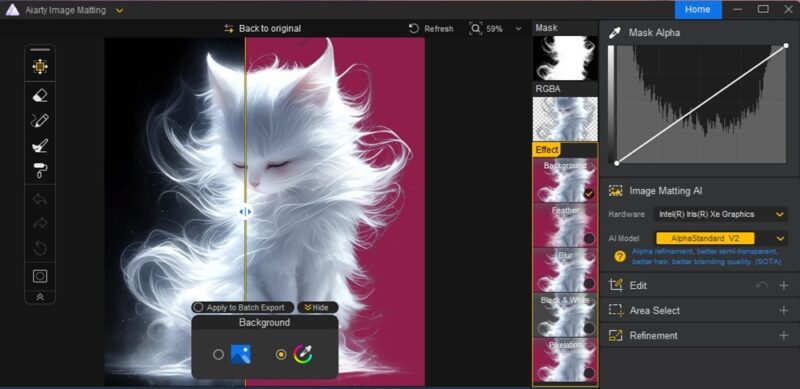
When you export an image, you get multiple files: just the background, just the foreground, and one with edits, such as a new background, cropping, or effects.
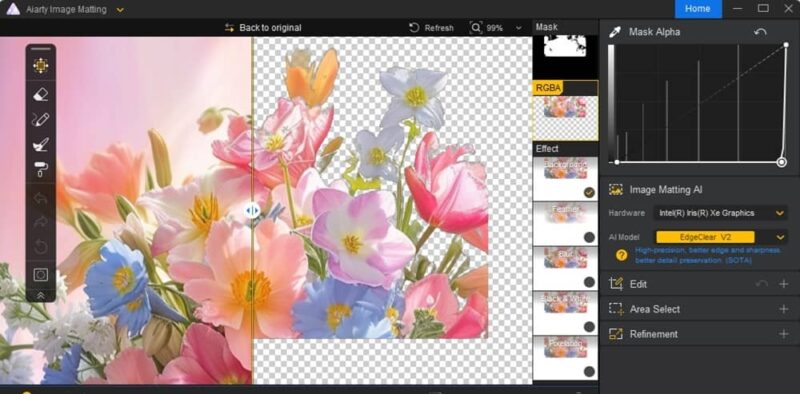
Don’t need the entire foreground? Select a portion of the image before matting. Everything else is removed, including unselected parts of the foreground. I used an image of a vase of flowers as an example. I also adjusted the Mask Alpha to further sharpen the edges of the flowers and stems.
While I was impressed with Aiarty so far, the final test was on a low-light image. In this sample, a woman nearly blends in with the background in a cloudy orange haze. I also added in a new background.
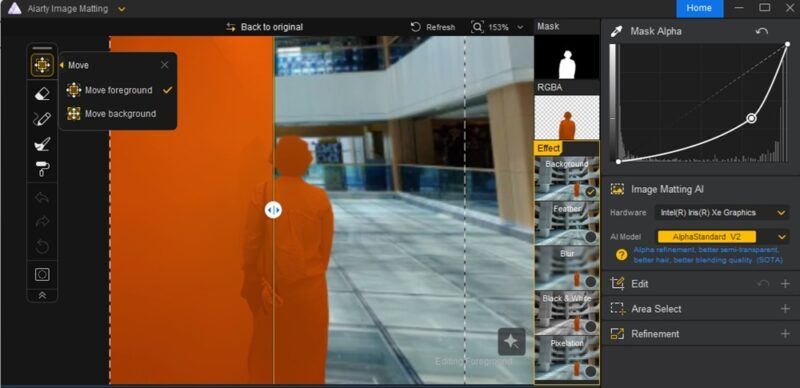
Aiarty Image Matting Pricing
If you’re like me, you’d expect a hefty price tag on Aiarty Image Matting, but it’s just $49/year or $75 for a lifetime license – and you’re able to install it on three computers. For batch processing, you’ll need the commercial license for $1999/year, which includes licenses for 10 computers.
Final Thoughts
Overall, Aiarty Image Matting is a top-of-the-line AI image editing tool that makes quick work of removing backgrounds. Plus, it offers various tools to further refine the results. Whether it’s editing personal photos or batch editing product photos, this tool can do it all.
Not sure if it’s right for you? Check out the limited -time license giveaway to try Aiarty Image Matting for free for a year.