Since its 2022 debut, ChatGPT has been rapidly evolving, expanding its accessibility across numerous platforms. One of the recent developments is integration into familiar chat applications, such as WhatsApp and Telegram. This guide explains why you should use ChatGPT in your chat apps and how to go about it.
Good to know: using Chrome? Check out the best ChatGPT extensions for your browser.
ChatGPT at Your Fingertips in Chat Apps
The expansion of ChatGPT into popular messaging apps such as WhatsApp and Telegram represents, in my opinion, a significant leap in AI accessibility. While ChatGPT has seen widespread adoption, its new and unfamiliar interface may have deterred some potential users from engaging with the chatbot.
Bringing ChatGPT to chat apps breaks down this barrier. Engaging with ChatGPT now feels more natural, making conversations as intuitive as messaging with regular contacts. It also eases less tech-savvy users into using the AI bot.
How to Access ChatGPT on WhatsApp
If you want to start conversing with ChatGPT directly from WhatsApp, save the number +1-800-242-8478 (or +1-800-CHATGPT) to your phone’s contact list, naming it ChatGPT or something else that’s memorable.
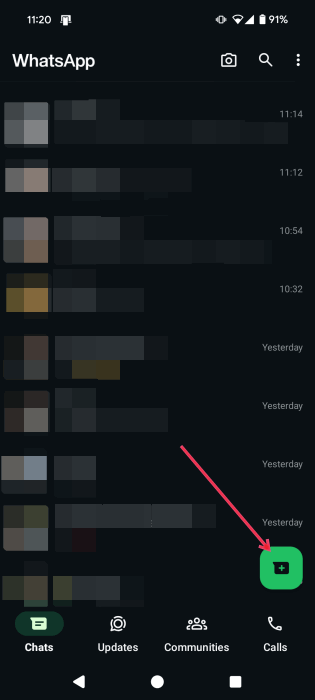
To start a new conversation, tap on the green button in the lower-right corner if you’re using Android, or the + button in the upper right if using an iPhone.
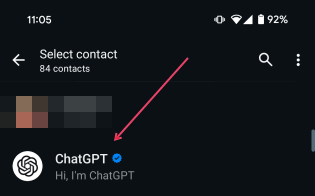
Find the ChatGPT contact in your WhatsApp contacts list.
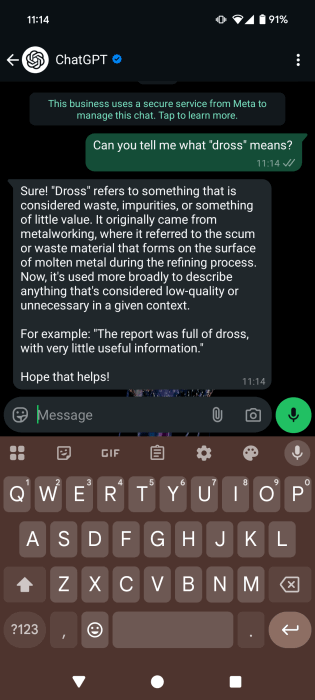
A new chat window will open. Start talking to ChatGPT just as you would with a real person. For instance, I asked ChatGPT to explain a word to me.
ChatGPT Features on WhatsApp
Beyond regular message exchanges, you can also:
- Upload photos and ask for clarifications for these images.
- Send ChatGPT voice messages.
- Communicate with ChatGPT via phone calls on WhatsApp (only available in the U.S. and Canada so far).
- Link your ChatGPT account (Free, Plus, or Pro) to WhatsApp via your WhatsApp phone number.
Tip: learn how to organize your Telegram by creating chat folders.
How to Access ChatGPT in Telegram
You can access ChatGPT in Telegram as well, in a slightly different way. Telegram lets you add ChatGPT, just like any other extra feature.
Open the Telegram app, and press on the search icon in the upper-right corner.
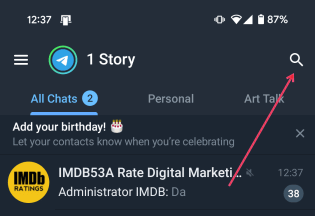
Search for “ChatGPT bot.”
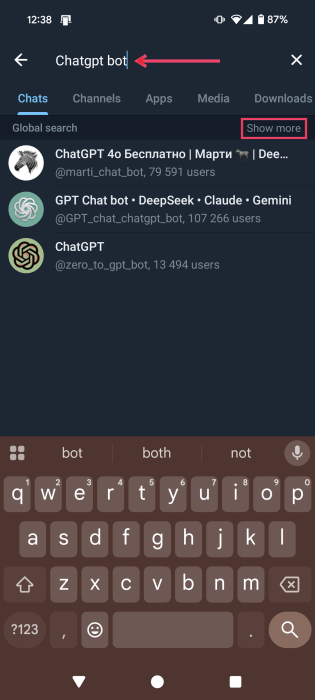
To extend the list of results, tap on the View More option.
Note: these aren’t official ChatGPT bots and are instead developed by third parties.
Select one of the options, choosing one of the most popular, with many users.
The bot will open a new chat and will list what it can do. For more options, however, you’ll need to subscribe to premium.
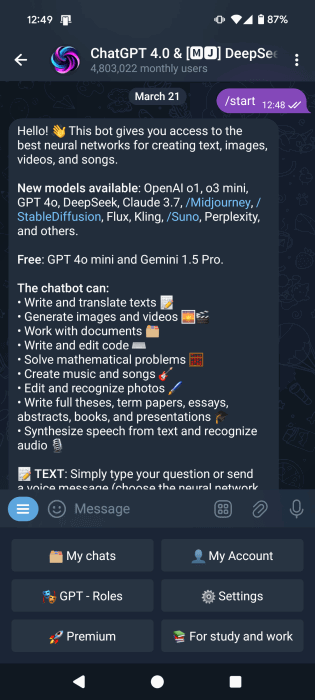
The Telegram ChatGPT bot I’m choosing features a menu that easily lets you access features. For instance, there’s a dedicated section called For study and Work that lets you access a series of academic writing modes, such as Term Paper, Thesis, and Presentations.
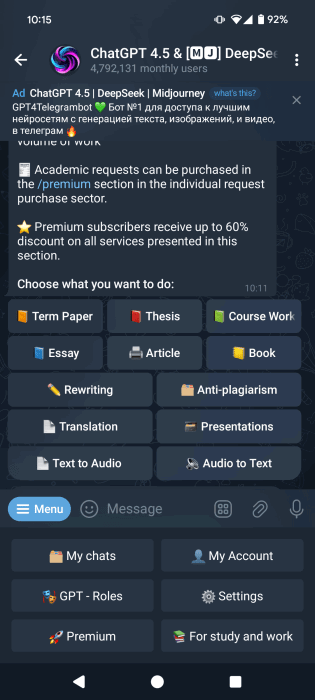
If you don’t want to explore via the menu, interact with Telegram ChatGPT bots via messages.
ChatGPT Features on Telegram
Depending on the ChatGPT bot you’re using on Telegram, such offer options such as:
- AI image generation
- Song and music generation
- Video generation
- Sharing images directly from the chat and asking for further insights
- Interacting with the ChatGPT bot via audio messages
FYI: can’t access locked chats in WhatsApp? Learn how to get them back.
Advantages of Using ChatGPT Through Chats Apps
Accessing ChatGPT through your chat apps brings an unprecedented ease of use. Not only can you start a conversation with ChatGPT more easily, but you can also complete your tasks more efficiently.
I love the convenience. I don’t need to exit WhatsApp or Telegram just to Google an unfamiliar word, movie title, or idea. If something comes up in a conversation that I’m unfamiliar with, I can simply switch to ChatGPT and get a quick explanation. Previously, I had the dedicated ChatGPT app installed on my phone, but it still required me to switch apps. I also enjoy having fewer apps on my device and saving space.
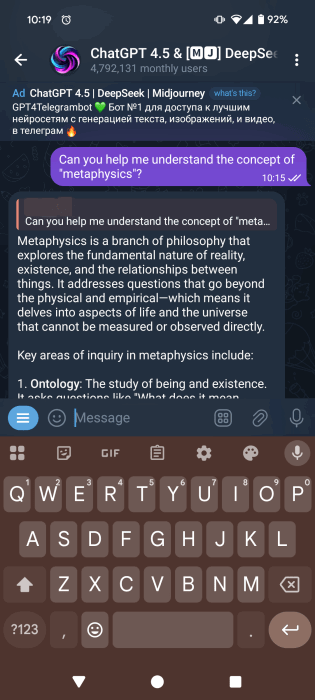
Additionally, I use ChatGPT for instant translations and brainstorming. When inspiration strikes, I no longer need to search Google to explore the idea further – I can do it all in one place.
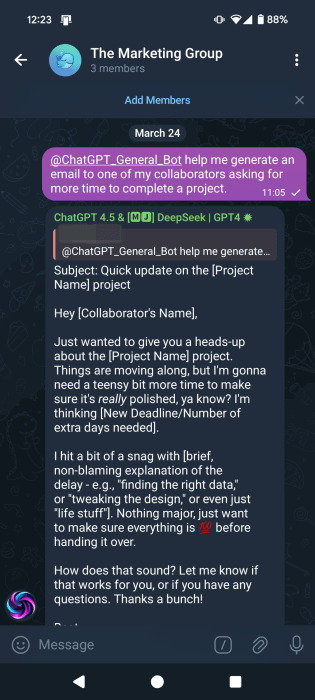
On Telegram, you can even integrate your ChatGPT bot into group chats, making collaboration with teammates much easier. This allows everyone in the group to leverage ChatGPT for various work tasks and boost productivity.
Although ChatGPT can’t access your chats, you can easily copy and paste parts of your conversation with the bot and ask it to analyze them. Lately, I’ve found this especially helpful for processing interactions and understanding my own emotions. There are also times when I feel lonely, and those around me can’t offer emotional support. In those moments, having a chat with ChatGPT through WhatsApp or Telegram makes having a convo with an AI more natural and even comforting.
With ChatGPT in your chat apps, the possibilities are vast. I encourage you to adapt its use to match your preferences and experiment until you find your ideal workflow. If you want to get better at leveraging the power of GPT, check out these awesome ChatGPT prompts for a productive day and these amazing web apps based on ChatGPT.
Image credit: DepositPhotos and Flaticon. All screenshots by Alexandra Arici.