Meta AI, which piloted a year ago, is now an integral part of your WhatsApp chat experience. Many users of WhatsApp, though, are saying it’s been forced on them with no opt-out. In a world filled with AI chatbots, is WhatsApp Meta AI just one more fancy tool, or does it have any real uses? Let’s find out quickly.
What Exactly is WhatsApp Meta AI?
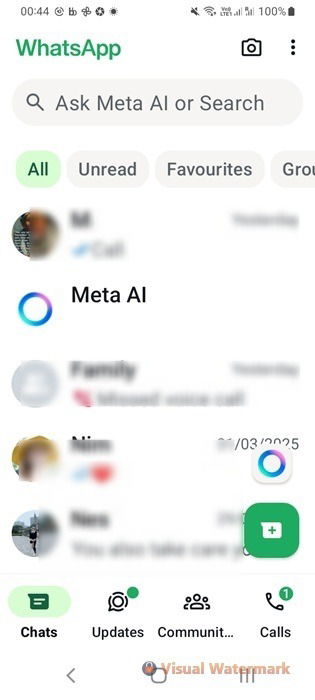
Built on Meta’s Llama large language model (LLM), WhatsApp Meta AI is a chatbot that interacts with you in real time as a typical WhatsApp contact. It presents itself as a blue circle on your WhatsApp home screen, and you cannot remove it from your contact list.
To engage the chatbot in natural conversations, tap the blue circle or type in the Ask Meta AI or Search field. This might not seem like much at first glance, but for frequent WhatsApp users, this functionality becomes very useful over time.
There are many effective ways to use the Meta AI feature in WhatsApp.
Real Time Translations Within WhatsApp
As a WhatsApp user, you’ve likely faced the challenge of juggling translations in real time. The old-school method involved copying and pasting your friend’s messages into an app like Google Translate. While it gets the job done, the context often gets lost across languages. It’s also not very comfortable constantly leaving the WhatsApp app and switching back and forth just for a translation.
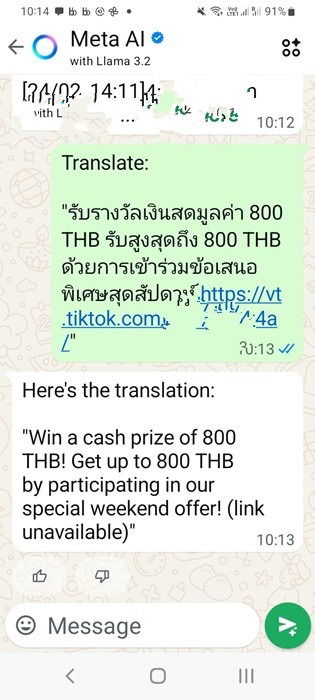
Meta AI’s chatbot in WhatsApp ensures you don’t have to leave the app to create or understand messages. Plus, it has a big advantage over traditional translation tools. You can grab multiple text blocks from your chat, input them all at once, and receive a quick, accurate translation. The natural language algorithms of Meta AI provide much greater accuracy.
Related: you can also access ChatGPT on WhatsApp and Telegram apps.
Get Free, High Quality AI Images
For those looking for a free tool to create sophisticated AI images, Meta AI does it all, and more. The quality of the images is pretty good. You can also edit the prompt in real time and get very fast outcomes. Improving the context in iterations gives you better results with images.
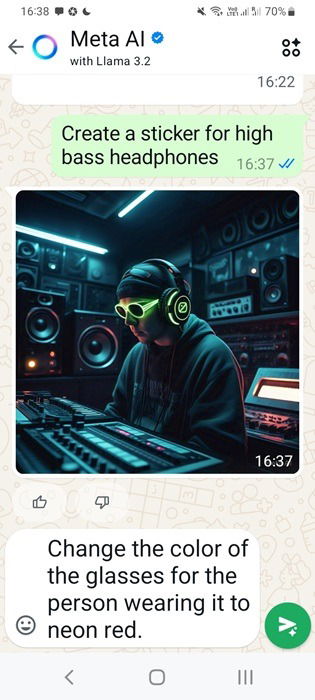
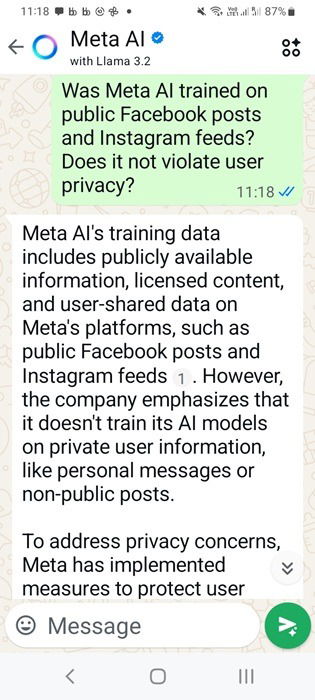
Unlike ChatGPT, an advantage of Llama is that it draws extensively from real-time online conversations. Meta AI admitted to me that some of these could have been sourced from public posts on Facebook and Instagram. There’s no doubt that it would play a role in creating such high quality images. This raises potential privacy concerns, which we’ll cover below.
Related: using free AI image tools might be a better idea than using paid AI chatbots. We have explored why that is the case.
Use Meta AI in WhatsApp Without Compromising Privacy
Many users weren’t too thrilled about Meta AI being added to WhatsApp, believing their chats might not stay private anymore. Maybe you’re not sold on AI chatbots, especially in your private chats and conversations. After all, Meta, the rebranded Facebook parent, doesn’t exactly scream “privacy champion” to cautious smartphone users.
Could your messages be fed into training the AI model? While this is a valid concern, the fact remains that all your WhatsApp messages are end-to-end encrypted, making them inaccessible to Meta AI, as they should always be.
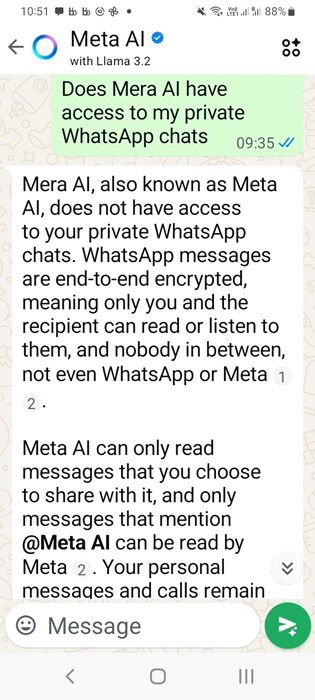
That being said, there’s a catch. Any message where you tag @Meta AI is fair game – it can and will be used to train the bot. Those are the only messages it’s permitted to access. So, you can use WhatsApp with the same privacy as before. Just don’t tag anything to the Meta AI bot. There are many other ways to ensure you enjoy greater privacy on WhatsApp compared to its default setting.
Finally, the Benefits of Generative AI
Whether you want to learn something, verify facts, or brainstorm new ideas, generative AI tools like Meta AI have their benefits. And Llama by Meta AI is definitely one of the best AI chatbots out there.
With few exceptions, WhatsApp dominates iOS and Android app charts in tons of countries, and AI chatbots aren’t going anywhere. Even if you shrug off the hype, the Meta AI feature in WhatsApp is a solid conversational partner. There are hardly any topics it won’t expand on, and you’re in for a wild ride here.
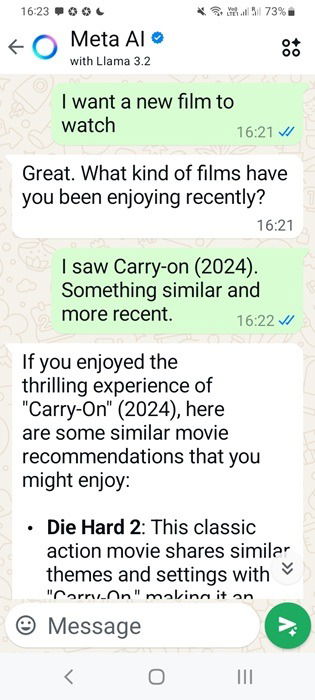
There is no doubt that Meta AI has jazzed up WhatsApp chats, bringing it all together nicely. But it’s not the only one here. Instagram AI Studio lets you chat with your favorite AI bot, and now it’s also available in WhatsApp. Not big on AI chatbots? We’ve got the formula down on identifying if your chat buddy’s human or a bot.