No app is immune from malware, including the popular messaging app WhatsApp. Make sure you stay safe and avoid malware on WhatsApp by using a few simple precautions.
1. Keep WhatsApp Updated
In April 2025, Meta disclosed a major vulnerability for WhatsApp for Windows. It’s a spoofing one that’s being tracked as CVE-2025-30401. What seems like a harmless attachment in a message is actually one injected with malware. This vulnerability targets WhatsApp’s MIME (multipurpose Internet mail extensions) feature that determines the file type for an attachment.
WhatsApp might see an attachment as an image, but in reality, it’s an executable file that installs malware when you download it.
The good news is Meta has already issued a fix. All you have to do is update WhatsApp in Windows.
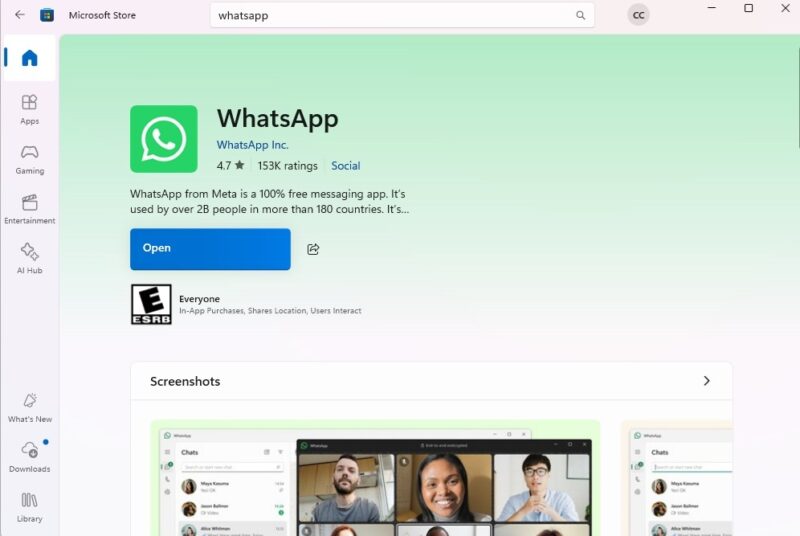
This is just one example of a vulnerability that could result in malware in WhatsApp. To stay safer, always keep WhatsApp up to date.
Even if you’re wary of updates that sometimes cause more problems than they fix, take time to read what’s included in an update. If “security fixes” are listed, update right away.
2. Never Download From Unknown Senders
Even if a WhatsApp attachment file type isn’t disguised as another, it could still be malicious. As tempting as it might be to open an attachment from an unknown sender just to see what it is, don’t do it.
Hackers and scammers target victims’ curiosity. The best thing you can do is delete the message immediately if you don’t recognize who it came from.
3. Block Messages from Unknown Senders
Prevent unknown senders from continuing to contact you by blocking them. Personally, I block unknown numbers on every messaging app I use. If I don’t know you, I’m not interested in whatever scam or malicious file you’re sending me.
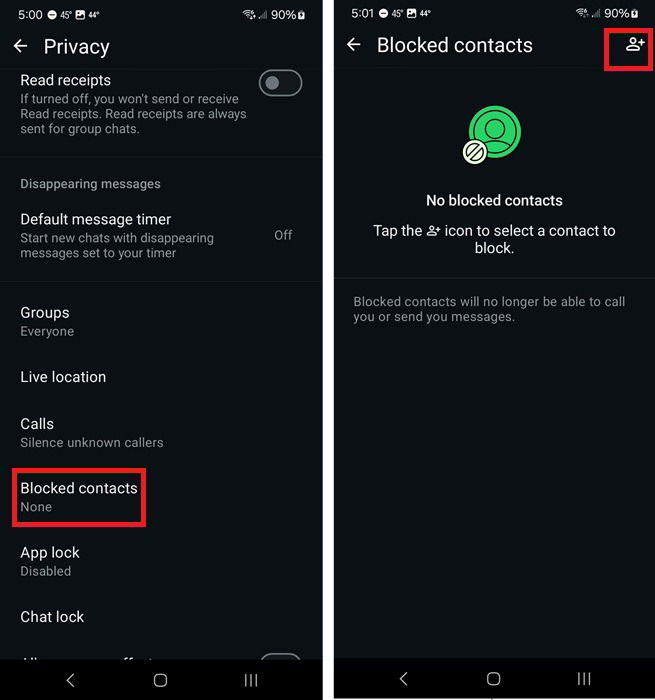
When you receive a message or call from a number you don’t have added, simply tap the Block button on the contact. Or, you can go through WhatsApp’s settings.
Click the three dot menu in WhatsApp and select Settings -> Privacy -> Blocked contacts. Click the contact icon at the top right and select the contact(s) you want to block. After you’ve blocked the sender, delete the messages.
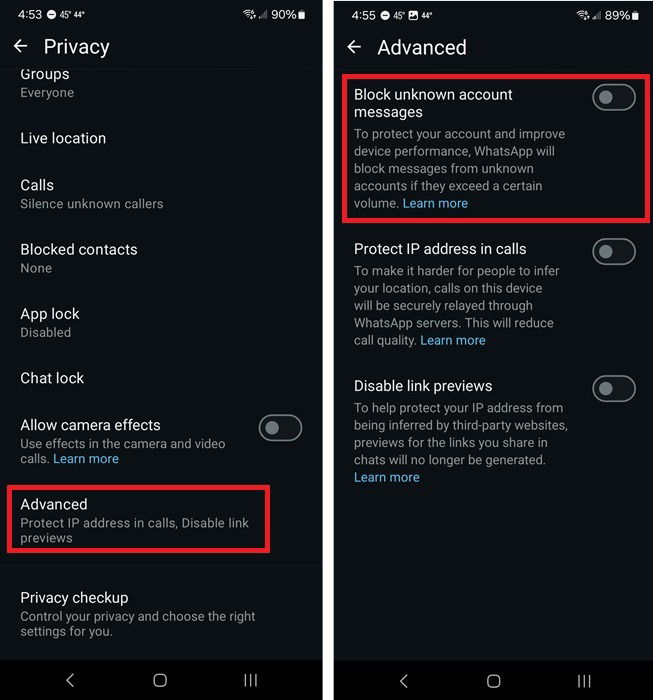
Getting numerous messages from random numbers? Protect yourself from malware on WhatsApp by blocking these messages automatically. The downside is this method only works when you’re receiving a high volume of messages from unknown senders.
Go to Settings -> Privacy -> Advanced and toggle on Block unknown account messages.
4. Pay Attention to WhatsApp Warnings
If you ever receive a warning about a suspicious file in WhatsApp, don’t open it. WhatsApp only sends a warning if a file seems suspicious or it’s not a supported file format.
For the latter, it may be a legitimate attachment. However, only open it if it’s from someone you trust. You can always message or call them to verify if they actually sent you that particular attachment.
5. Keep Up to Date on Scams
While not all scams install malware, some do. Take time to learn about the latest scams so you’ll recognize them the moment you see them. Of course, a few red flags include:
- Numerous grammatical errors
- Asking for personal information
- Pushing you to click or download something
- They pretend to know you, even if you have no clue who they are
- The message promises something too good to be true, like winning a lottery you never entered
- Claiming you owe money and must pay through WhatsApp
We’ve covered some of the top WhatsApp scams to help you stay safer.
6. Monitor Security Advisories
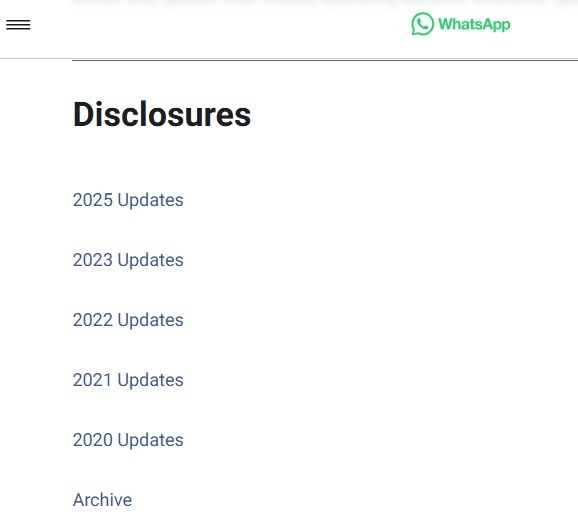
WhatsApp doesn’t have nearly as many issues as it once did. For example, there were no security advisories issued in 2024 and only one so far at the time of writing in 2025. You can view all security advisories on WhatsApp and check in at any time to see if anything new has been issued.
If you want to learn even more detail about WhatsApp vulnerabilities and how severe they are, CVEdetails is a good source. It’s more technical, but provides more insight.
7. Avoid Third-Party Versions or Old Versions
Apps promising to be better versions of WhatsApp aren’t safe. They often have malicious ads that infect your device with malware. Plus, they don’t have any of the built-in safety and security features of WhatsApp.
Despite what any of them might promise, they aren’t official versions of WhatsApp. If you’re uncertain, choose an official download from the WhatsApp site.
It’s also not safe to sideload an old version of WhatsApp. The recent file type vulnerability in the Windows version of WhatsApp is a prime example. If you reverted to an older version, you’d be at a much higher risk of malware than if you had the updated version.
Staying safe on WhatsApp does require a little diligence, but it’ll keep your device safer from malware. While you’re at it, learn how to protect your privacy while still enjoying the app.