Choosing the best option among all gaming keyboards isn’t easy. You want the best mix of value and features, while enhancing your gaming experience. Whatever your need is, this buying guide has you covered.
Table of Contents
- Our Criteria
- 1. Best Overall: ASUS ROG Strix Scope II 96 Wireless Gaming Keyboard
- 2. Best Overall Value: Ducky Zero 6108 Mechanical Keyboard
- 3. Best Mini Keyboard: Razer Huntsman Mini Gaming Keyboard
- 4. Fastest Response: SteelSeries Apex Pro TKL Gen 3
- 5. Best Ergonomic Keyboard: KINESIS GAMING Freestyle Edge Mechanical Keyboard
- Frequently Asked Questions

ASUS ROG Strix Scope II 96 Wireless Gaming Keyboard
Ducky Zero 6108 Mechanical Keyboard
Razer Huntsman Mini Gaming Keyboard
SteelSeries Apex Pro TKL Gen 3
KINESIS GAMING Freestyle Edge Mechanical Keyboard
Our Criteria
Skill is only part of the equation when it comes to PC gaming. You need the right equipment, too. Choosing the best gaming keyboard helps you elevate your gaming to the next level. While there are numerous features, performance and personal preference are the two most important things to keep in mind. Generally, mechanical keyboards offer the best gaming options, so we’re sticking to mechanical options for this guide.
Switch Type
The great thing about mechanical keyboards is that they have different switch types, which offer different feels and sounds. The main types include:
- Linear – they’re quieter, but there’s no feedback when you hit the actuation point, meaning you’ll usually press them all the way down. For gaming, this could cost you valuable time.
- Tactile – you’ll feel a click or bump when you hit the key’s actuation point.
- Clicky – you’ll both feel and hear a click. Plus, some users just love the sound of a clicky key.
Latency
Latency is how long it takes for the PC to receive the signal when a key is pressed. Obviously, the lower the latency, the better. Saving even 0.1 milliseconds drastically changes your game performance, especially games requiring ultra-fast reaction times.
Comfort
When you’re gaming for hours at a time, you want to be comfortable. Mechanical keyboards are often more comfortable, including low-profile versions. Choosing the best key type for your needs also helps. Carefully consider the layout and any ergonomic features. Of course, you can always add a supportive wrist rest for added comfort. And remember, the right monitor also helps.
Extra Features
While not absolutely required, extra features let you enjoy your gaming keyboards even more. Some of the top features to look for include:
- Backlit keys
- Rapid trigger (ideal for competitive gamers)
- Software customizations
- Media controls
- Built-in wrist rest
- Swappable switches (extra customization)
- Both wireless and wired options in one keyboard
Buying Guide for the Best Gaming Keyboards
Razer introduced the world to the first gaming keyboard built from the ground up specifically for gamers. The Razer BlackWidow released in 2010 and set a standard for today’s mechanical gaming keyboards. You’ll still find various BlackWidow versions, offering exceptional quality and features.
The bold move to integrate mechanical switches in a gaming keyboard changed the way people game. By optimizing the actuation point, gamers experienced much faster response times than with standard keyboards.
Thanks to Razer’s innovative design, the world of PC gaming has changed for the better. Forget your average keyboard, and upgrade to one of the best gaming keyboards to see the difference.
1. Best Overall: ASUS ROG Strix Scope II 96 Wireless Gaming Keyboard
The ASUS ROG Strix Scope II 96 Wireless Gaming Keyboard is everything a gaming keyboard should be. If you prefer a wired keyboard, the ROG lets you easily convert between wired and wireless. What really stands out is the pre-lubed hot-swappable switches. Choose between NX Snow linear switches and ROG NX Storm clicky switches.
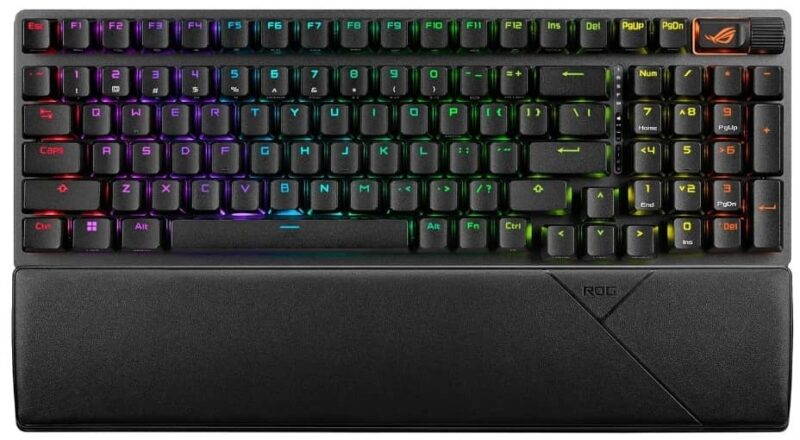
Sound-dampening foam gives you a quieter experience. Plus, the PBT keycaps along with the lubed stabilizers help the keyboard last much longer. With a 96% layout, you still get a numpad. Quick access keys, a multifunction button, and multi-wheel make this an overall best choice.
2. Best Overall Value: Ducky Zero 6108 Mechanical Keyboard
The Ducky Zero 6108 gives you everything you need in a gaming keyboard without a bunch of expensive frills you don’t need. The PBT caps are sturdy and responsive, with most of them being pre-lubed. Cherry MX2A brown switches complete the keyboard.
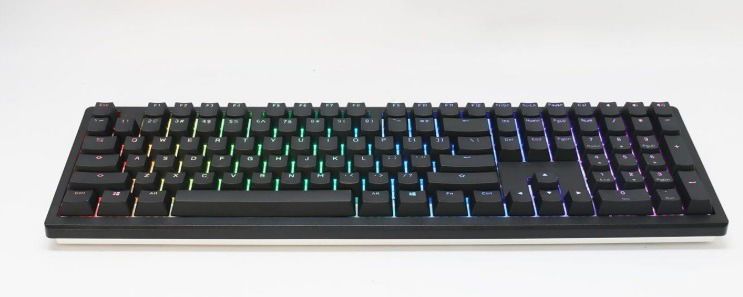
Overall, it gives a great balance of responsiveness, but without being too loud, which is ideal if you live with non-gamers. The best part overall is the tri-connectivity. Easily switch between USB wired, Bluetooth, and 2.4GHz wireless to best fit your gaming setup.
3. Best Mini Keyboard: Razer Huntsman Mini Gaming Keyboard
The Razer Huntsman Mini Gaming Keyboard is just 60% of a standard layout. Yet, this compact design doesn’t skimp on quality or features. Experience faster responses with an actuation of just 1.5mm, thanks to the clicky optical switches. These use light-based actuation, leading to lower latency.
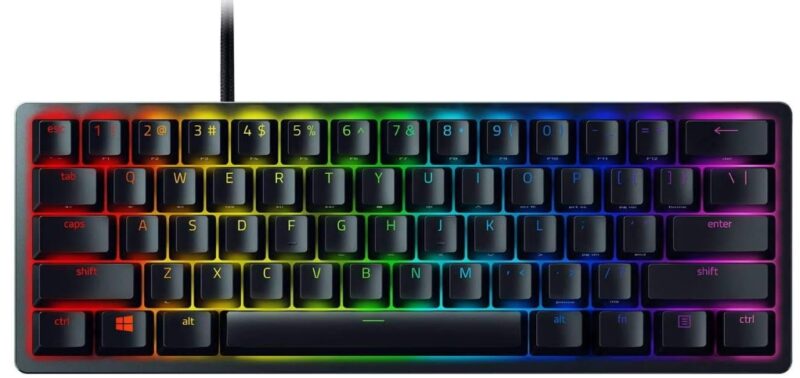
The oil-resistant PBT keycaps are designed to last, and the aluminum frame adds to the overall look and durability. Want to customize? Use the Razer Chroma software to sync and personalize colors. Use Razer Hypershift for fully programmable macros.
4. Fastest Response: SteelSeries Apex Pro TKL Gen 3
When you need the fastest response, you want a rapid trigger gaming keyboard like the SteelSeries Apex Pro TKL Gen 3. Instead of mechanical switches, this keyboard utilizes Hall Effect switches, giving you a competitive advantage in response time. The keyboard is fully customizable, letting you determine the right reset point for you.
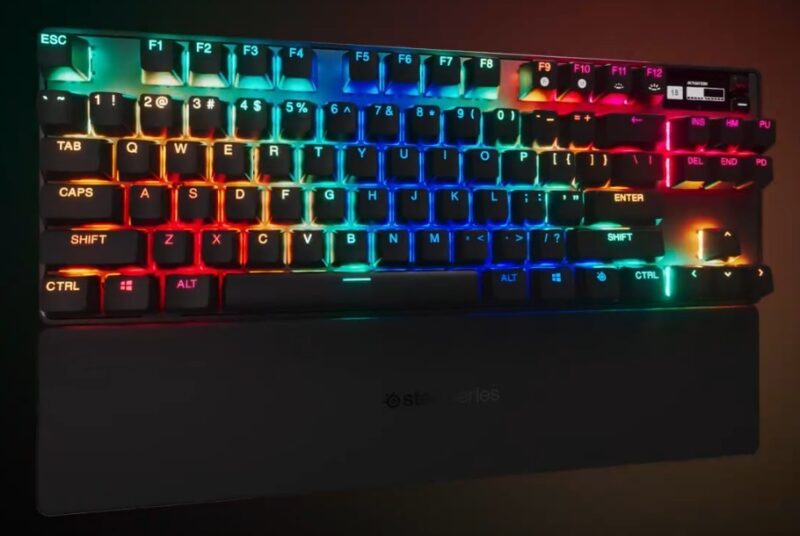
One standout feature is that it auto-detects your game and loads the optimal presets. However, just use the OLED display to adjust the settings or even display fun GIFs (black and white only). There’s even a protection mode to avoid costly accidental taps from surrounding keys.
5. Best Ergonomic Keyboard: KINESIS GAMING Freestyle Edge Mechanical Keyboard
While the best gaming keyboards are usually comfortable, they’re not always the most ergonomic. The KINESIS GAMING Freestyle Edge Mechanical Keyboard offers a split design to let you position each half in the most comfortable position for you. Each half also has a plush wrist rest for optimal comfort.
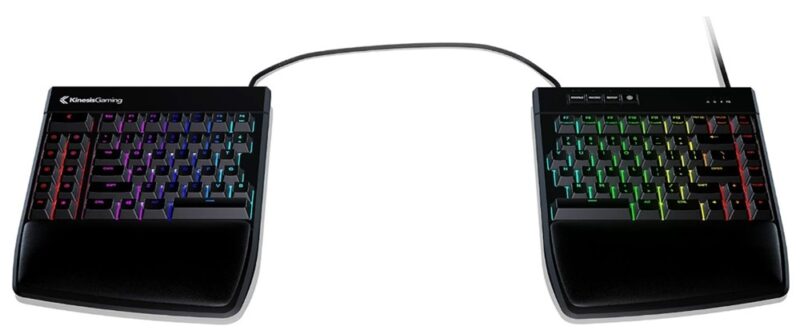
The keyboard uses Cherry MX Brown tactile switches, so it’s easy to switch out to customize it if you want. Further customize it with 95 programmable keys, and even set up nine profiles. Of course, you get the usual 16.8 million backlit color options, along with 10 preset effects.
Frequently Asked Questions
Are mechanical switches better than membrane switches?
For gaming, yes. Of course, it’s all personal preference. But mechanical switches are usually more responsive and last much longer. After all, gaming keyboards take a beating.
What’s the best switch type to look for?
Cherry is the most common switch, which makes it easier to find replacements and customizations. They’re also highly durable and preferred by many gamers. However, they’re not your only option.
Are smaller form factors better?
Many gamers prefer more compact keyboards to leave room for other gaming hardware, such as a larger gaming mouse. But if you plan to use your gaming keyboard for everyday typing, you may want a larger size with a numpad.
Are all gaming keyboards ergonomic?
No. However, the best gaming keyboards often come with a wrist rest. Or, you can buy one separately for more support. Also, look for adjustable height to get a more comfortable angle.
Does every gaming keyboard have backlit keys?
Most do. Part of it is just for looks, but it also makes keys easier to see in dimly lit rooms. The best RGB keyboards let you program colors and effects to your preferences.
Image credit: Unsplash