If you’ve seen this unpleasant sounding term floating around, you’re probably wondering what is slopsquatting and how exactly it might affect you. This nasty attack isn’t the easiest to spot, but there are ways to avoid it to keep you safer.
What is Slopsquatting
It all starts with AI hallucinations, which are things AI makes up. For the purposes of slopsquatting, AI tools suggest open source packages that don’t actually exist for developers to use in their code.
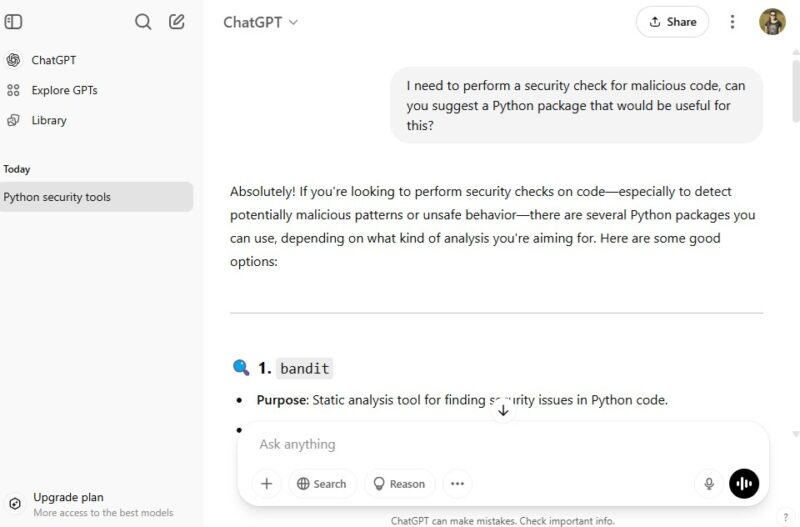
Cybercriminals have discovered AI hallucinations often repeat. They take advantage of this flaw by creating malicious packages using these hallucinated names and upload them to trusted code repository hosts such as GitHub. When developers ask their favorite AI platform to suggest an open source package, the chatbot suggests one of the hallucinated names that cybercriminals are using.
The result is developers are inserting these malicious packages into their software. Once it runs, the damage is done and the attackers gain access to any devices the code is executed on.
While this might not sound like a major issue, one study found that out of 16 major code generation AI models, almost 20-percent of recommended packages didn’t exist. Even worse is 43-percent of hallucinated package names repeated every time out of 10 runs with the same prompt. This makes it much easier for cybercriminals to choose names and get their malicious packages suggested and used repeatedly.
In the study, CodeLlama was the worst offender. On the other hand, GPT-4 Turbo had the fewest hallucinations. Just because the risk is less it doesn’t mean you’re completely safe, though.
Things You Need to Watch Out For
Whether you’re a professional, casual, or completely beginner developer, you’re at risk of slopsquatting. It’s actually a form of typosquatting, where a single letter is the only difference between a legitimate safe domain and a malicious one. But, just like typosquatting, slopsquatting is avoidable if you watch for these five things:
- Slightly misspelled package names – This red flag isn’t a guarantee, especially as the majority of hallucinated package names don’t have any typos. Still, if you notice something misspelled, think twice before using it.
- Lack of any discussions or feedback – Packages with little to no discussions may not be the safest to use. It could just mean they’re brand spanking new. Or, it could signal it’s a fake package that’s relying on AI suggestions for developers to find and innocently use.
- Warnings from other developers – I know it’s easy to just rely upon AI’s suggestions, but take a moment to do some extra research. Use your favorite search engine and see what others are saying about any package suggestions before using them yourself.
- Not recommended by other platforms – If possible, try the same or similar prompts on multiple AI coding platforms. If a package is rarely or never recommended, it could be a major sign of slopsquatting.
- Confusing descriptions – It’s becoming more common for developers to rely on “vibe coding,” which means they just accept suggestions without any verification. Yet, malicious packages often have confusing descriptions on the sites they’re hosted on.
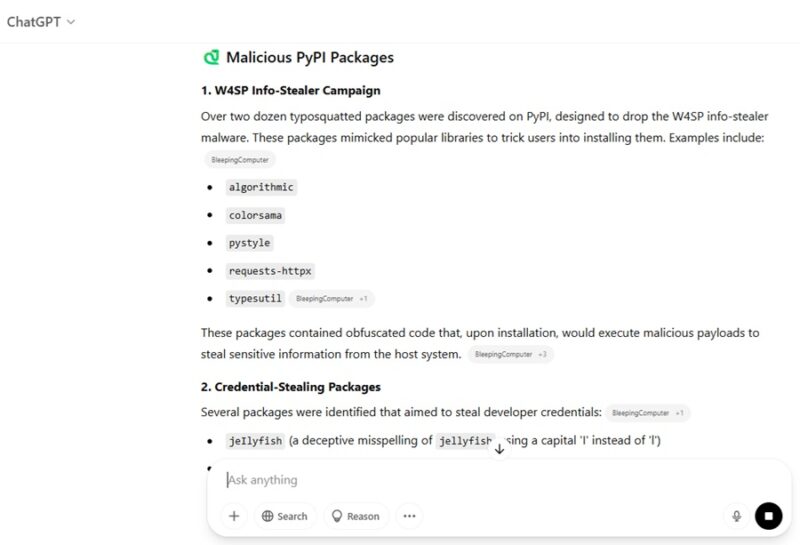
You can also avoid common slopsquatting packages already identified in the wild just by asking your favorite AI platform for a list.
The Most Important Precautions
Even when you know what to look for, slopsquatting is still difficult to spot in many cases. Since it’s so new, it’ll take time for security experts to develop a reliable process to identify and eliminate malicious packages. Many AI platforms are also attempting to train their models to recognize hallucinated names/packages and warn developers before using them.
Until those things happen, you do have three ways to prevent a malicious package from ruining your software and any devices it may be installed on.
The most important is to always run your code in a secure, sandbox environment. VirtualBox and VMWare are two of the most popular virtual machines and they’re free to use. There are also cloud-based sandbox environments, though most only support a few languages. Replit is a favorite as it supports over 50 languages.
The second is use a scanning tool to verify if a package is safe or not. I’ve found the Socket Web Extension to be one of the easiest options to use. It’s free to use and works on numerous sites to scan before you download anything. Currently, it’s available for Chrome-based browsers and Firefox.
Finally, always verify anything AI suggests. The more reliant you are on AI, the easier it is for cybercriminals to take advantage. Use AI to assist with coding, but verify any and all suggestions before using them.
If you do become a victim of slopsquatting, let other developers know. Post warnings on social media, Reddit, and repository hosts. Contact support for the AI platform you’re using to report the malicious package name to help better train AI models. Getting the information out helps others protect themselves.