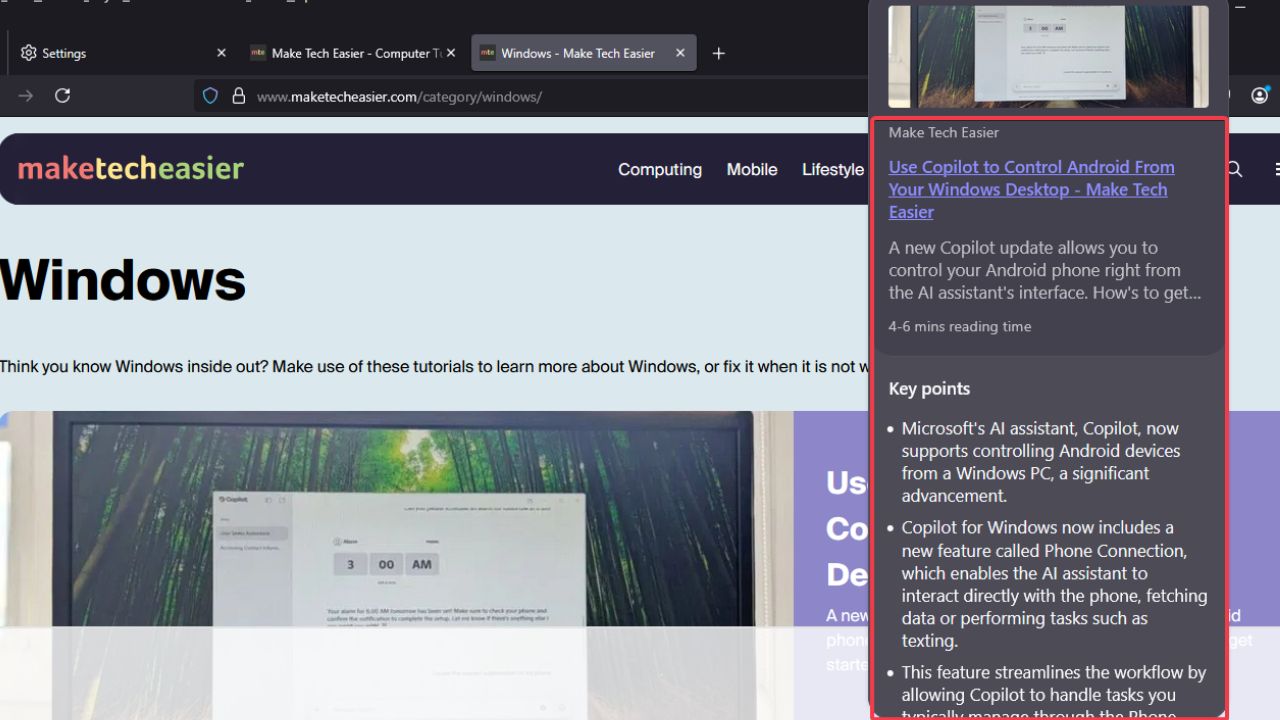
Are you tired of clicking links only to wish you hadn’t? Then this new Firefox feature is for you. With the Firefox AI link previews, you can get a summary of what’s inside a link once you hover over it. The aim is to reduce unnecessary clicks and save time while getting an overview of what the link entails with AI. Although it’s still in the experimental Nightly builds, it’s worth trying out. Let’s explore how to use it and what to expect.
Enable and Use Firefox’s AI Link Previews
To get the Firefox AI link previews up and running, you’ll need to download the Firefox Nightly – the experimental build to test new features. It’s separate from your regular Firefox.
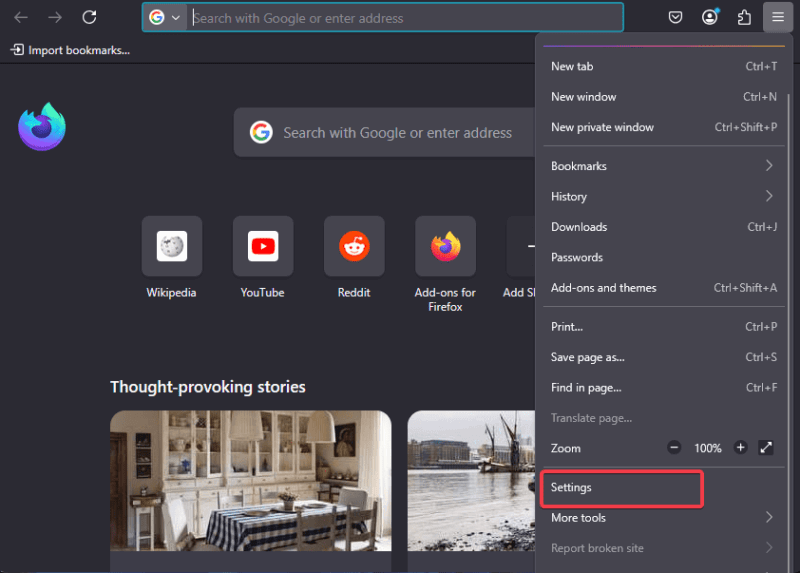
Enable the feature by launching it and go to Settings -> General or Experimental Features (the location varies by build). Locate AI Link Previews and toggle it on.
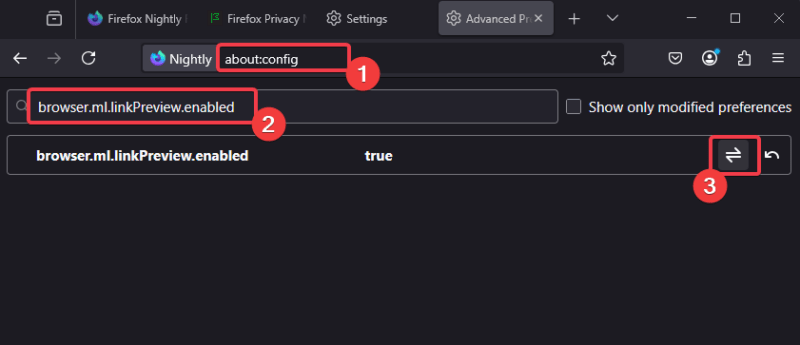
Alternatively, open a new tab, and type about:config.
Search for browser.ml.linkPreview.enabled and toggle the value to true.
Now, when you browse any webpage, hover your mouse over a link and a preview box will pop up with a generated summary. It’s preferable to use directly from the search engines. I find it the most useful when used on a search results page.
Also, you can use keyboard shortcuts to trigger it manually. Simply press and hold Shift + alt while hovering on the link, like a classic Firefox move.
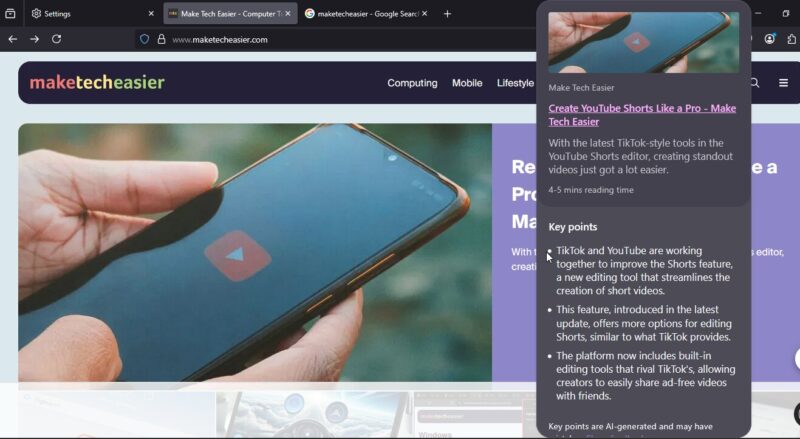
To dismiss the preview when you’re done, simply press the Esc button. The AI processes locally for speed without needing external servers, unlike Chrome’s link preview method which feels sluggish. This is faster and more informative.
Why Use It and What to Watch For
Here are some things you should look out for:
The good:
- It saves time by giving an instant overview of what a link entails.
- Cuts through the tab chaos or clutter since you can just hover and move on.
- It’s a better alternative to using extensions or cutting through old Firefox tips and tricks to manage links or tabs.
Drawbacks:
- Since it’s still in the experimental Nightly builds, crashes or glitches may happen.
- It isn’t unusual for the AI to misread messy pages like forums or threads and give inaccurate summaries.
- The feature is limited to only the English language for the best results. Using it on other languages may lead to inconsistencies.
The Firefox AI link previews feature cuts through the browsing chaos with instant insights on links. Enable it in Firefox Nightly and use Shift + alt + hover to cut through the junk. Although it’s still rough around the edges, it’s worth trying. So, give it a spin and see if it works for you. Tell us about your experience in the comments below!