Ever wondered how those social media influencers transform their static images into vibrant scenes full of movement, emotion, and energy? It’s all down to the motion blur effect. It’s an advanced photography tool to add dynamism and artistic flair. It captures the essence of speed and action or simply adds some artistic touch to your images. So, whether you are a photography expert or just an enthusiast, let’s explore easy ways to create motion blur photos without breaking a sweat.
Why Use Motion Blur?
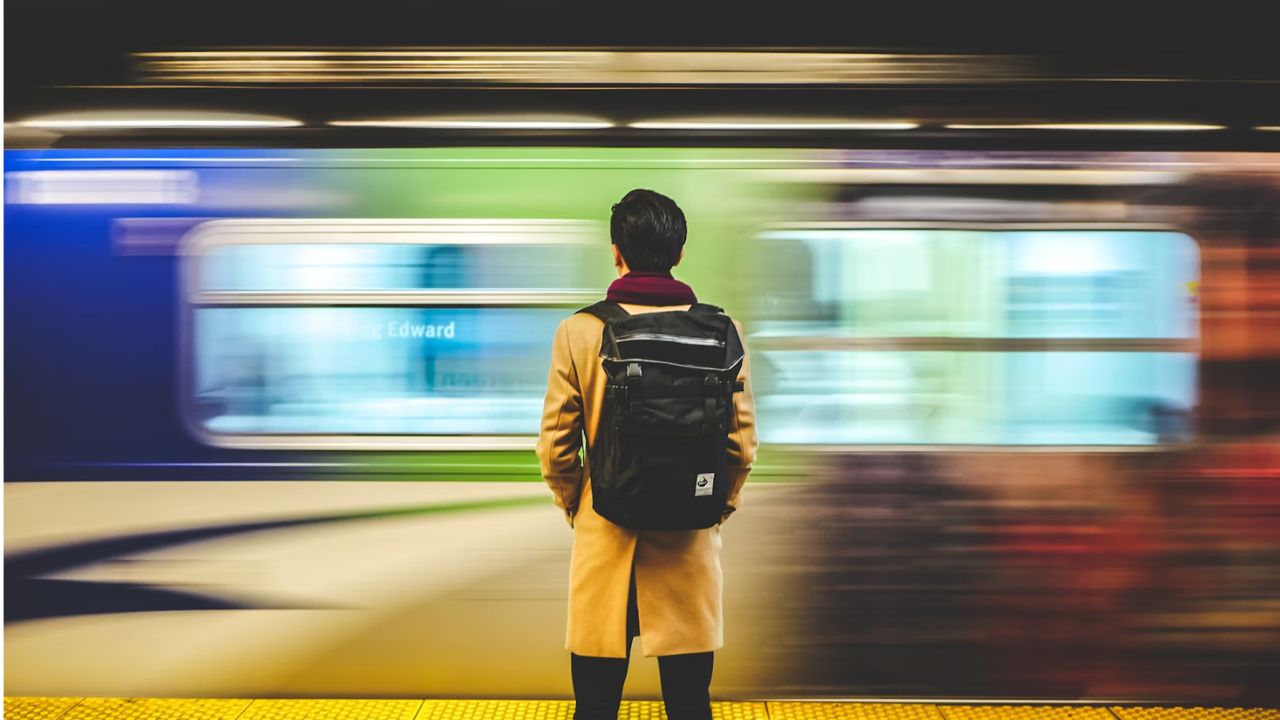
Before getting into specifics, it’s not an overstatement to say that you’ve seen at least one surreal sports photo that seems to guide your eyes toward a specific action. Motion blur photos make your images unique while adding a sense of drama.
So, why use it? If your goal is to emphasize movement – capture moving vehicles, sports, dancing, etc., or transform landscapes/portraits, making them larger than life and more engaging.
Fotor – Blur in a Flash
Fotor is your go-to as a beginner or pro if you want a straightforward and user-friendly interface to ease your photo editing experience. Its cross-platform accessibility also ensures you can edit on the go without hassles.
Upload or Drag and drop your photo. Locate Blur -> Motion Blur and drag to adjust the Blur Intensity –> Apply.
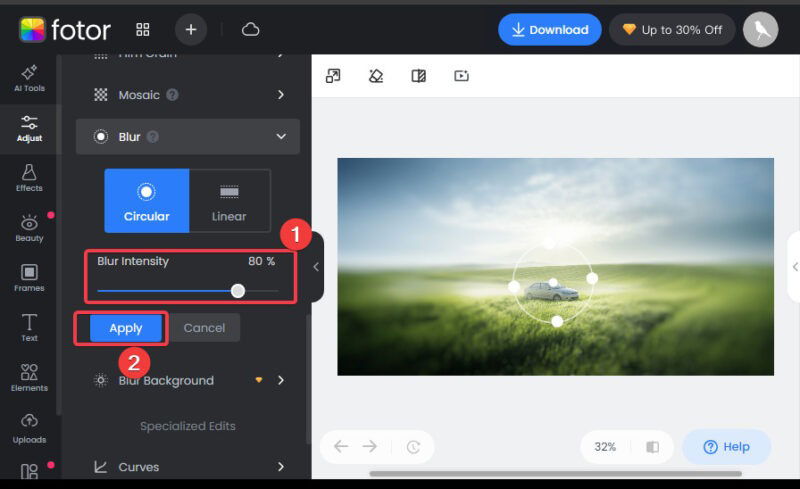
You can also check out other customization options like brightness, and contrast, or apply more effects to improve the image result.
AI Ease – AI Does the Work for You
With AI Ease, you can leverage artificial intelligence to do the heavy lifting. It uses technology to auto-detect where to apply the blur effect for best results and does the work for you.
The process is as simple as uploading your photo from the gallery, selecting Motion, and adjusting the blur strength. The AI does the rest to create a natural motion blur photo.
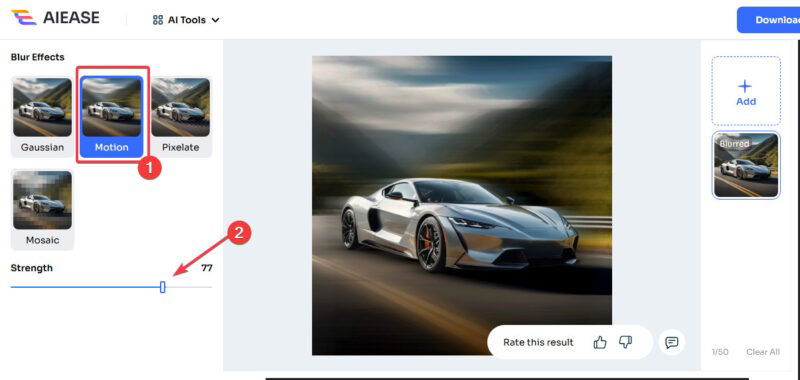
Also, AI Ease has the latest features from photo editors that use artificial intelligence, such as learning from your preferences for future edits. Besides, you can explore the available presets to further complement your photos.
Photo Room – One-Click Magic
When it comes to speed and simplicity in photo editing, nothing beats Photo Room. You can literally create motion blur photos with a single click. And the best part is you get to do this without a drop in the image quality.
Add your static photo to the Photo Room, then click the Motion Blur option.
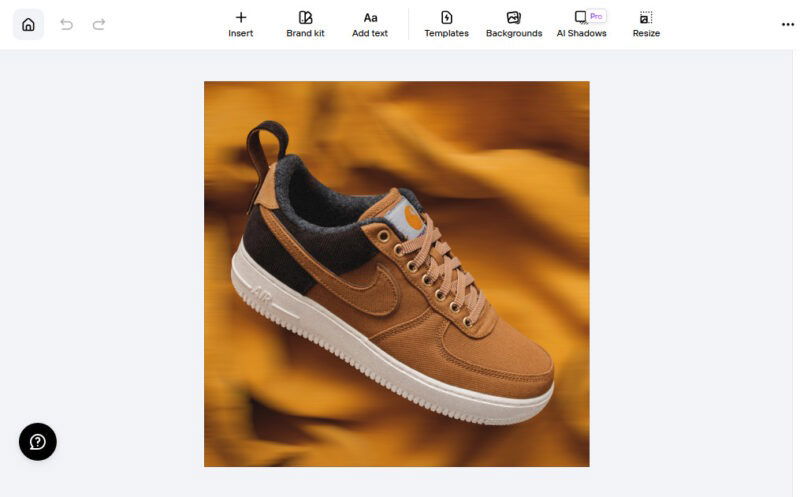
This option is ideal for anyone who needs quick edits without sacrificing quality. Transform your static pictures into surreal masterpieces in seconds. In addition, you can adjust colors, remove background, and perform other edits as well.
Lunapic – Free and Online
Lunapic offers premium editing options to motion blur photos without paying a dime or downloading any software. Simply access the website and use the robust editing tools available.
To use, go to Lunapic, and upload your photo. Navigate to Adjust -> Motion Blur. Then input the Angle of blur in degrees, Distance of Blur in pixels, and Apply.
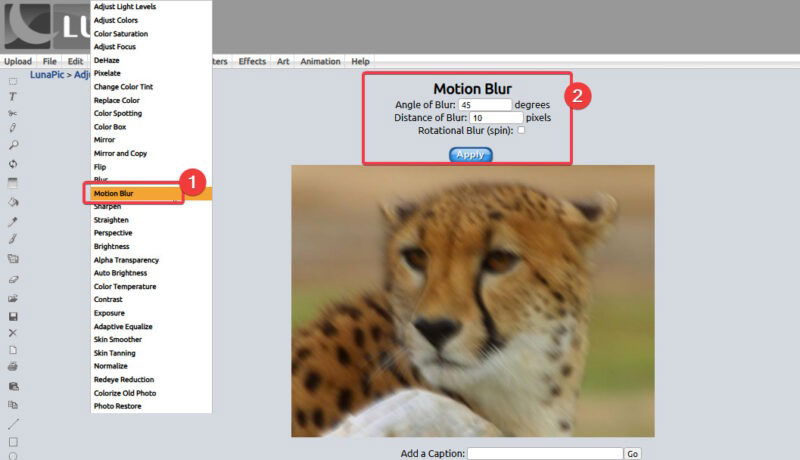
Lunapic is another excellent option to consider for other quick edits beyond motion blur. However, if your interest is in just blurring images online, you could check the other blur effects available.
Adobe – For the Pros
Now, there’s no way to talk about photo editing without including Adobe Photoshop -the gold standard for photo editing. It’s ideal for seasoned pros who want absolute control over every aspect of creating their motion blur photos.
Open Photoshop, import your image and navigate Filter -> Blur -> Motion Blur. Adjust the angle and distance to suit your editing needs.
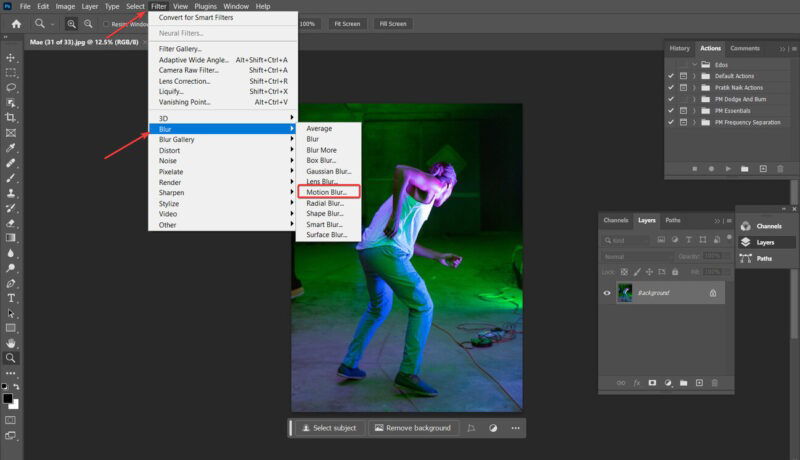
You can also layer blend different motion blur effects to achieve your goal and simulate them using zoom or spin.
In addition, you can use the custom brushes to manually paint motion blur effects in Adobe.
Mastering Adobe isn’t easy, but the control flexibility it gives is worth it. Hence, you should consider adding this photo editing technique for better photos to your arsenal.
Leveraging the tools outlined here has even the field to create stunning motion blur photos. Even a dummy can use tools like AI Ease and Photo Room to achieve stunning results in minutes. Mastering this blur effect will ensure your photos are unique with life and motion, telling their stories in a surreal manner. Should you have an issue with the blur, you can explore ways to fix blurry photos. Now, explore and experiment to create your stunning motion blur photos.
Image credit: Unsplash and all screenshots by Henderson Jayden Harper