Even though you’ve been chatting with Gemini, you might not have taken advantage of Gemini Live yet. From learning new things to finding new outfits by sharing your screen, you’ve yet to experience everything that’s possible.
Accessing Gemini Live
Please note that some Gemini Live features aren’t available for free to all users. You may need Gemini Advanced and/or specific devices for some features.
Most users should have Live. Open the Gemini app and look for the Live icon next to the microphone at the bottom right. You’ll be prompted to set up Gemini Live if it’s your first use. If you don’t see this icon, then either update the app or wait for Google to roll out the feature to more users.
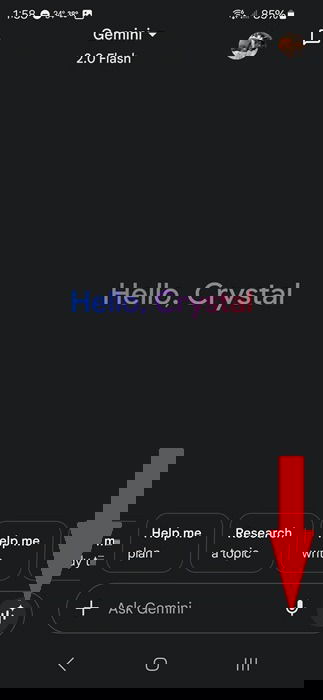
Screen and camera sharing is also part of Gemini Live. It’s not as widely available for free users. However, you’ll see camera and screen sharing icons on the Live page if it is available. Most Gemini Advanced users have the camera and screen sharing features.
1. Learn or Practice a New Language
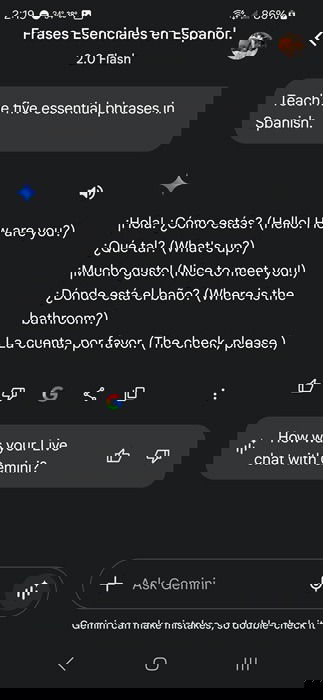
Part of the appeal of Gemini Live is you’re using your voice to talk to Gemini in real time versus just typing on a keyboard. Something I’ve been using Live for is practicing my skills in learning Spanish. While language learning apps are great, I can bring up Gemini and use Live to translate words or have a conversation in Spanish.
Try asking Gemini to help you learn a language. I asked Gemini to teach me five essential phrases in Spanish. I got to hear five phrases along with the translations. Plus, after ending my Live session, I can also see the text versions.
2. Craft Engaging Stories
Need a fantasy scenario for a tabletop role-playing game like D&D? What about a fun interactive bedtime story for kids? Or, maybe you just want to brainstorm creative writing ideas. Gemini Live has your back.
Start with a simple or complex voice prompt. For example, I tried “Let’s create a fantasy story about myself.” I was asked to provide a name and something cool I’d always wanted to do in a fantasy world. Then, Gemini began telling me a story, prompting me to respond at various intervals to make the story my own.
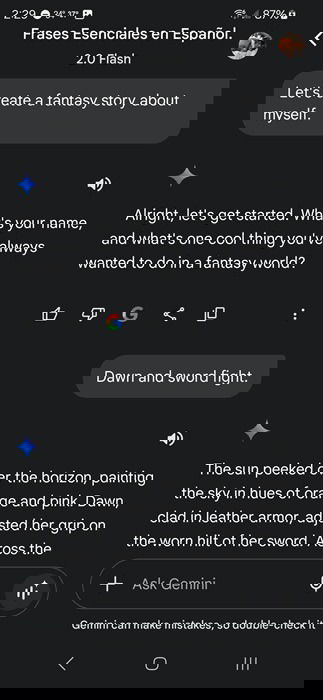
As with any Gemini Live chat, you can end it at any time to view the transcript. If you want more interactive elements, use your voice to prompt for more interactions and Gemini complies.
3. Prepare for Interviews
Not sure what type of questions you might be asked for an upcoming interview, or maybe you just need some practice answering them? Set up a fake interview with Gemini Live. Start by asking Gemini to help prepare you for an interview in your chosen field or for a specific position. Ask for practice questions to help you practice.
In my tests, it took several tries to narrow down the questions to be more relevant. However, once I did, it felt similar to those mock interviews you might have done back in college.
4. Get Help Picking Out Clothing
Whether you’re shopping for a new outfit or just trying to figure out what pairs best together in your closet, Gemini’s screen sharing and camera features are your best friends. This feature is similar to ChatGPT’s Image Input feature.
When using Live, tap the screen share icon. Then, browse your favorite shopping sites and ask Gemini to compare items, find better pricing, or even ask what other clothing items would work well with a specific item on your screen. You can also bring up Live using your Google Gemini/Assistant shortcut button while browsing items.

Or, tap the camera icon and show Gemini an article of clothing you already own. Ask Gemini what else in your wardrobe would match best for a specific occasion, such as going to an interview or a casual night out.
5. Organize Most Anything
Get real-time organizational tips just by sharing your camera and asking Gemini Live for advice. For example, I shared my camera and asked Gemini how to better organize my nightstand drawer that was a cluttered mess.
Gemini gave me tips on cleaning things out, how to organize it, and then guided me on how to maximize the space to get the most out of it. I even got tips on what items I might want to discard, simply by letting Gemini actually see what was there. As usual, you can go back and check the transcript if you want to review any details.
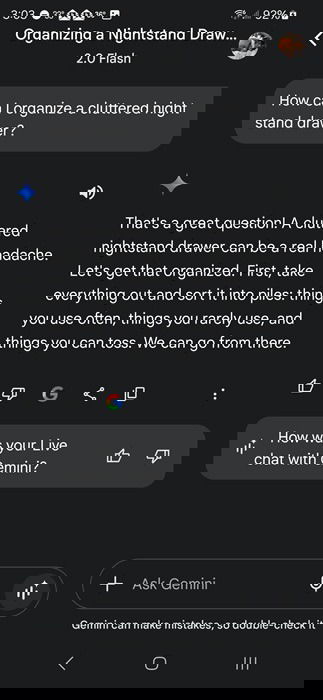
You don’t have to use the camera sharing feature, though. If you want more general guidance, just ask Live. Use more specific prompts for your situation.
6. Become Your Personal Troubleshooter
Wi-Fi down and you don’t know why? Is your fridge making a strange sound? Does your favorite chair squeak annoyingly when you sit? Using the Live chat feels more like talking to an actual person who helps you troubleshoot issues in real-time. You can even share images with your camera.
You’ll get step-by-step suggestions to help you troubleshoot nearly any issue. However, remember that Gemini is AI and not an expert. Only perform troubleshooting steps you’re comfortable with.
Don’t be afraid to ask as many follow-up questions as needed to better understand how to do perform any steps that are suggested. Or, if something seems beyond your capabilities, ask Gemini for professionals in your area.
7. Find Inner Peace (Sort Of)
One of the more unique uses I’ve found for Gemini Live is meditation. Instead of using another app, I bring up Live and ask Gemini to help me meditate. The first time, I kept it general and didn’t ask for a specific type of meditation or set a time limit. I was taken through a simple breathing session for several minutes.
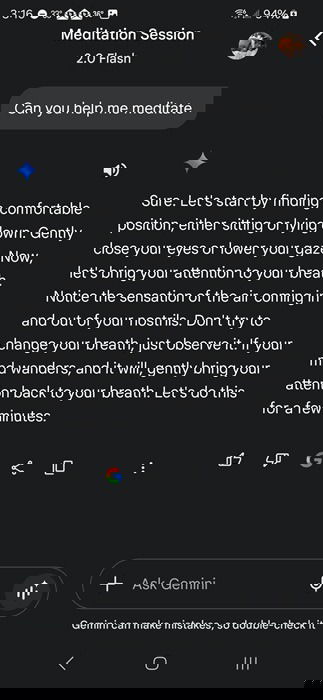
Now, I ask for the type of session I want, along with a duration. It’s a great way to relax after a long day or take a moment to myself during a hectic day.
With Gemini Live, you’re able to interrupt at any time to get better results. You can even choose between several voices in Gemini’s Settings -> Gemini’s Voice for a more personalized experience.