Originally, Facebook was supposed to be for keeping up with friends and family. Gradually, it’s become cluttered chaos with suggested posts, recommendations, people and brands you’ve never heard of, and occasionally a post from someone you actually follow. Now, Facebook’s Friends Feed lets you go back to basics, sort of.
Bring the Magic of Friends Back
I think we’ve all wanted the ability to just see our friends without having to jump through hoops for years now. Did Facebook listen? Nope. But now, Facebook is promising the Friends Feed is “bringing the magic of friends back to Facebook.”
It’s available on both the web and app versions. This new feed gathers all your friends’ posts in one place. No more endlessly scrolling, hoping to find an update between everything else Facebook thinks you should see. This still won’t help you see more from pages and brands you follow – just actual people.
Enable Facebook Friends Feed on Mobile
Currently, Facebook’s Friends Feed is only available to users in the United States and Canada. If the change goes over well, it’ll likely roll out to more countries soon.
For some users, you’ll see the Friends tab right away. I’m surprised I had it and didn’t have to go searching for it.
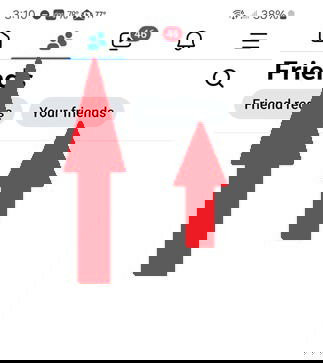
The Friends tab looks like two people side by side and used to be just for friend suggestions and pending friend requests. While both of those are still there, look for the Your Friends option near the top of the screen to switch the Friends Feed.
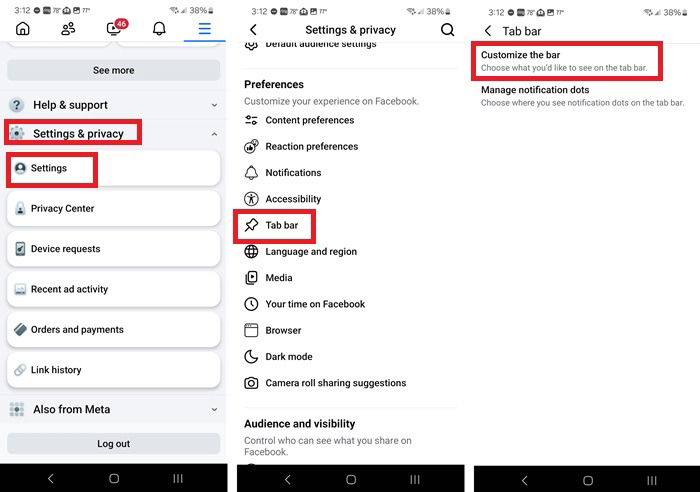
If you don’t see the Friends tab at the top or bottom of your screen (varies based on whether you’re using iOS or Android), tap your profile icon or hamburger menu and select Settings & privacy -> Settings -> Tab bar -> Customize the bar.
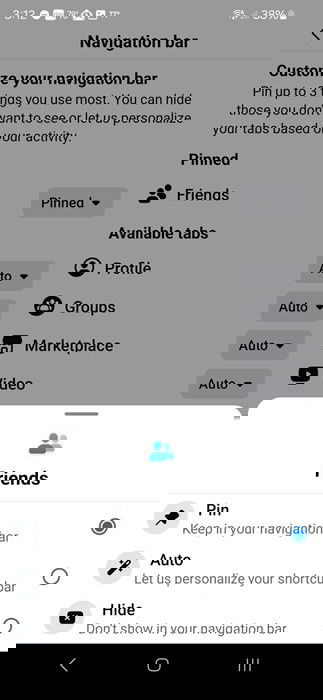
Click the drop-down list next to Friends and tap Pin. You’re able to pin up to three options.
If you don’t have room to pin Friends, tap your profile icon or hamburger menu and select Feeds. Tap Friends. It’s a few extra taps, but still convenient.
View Friends Feed on the Web
For the web version, just select the Friends tab in the top center of the screen. The default view or Home tab on the left shows you the Friends Feed. Or, if you’re looking for suggestions, birthdays, etc, use the other tabs to jump where you need.
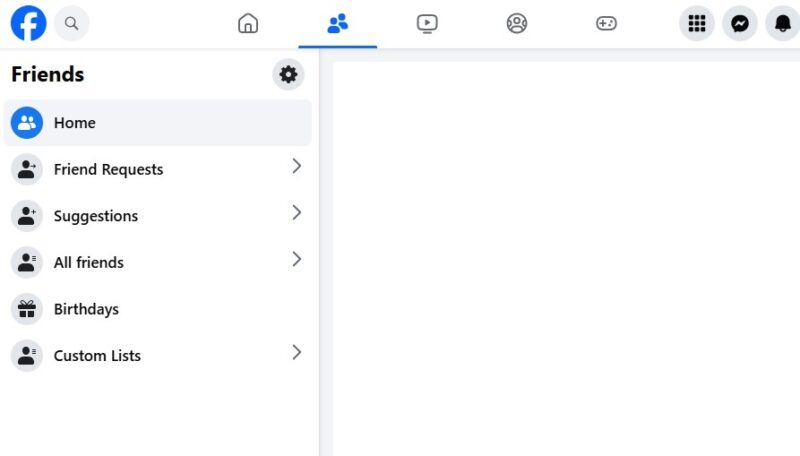
The web version isn’t an official feed, but it’s a workaround for now. At the time of writing, the Facebook Friends Feed is only available in the mobile version. However, I had no issues seeing mainly friends’ posts when using this method.
Viewing Just Groups or Pages
I’m excited to see Facebook getting back to its roots so to speak, but if you’re like me, you have quite a few groups you’re part of and pages you follow. Those easily get lost in the main feed.
My trick for seeing just pages or groups is to use Feeds. This isn’t a new feature, but it’s one many users have no clue exists.
On mobile devices, I suggest pinning the Feeds tab to the tab bar using the same method as pinning the Friends tab. Then, just tap the Feeds tab. If that’s not a possibility for you, open the menu and tap Feeds instead.
Once you have Feeds open, just toggle between Favorites, Friends, Groups, and Pages.
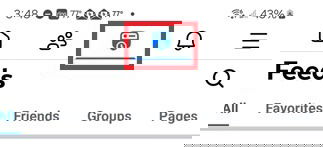
For the web/desktop version, just click the Feeds tab on the left sidebar and toggle between the various options on the left.
Facebook Planning More
If this change makes you enjoy Facebook more than you used to, you’re not alone. Facebook has teased even more “simple experiences” to help improve the platform. My hope is custom lists will return. It was a nice way to organize friends, family, and more, but it was discontinued in 2018.
Friends Feed Still Has Issues
I hate to complain since Facebook has finally listened and given us a Friends Feed. Yet, there are a few changes I’d love to make:
- It’s not easy to find for many users.
- Posts are in a random order. Why is chronological order so difficult?
- It’s limited to two countries.
- Wish it was the default news feed.
I’ve pretty much avoided the main news feed for years since it’s so difficult to find anything. I even switched to alternatives to Facebook Marketplace. I search for individual profiles, groups, and pages instead. Having this Friends Feed as the default view would make the entire network seem friendlier. But, that would also likely cut down on ad revenue, so don’t expect it to actually happen.
If you try to log in to access this new feature, but your account’s been disabled, try this tips for getting back in. Or, if your language has suddenly changed, see how to fix it.
Image credit: Unsplash, All screenshots by Crystal Crowder