What we like
- Multiple ways to connect
- Multiple audio choices
- Minimal setup
- Favorites list
- Spotify built in
What we don’t like
- Controls are dated
- Plays Apple Music only through Bluetooth
- Favorites option doesn’t work
These days, we can play music on demand from any device. This raises the question of whether it’s worth it to have a radio. Are radios still useful products? I used Majority Touro Internet Radio for two weeks. Let’s check out how it works, and whether it is useful for you.
The Many Features of the Majority Touro Internet Radio
The Majority Touro Internet Radio’s main selling point is that it has so many options. It can connect multiple ways and play “radio” multiple ways. Connect through Wi-Fi, Bluetooth, or USB, and play Internet Radio, Bluetooth, Spotify, podcasts, and FM.
The Internet radio stations are fantastic, as you can choose any radio station across the globe. While you can also do this on your computer, having a small dedicated device means you can carry it wherever you go. The FM band is a good touch, as it doesn’t require an Internet connection, and can be used anytime, anywhere.
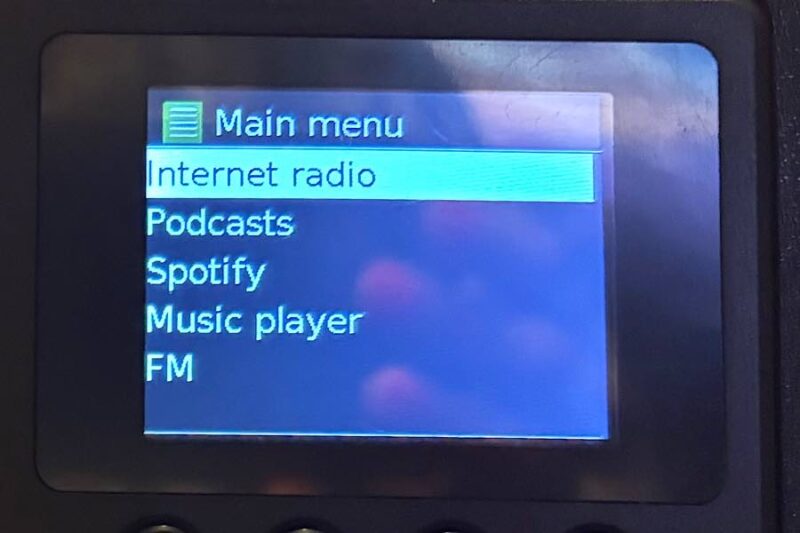
Possibly because of the multiple ways to connect and play music and broadcasts, it unsurprisingly also has an alarm clock functionality. You can place it on your nightstand and use it to wake yourself up in the morning.
Minimal Setup
Thankfully, the physical setup of the Majority Touro Internet Radio is minimal. It’s more or less plug-and-play. There’s minimal setup to do between pairing it with your phone or other device, and it’s not anything to be concerned about. It’s simply choosing your language, choosing Wi-Fi or Ethernet, going through the settings, then pairing it. The only clunky part was getting the app and device on the same page, but after a little trial and error, it came through.
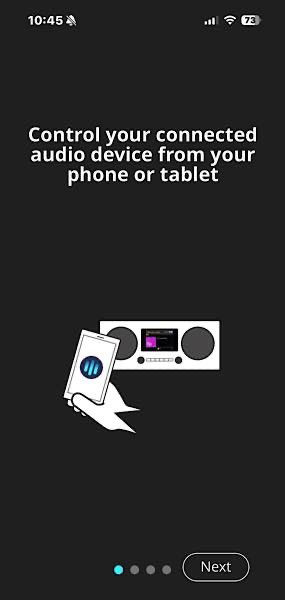
What wasn’t helpful was that I wasn’t able to pair it to both my iPad and iPhone. Nine times out of ten, I’m using my iPad, but I do use my phone for some day-to-day things. I paired the radio with my iPhone but wasn’t able to pair it with my iPad Pro.
The instructions do say if you pair two devices on the same network, it will kick one off. It never kicked my phone off, though. It just wouldn’t pair with my iPad. It would be much more helpful to me if it would. I wouldn’t need to reach for my phone every time I wanted to change the station or turn up the volume.
Playing the Radio, Podcasts, and More on the Majority Touro
The Majority Touro Internet Radio is the only radio you need if you listen to your music and other broadcasts in one stationary place. You can listen to radio stations and podcasts all over the world, as well as streamed music on Spotify.
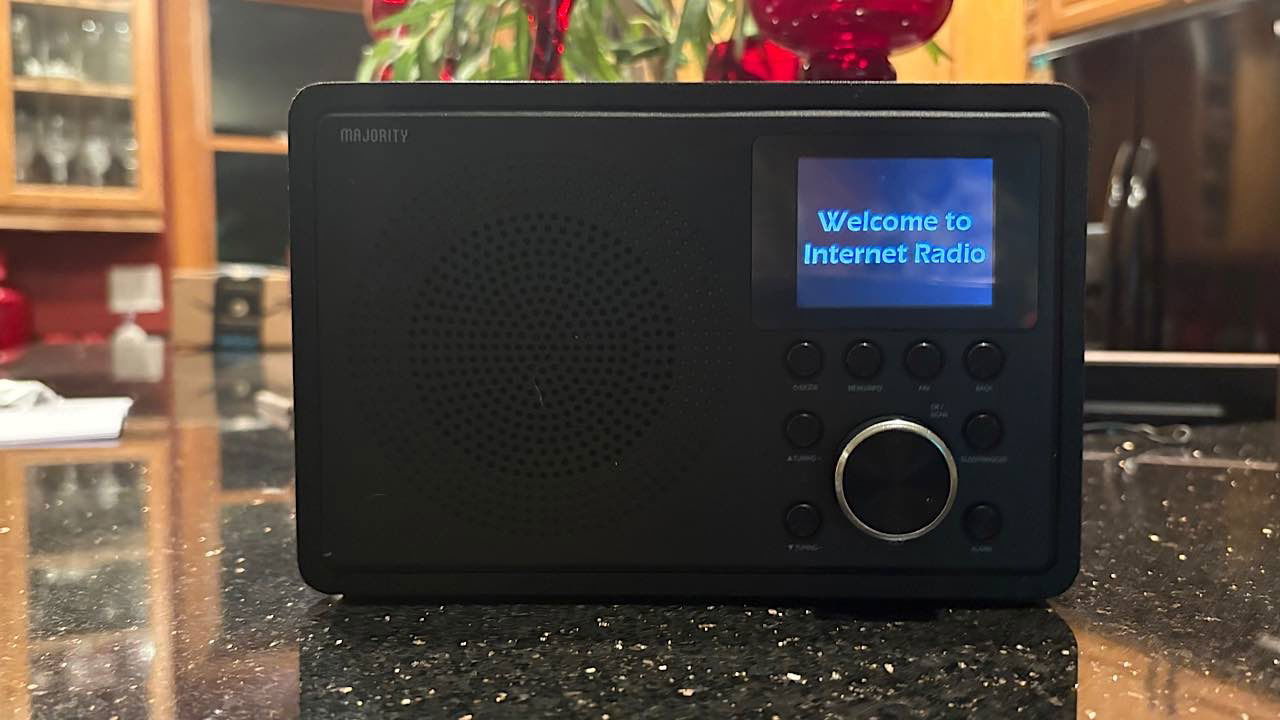
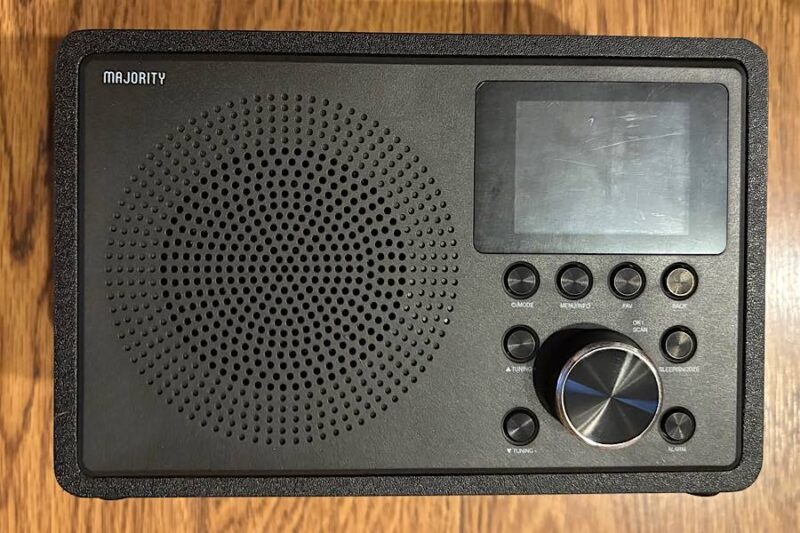
It’s not the most intuitive thing for 2025, as the controls on the device remind me of an old iPod. However, it has so many functionalities that the old-style controls are easy to overlook. For one, the controls get buried in the black color, and it’s difficult to see what each one does. For another, you can switch through options in a menu by turning the big knob – again, like an old iPod.
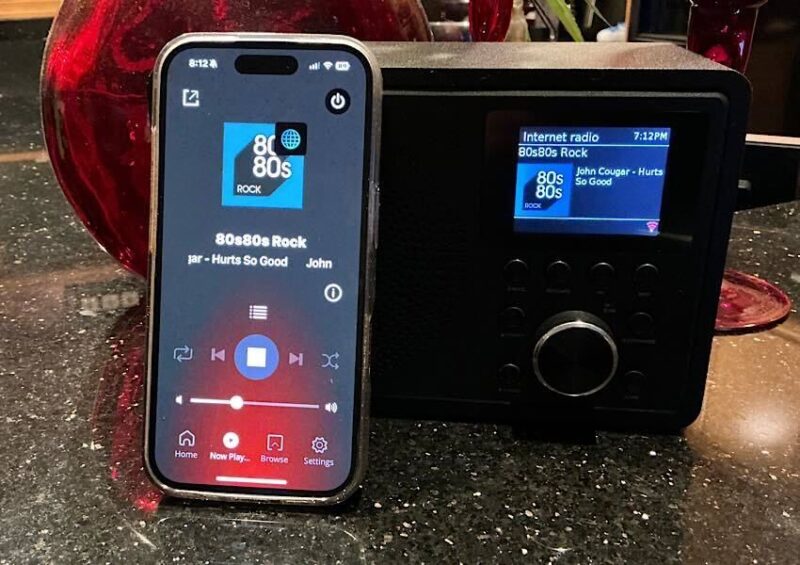
You aren’t confined to using the controls on the Majority Touro, as you can use the app on the device you pair it with, in this case, my iPhone. Just as you can on the device, you can change the volume, the music source, etc. It’s slightly less tedious on the app.
The controls are much easier on the app, but you still have to run through several menus. For instance, to get to the first Internet radio station I listened to, I had to go through this flow: Internet Radio -> United States -> Illinois -> Genres -> Decades -> 1970s Decade.
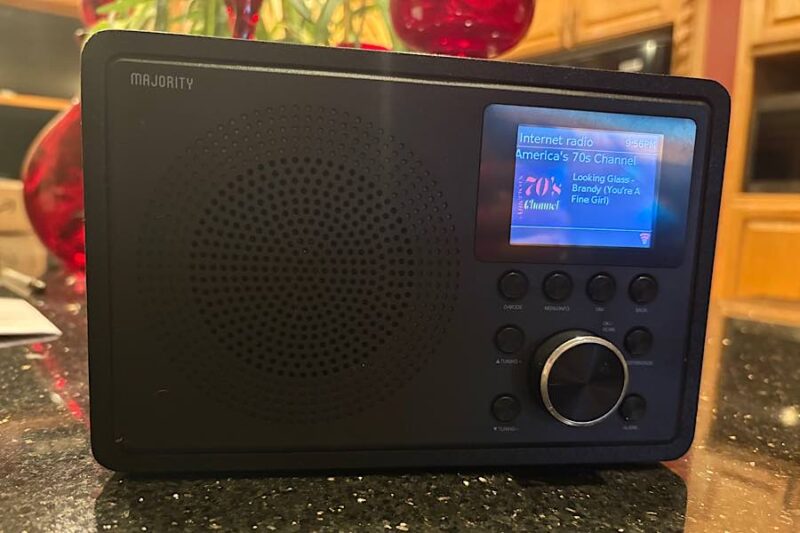
I guess it’s a tradeoff – get more stations than you can imagine and listen to nearly anything you want, but also have a somewhat lengthy process to get there.
If you’d rather listen to a podcast, you can do that too. But again, you have to go through a similar stretch of menu options. And unlike radio stations, when you want to listen to a certain podcast, you don’t want to search through states to get there. I have no idea which states my favorite podcasts originate from. Instead, I just used the search function to find one of my favorite podcasts – SmartLess.
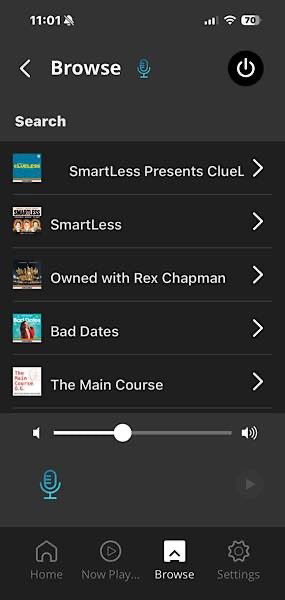
Whether you found a great radio station or an informative podcast, you can save them in a favorites list. However, after I used the Majority Touro a few times and tried to come back to my favorites, I received a message in the app saying that for support or to register, I had to go to a certain website. I didn’t want to register and didn’t need support, but it wouldn’t allow me past the message.
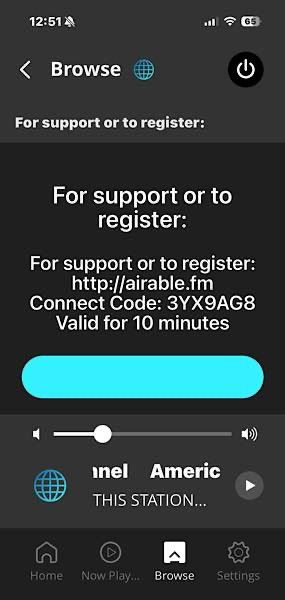
Even after I gave in and registered, it still wouldn’t let me see my favorites. I tried contacting support, but they only told me I didn’t need an account, but now that I registered, it would work fine, which it didn’t. When I returned to the app, I still had the same message.
You can also listen to Spotify. I’m not a Spotify user, as I listen to Apple Music, but I was still able to play music and podcasts from Spotify. I just didn’t have as many options, as I don’t have a paid subscription. However, it left me wishing it had Apple Music capabilities. I can still use the radio with Apple Music, though, using the Touro as a Bluetooth speaker.

Availability
If you listen to many radio stations and podcasts in your home or office, the Majority Touro Internet Radio would work out great – it would just be a little clunky in the process. You will have so many options of things to listen to and ways to play it. You will get much enjoyment using it in your kitchen, bedroom, garage, etc. Using your computer, tablet or phone for such things could become obsolete.
Wrapping Up
The Majority Touro Internet Radio is an interesting device, but not for everyone. If you mainly listen to radio and podcasts on the go, this is not the device you’re looking for, as it needs to be plugged in and is not convenient to carry around. Additionally, the lack of a working favorites option means that each time you listened, you would have to go through a lengthy process to find the same radio station. If you want to be able to flip your radio on and immediately get to the station you want to listen to, this may not be the radio for you. However, if you want a dedicated device that you can put in your kitchen or bedroom, then this might be the one for you.
If it sounds like the Majority Touro Internet Radio is what you need in your life, it sells for $79.95 on Amazon.
Subscribe to our newsletter!
Our latest tutorials delivered straight to your inbox