Whether you’re working on code, writing scripts, or simply managing configuration files, your choice of editor can significantly impact both your productivity and enjoyment. The beauty of Linux is that there are multiple text editor options available for you to choose from, including Vim and its enhanced version, Neovim. The debate between Vim vs Neovim continues to evolve among Linux users, with strong opinions on both sides. In this guide, we’ll explore Vim, Neovim, their capabilities, and the key differences between them.
What Is Vim?
Vim, or Vi IMproved, is a more advanced and feature-rich version of the older text editor called vi, which was a fundamental tool on UNIX operating systems. It runs on multiple platforms, including Unix systems, Windows, macOS, and more. If you’re using macOS or any Linux distribution, there’s a very good chance that Vim is already installed and ready to use on your system.
If it’s not installed, you can easily install it using your default package manager. For example, on Ubuntu, you would use:
sudo apt install vimAfter installation, just type vim in the terminal to launch it.
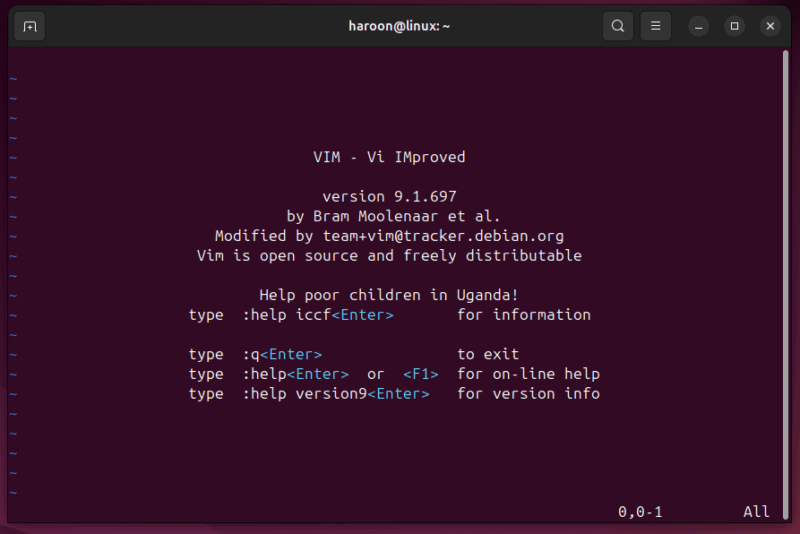
Vim offers a modal editing environment that lets you navigate through files, make edits, save your work, and perform a multitude of other actions – all without ever needing to use your mouse. Additionally, you can tweak virtually every aspect of its behavior and appearance to perfectly suit your workflow through a configuration file. The only issue is that it can be difficult to use for a new user, and some even have problem exiting Vim.
What Is Neovim?
Neovim builds on the legacy of vi and Vim. It originated as a fork of Vim in 2014, aiming to address perceived limitations in Vim’s architecture while preserving the modal editing philosophy that many users love. Neovim serves as a drop‑in replacement for Vim, meaning you can continue using your existing “.vimrc” config file.
For basic usage, Neovim feels nearly identical to Vim. What sets Neovim apart is its support for modern features like asynchronous processing, which allows operations to run in the background without freezing the interface. Other features include built-in terminal emulation, enabling users to run shell commands without leaving the editor.
Unlike Vim, Neovim doesn’t come pre-installed. However, installing Neovim is simple. For example, on Ubuntu, run:
sudo apt install neovim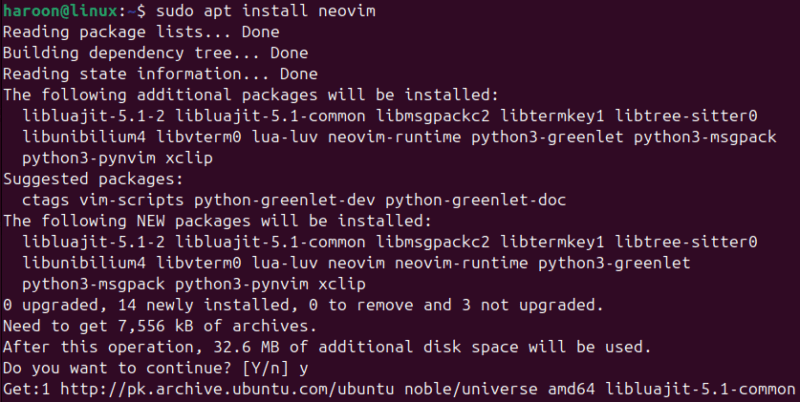
After installation, start Neovim with the nvim command.
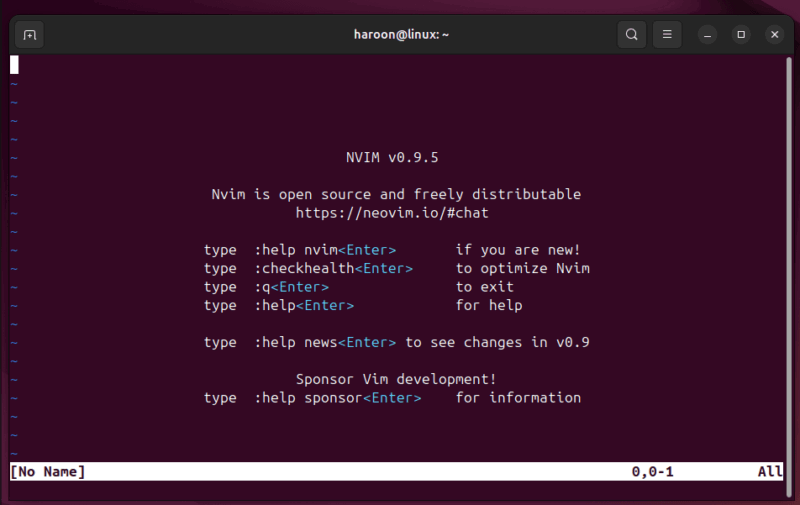
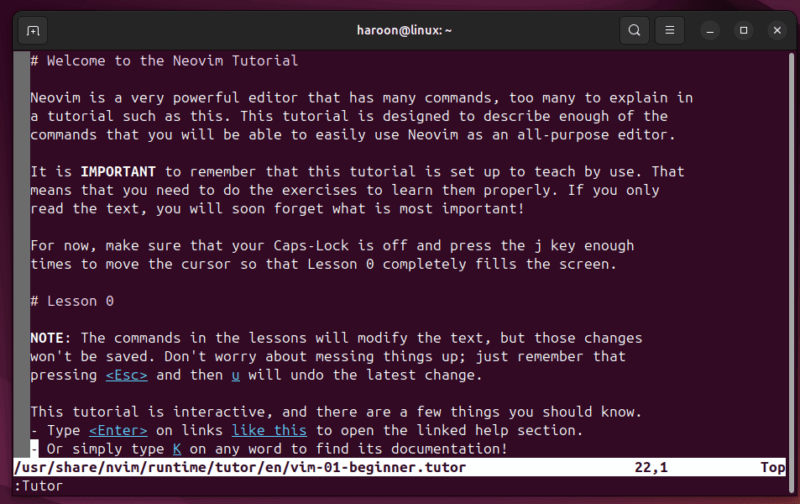
Neovim includes a built-in tutorial to help you get started. Launch Neovim and type :Tutor to learn the fundamentals (including how to exit the program).
Key Differences Between Vim and Neovim
Although Vim and Neovim function similarly, Neovim offers a more refined experience overall.
One of the major improvements in Neovim lies in its architecture. It’s designed to be more maintainable and modular, which lowers the barrier for contributions and allows it to evolve more rapidly. This architectural shift also leads to better performance and reliability. While Vim remains a robust editor, Neovim’s design makes it more future-proof and developer-friendly.
Also, thanks to Neovim’s asynchronous architecture, tasks can run in the background without locking up the editor. You can get autocomplete suggestions, run linters, or load large projects, and Neovim keeps running smoothly.
Neovim doesn’t just support Vim plugins – it improves them. Vim’s plugin system relies heavily on Vimscript, which can be restrictive and harder to work with. Neovim expands this by supporting Lua, a modern and lightweight scripting language. Tools like telescope.nvim and nvim-treesitter offer significantly better search and syntax highlighting than what Vim provides.
Neovim also handles configuration files in a more standardized way. While Vim stores configurations and plugins in the hardcoded “~/.vim” directory, Neovim follows the XDG Base Directory Specification, placing files in “~/.config/nvim”. This structure keeps file organization cleaner and more flexible. Despite this difference, Neovim remains compatible with Vim configuration files.
Like Vim, Neovim offers a terminal-based UI, but adds the convenience of a built-in terminal emulator. Beyond the terminal, Neovim supports modern graphical user interfaces like Oni, Goneovim, and VimR.
Pros and Cons of Vim and Neovim
Let’s discuss the pros and cons of each editor so you can better decide which one aligns with your needs.
Vim Pros:
- Pre-installed on the vast majority of Linux-based systems
- Exceptional stability with a mature, well-tested codebase
- Widespread adoption and community support
- Performs well on systems with limited resources or bandwidth
Vim Cons:
- The initial learning curve can be quite steep
- Managing plugins can be more complex
- Integrating certain modern features is more challenging
- Lacks built-in support for the Language Server Protocol (LSP)
Neovim Pros:
- Offers improved performance and a more responsive user experience
- Built-in support for the Language Server Protocol
- Lua scripting provides a more efficient way to develop and configure plugins
- Plugin management is generally easier and more streamlined
- Comes with more sensible and user-friendly default settings
- Includes a built-in terminal emulator
Neovim Cons:
- Not installed by default on most systems
- Some Vim plugins that rely on Vim-specific features may require adjustments
- Older Vim plugins may not work perfectly without modifications
- Uses slightly more resources than Vim
- Switching to Lua for configuration requires learning a new language
Which One Should You Use: Neovim vs. Vim?
Choosing between Vim and Neovim depends on your workflow, comfort level, and what you need from an editor. Go with Vim if you often work on different systems where you can’t install new software – it’s available almost everywhere. It’s also great if you want a stable, lightweight editor that rarely changes and works well in low-resource environments. Also, stick with it if you’ve already spent years fine-tuning your Vim setup.
On the other hand, pick Neovim if you want a modern editing experience. It has better defaults, active community support, and features like built-in LSP and Lua scripting. It’s ideal if you’re a developer who wants IDE-like features without the bloat. And If you’re new to modal editing, Neovim’s smarter defaults make the learning curve easier.
Final Thoughts
While both Vim and Neovim serve the same core purpose, Neovim offers a more modern and capable editing experience. It builds on Vim’s foundation with improved performance, easier plugin development, LSP integration, and enhanced UI support. These improvements make Neovim a strong alternative for developers seeking a more powerful and extensible editor.
Many developers use both – Neovim for local development work, and Vim for quick edits on remote servers. Personally, I’ve tried both and have settled on Vim due to its reliability and availability across multiple Linux distributions.
Ultimately, they share most of the same skills and keybindings, so learning one almost makes you fluent in the other. These aren’t just two editors – what makes Linux special is the wide variety of editor options available to suit every user’s preference.