Did you know ChatGPT can “see” images? Yes, using the image input function, it can analyze visuals and help you tackle daily challenges seamlessly. To get you started, we bring you 7 ways you can utilize this function in daily matters.
Warning: avoid sharing personal information with ChatGPT, as your data may be stored, used for model improvement, and occasionally reviewed by OpenAI staff. If there is personal information in a picture, ensure you blur it before uploading.
1. Understand Tech Errors and Reports
ChatGPT can be great for solving common tech problems, but simply copying and pasting the error text isn’t always enough. Taking a screenshot/picture of the screen can provide key details that ChatGPT can use to provide solutions. For example, if you see the error code 0x80070570, a screenshot can provide important details like program/file name, path, error context, installation progress bar, etc. which can greatly help with finding the solution quickly.
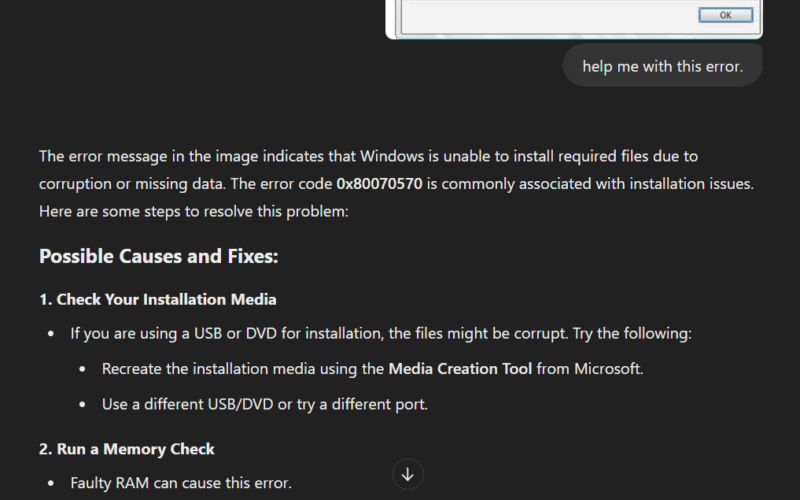
Not just errors, you can also decipher complicated logs and reports like battery health report, S.M.A.R.T report, macOS crash reports, or outputs from commands like netsh. When you face any error or have trouble understanding something on your device, just take a screenshot and share it with ChatGPT to learn more.
When uploading the image, you can provide more details in text like what you were doing when you faced the issue or if you have specific goals for which you have generated the report. ChatGPT will use the text info along with the image to provide better answers.
2. Scan Ingredients and Nutrition Labels for Diet and Allergies
Allergies and diet preferences are common, but manually reading the ingredients list or nutrition label of each food package can be tedious. Not to mention, many ingredients are listed using scientific names or indirect references (like casein for milk) – making it difficult to interpret them.
Using ChatGPT’s image recognition, you can snap a photo of a food package and ask for guidance based on your dietary preferences. For example, if you want a gluten-free granola bar, ChatGPT can scan the label and find all signs of gluten – such as “malt extract” or any other indirect mentions.
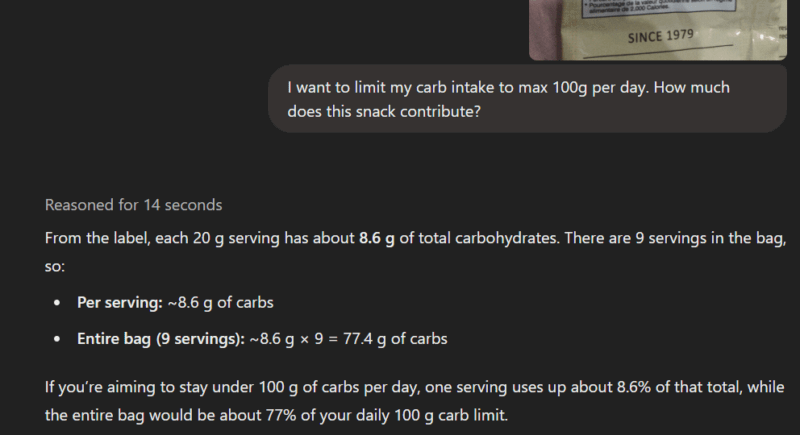
Of course, there are many other ways label scanning can be utilized, like scanning labels in a different language or comparing the nutrition values of two similar products. Just make sure you tell it why exactly you are scanning the food label.
3. Get Help With Garden Care
ChatGPT can also be a reliable garden assistant to help identify problems and provide tips for improvement. It may not be great for garden layout and design, but it can provide info on dealing with common challenges like plant identification, pest control, disease diagnosis, etc. For example, it can identify aphid infestation and provide solutions based on the current stage.
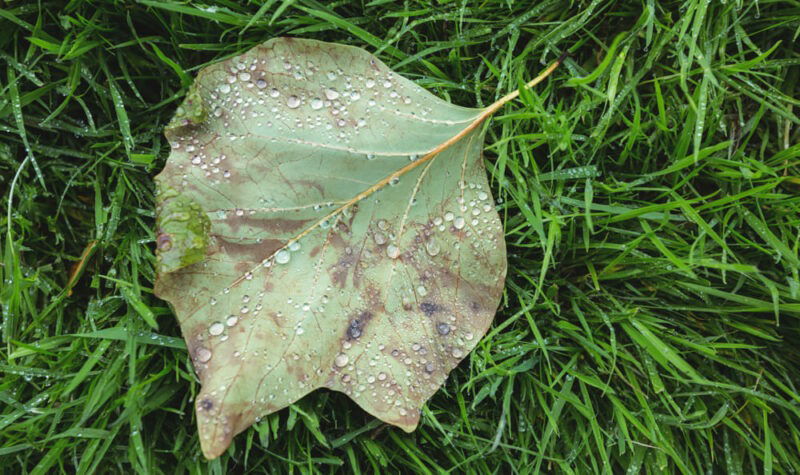
In most cases, you’ll have to take close-up photos or limit it to a single plant/tree. In our testing, ChatGPT didn’t perform well with large-scale garden layouts. For instance, if you’re trying to determine the optimal location for new plants, a wide-angle photo of your garden may not yield useful advice.
4. Generate Recipes from Ingredient Scans
While there are many cooking apps, things can’t get simpler than snapping a photo of ingredients and getting recipe ideas. ChatGPT can provide amazing recipe ideas as per your requirements based on the photo of the ingredients in hand. No food will go to waste, you can just put whatever you have on the table and snap a picture to get your next meal idea.
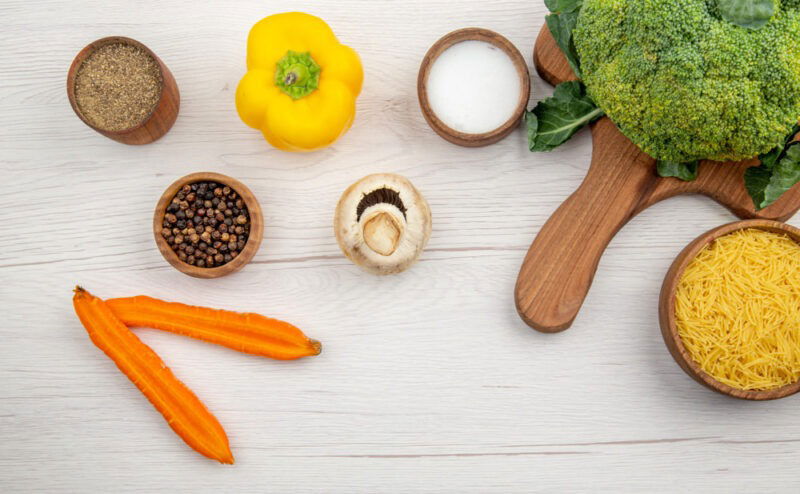
You’ll have to make sure the ingredients are clearly in view when taking the picture. If something is hard to distinguish, you can always use the text field to pinpoint what it is. In most cases, ChatGPT will recommend some additional ingredients that are usually easier to get; like some spices. If you want to strictly limit it to the ingredients in hand, make sure you mention it in the text field.
5. Solve Math Problems
Yes, you can copy/paste written math problems in ChatGPT to get an answer, but what about problems with diagrams, graphs, and handwritten notes? ChatGPT image input function allows you to enter information using both images and text to get answers for complicated math problems.
It will help you with geometry/trigonometry, calculus, statistics, and even word problems. Its OCR function is also much better than most homework-help tools we have tested. Even if you have quickly written down notes that are hard to read, ChatGPT will probably be able to make sense of them.
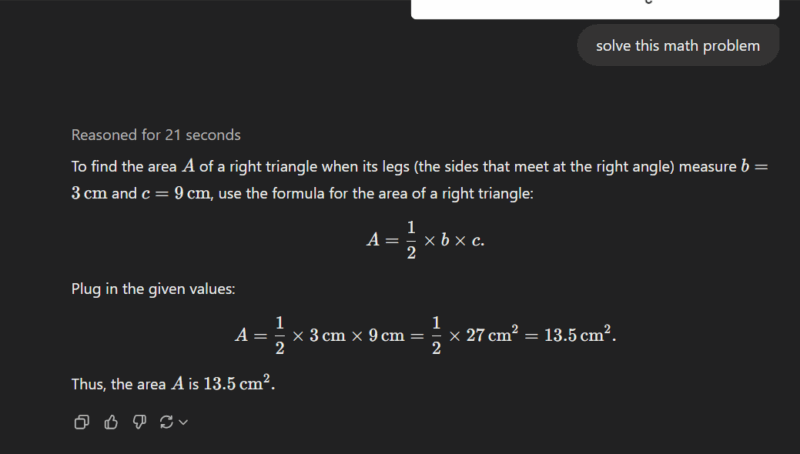
Best of all, its answers are much more conversational and in-depth compared to most math-solving tools that just provide fixed steps. You can also continue chatting with ChatGPT to better understand a problem.
6. Get Advice on Outfits and Style
Dress perfectly for every occasion with ChatGPT as your virtual stylist. ChatGPT can give you personalized fashion advice just by looking at photos of your outfits and accessories. Whether you’re revamping your everyday style or dressing for a job interview, ChatGPT can help you put together the perfect outfit.

You have to provide photos (try to have a plain background) of what you intend to wear, and use the text field to tell what you want to style for. It can detect color or pattern mismatches, add/remove accessories, match outfits with current trends, and much more.
For this one, you’ll have to take full advantage of the text field to get the perfect styling advice. For example, if you give it a photo of a polo shirt, dark slim-fit jeans, and sneakers, you can add a text prompt “I’m aiming for a smart-casual look for a weekend brunch. What accessories or adjustments can make this outfit look more refined without losing its relaxed vibe?“.
7. Make Paperwork Easier By Understanding Complex Fields
If you have ever dealt with legal documents – whether it is legal contracts or financial documents – you’ll know how difficult it can be to fill them without professional help. Interestingly, many legal forms can now be filled and submitted online, so people often fill them on their own.
While it can’t replace a legal expert, ChatGPT can make the process easier by helping understand complex fields and clauses in legal documents. It can help you understand what exact information a specific field requires and how you can get that information if you don’t know already.

While you can take pictures using ChatGPT’s camera option, we recommend using a document scanner app to not risk making any mistakes. For example, if you are filling your tax form yourself, fields like “Itemized Deductions”, “Adjusted Gross Income”, “Dependent Care Credit”, etc. may confuse you. ChatGPT can explain these fields so you enter the correct information.
Furthermore, ChatGPT can help with summarizing and understanding legal clauses in documents like lease forms, NDAs, insurance documents, etc. to make sure you don’t sign something risky.
These are just a few everyday challenges ChatGPT’s image recognition can tackle. If you can visually spot a problem, ChatGPT can also detect it and offer help. You can also further enhance ChatGPT results with some hacks to get help more efficiently.
Image credit: Freepik. All screenshots by Karrar Haider.