The CVE-2025-2783 malware breaks through Chrome’s sandbox security on Windows devices. This can expose your sensitive information, like passwords, and credit card data. Apply the fix to this malware variant as shown below.
CVE-2025-2753 Explained: Assessing its Severity
First identified by Kaspersky’s security researchers, CVE-2025-2783 is a sophisticated advanced persistent threat (APT) targeting Google Chrome on Windows. An APT is defined as a covert malware strain that can evade detection through a persistent backdoor within a system’s security.
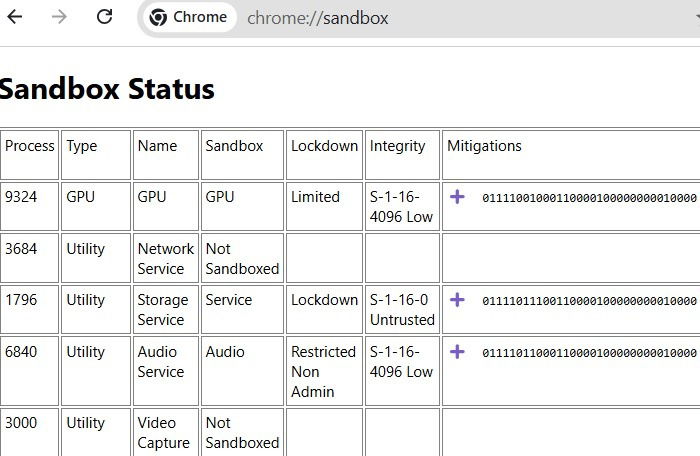
CVE 2025-2783 can breach the Google Chrome sandbox, which is an active layer against all intrusions and remote exploits. You can check this at chrome://sandbox. When threats like CVE-2025-2783 penetrate this layer, they fall under Not sandboxed, or simply go undetected.
If ignored, your Chrome browser can become a security nightmare. Hackers would enjoy unfettered access to your browser by executing arbitrary code. At stake are your valuable information such as passwords and credit card data. Your system can crash frequently, and also become a part of botnets or be targeted for ransomware.
Related: previously, Google Chrome’s two-factor authentication (2FA) was compromised for Cyberhaven Chrome extension.
How to Fix the Problem in Windows
The only way to prevent this threat in Windows is to apply a Chrome update fix, called version 134.0.6998.177/.178. It was released by Google Chrome immediately after the malware was reported. Here’s how to install it on your system.
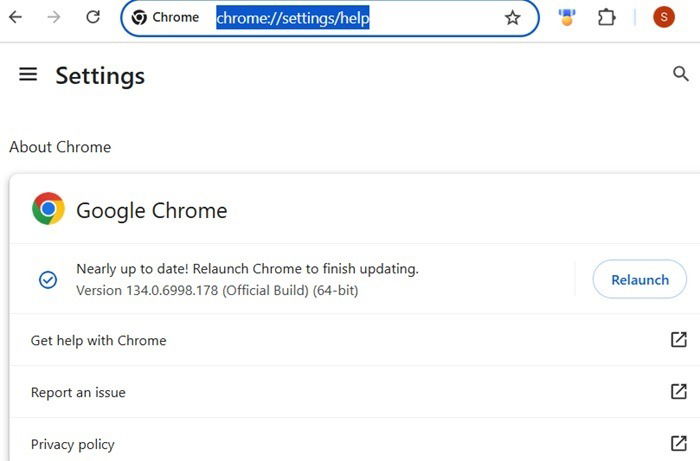
First, go to chrome://settings/help, on your Chrome browser address bar. Alternatively, click the three-dot menu on top, followed by Settings -> About Chrome. Check the official version of your Chrome browser. If it is below the version shown, the browser will prompt you to update it.
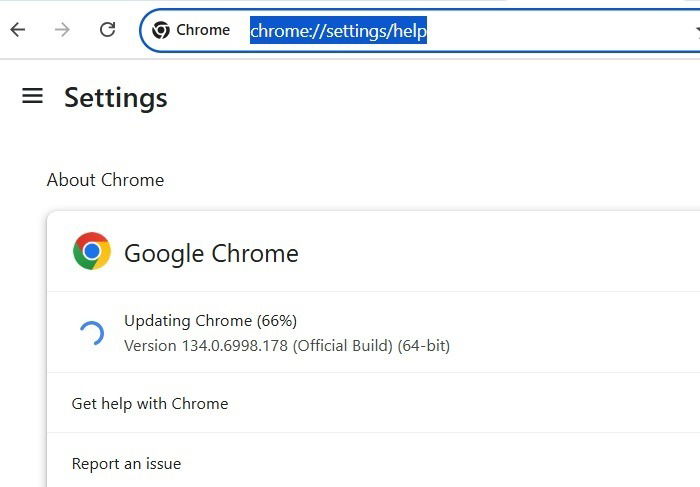
If there’s no such update warning, uninstall the Chrome browser immediately from Windows.
Once the update finishes, you are still unprotected as the Chrome browser status will say Nearly up-to-date. Click Relaunch to restart your browser.
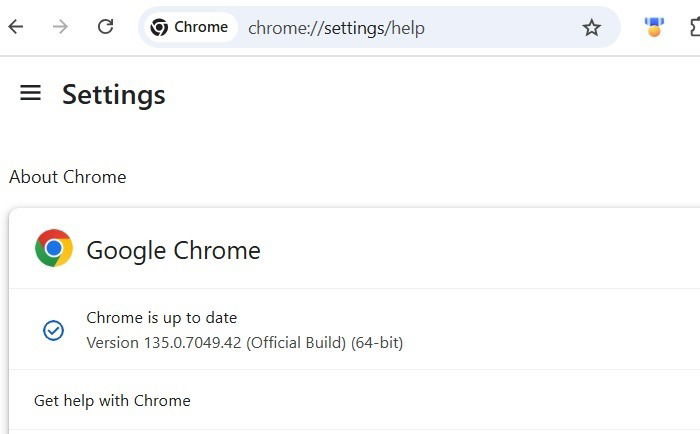
Finally, you will see your browser status as Chrome is up-to-date. It will display a new official browser version higher than 134.0.6998.177/.178.
This CVE-2025-2783, exploit was first reported in March 2025 as part of “Operation ForumTroll,” a state-sponsored APT aimed at Russian institutions. However, Windows Chrome users in all countries are being affected. So, apply the solution as shown above as soon as you read this piece.
Also read: check our list of lightweight browser alternatives to Chrome for Windows.
Any Deadlines to Mitigate the Threat?
Google has not clarified any timelines to resolve the CVE-2025-2784 APT attack. However, the the U.S. Cybersecurity and Infrastructure Security Agency (CISA) wants all federal employees to apply the above fix by April 17, 2025. Migrate to 134.0.6998.177/.178 or higher immediately.
If you’re reading this outside this timeline, a higher version update should be available should you still find your Chrome browser in an older state. Otherwise, you must uninstall and reinstall your Chrome browser. To prevent your user credentials from being stolen on Chrome, consider applying Strict site isolation.
Microsoft has already advised users to ditch Chrome on its operating systems for the security flaws. If you’re looking for a Chromium-based alternative, Edge isn’t too far behind. There are many Chrome alternatives like Arc that you can consider.