There are many online security tools that can provide on-demand security and enhance privacy, no matter which device you are using. Whether for your device, online account, or browser security, there’s a tool designed for every need. This list includes the best online security and privacy tools for all purposes.
1. Have I Been Pwned?
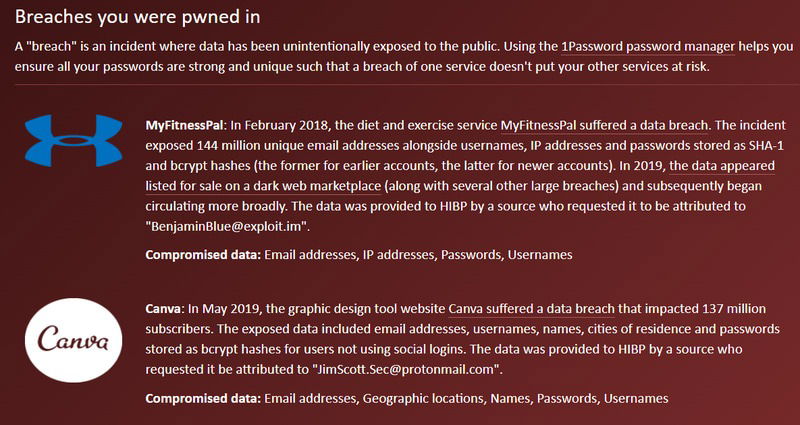
Were your emails or passwords revealed in a breach? Have I been Pwned will check your email for data breaches, tell you the exact names of the companies that faced the data breach, and what type of data was revealed. If your email is revealed in a breach, it would be a good idea to change passwords, enhance email security, and maybe even move to a secure email service.
Enter your email address in the search bar, and click on the pwned? button. If the email is in a data breach, it will show the number of breaches and when they happened. You can also click on Notify me at the top and provide your email address to receive alerts for future breaches.
It also has a Passwords section where you can enter passwords to see if they have been revealed in a breach. Don’t worry, as it uses k-anonymity to check passwords, so the full passwords are never revealed to the tool.
2. Am I Unique?
Browsing fingerprinting is a common yet lesser-known online security tool that companies use to identify a user for data collection. If your browser has a unique fingerprint, companies can identify you even if you hide information from them – like cookies. Am I Unique? scans your browser for 57 types of attributes to see if your fingerprint is unique or not.
Select the See My Fingerprint button on the website, and the tool will scan and tell you everything. At the top, it displays an overall uniqueness score for your browser fingerprint, and below, are the results of all attributes individually.
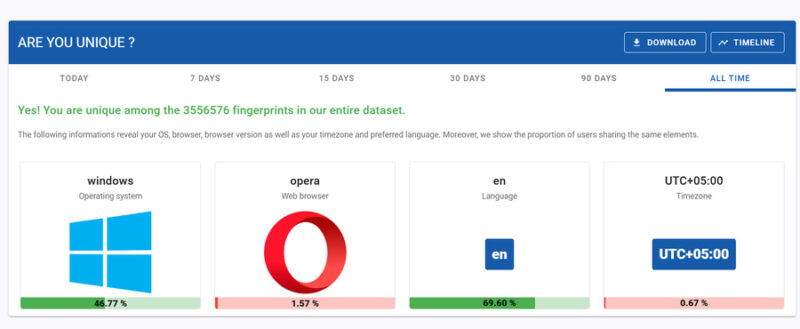
The uniqueness is differentiated with green, yellow, and red colors. If there are too many red attributes, adjust those attributes in the browser to decrease your unique fingerprint.
3. VirusTotal
There is no need to risk running an infected file when you can just check it with VirusTotal. This online security tool will scan your files and URLs for malware and compare them with results from over 70 antivirus and URL scanning tools. When you upload a file, it will show an analysis from all security vendors and how they categorize the file.
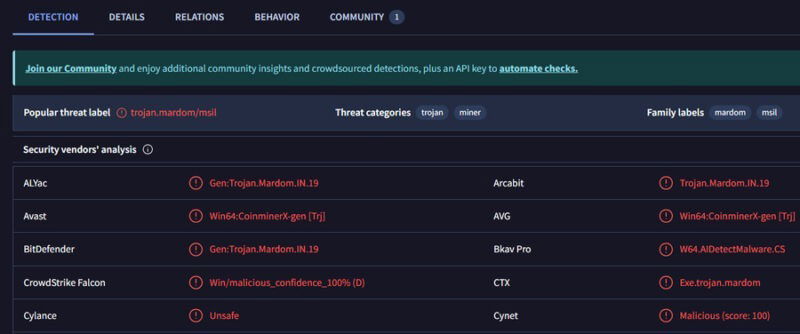
It also includes a nice community section, where the community members can comment and share more information about the file if available. Alternatively, give Hybrid Analysis a try. It works similarly but has a dedicated sandbox tool that tests the file’s behavior to detect malicious files instead of just relying on AV scans.
4. FaceCheck
Apart from being one of the better online security tools to detect fake profiles, FaceCheck helps detect identity theft and doxing attempts by finding pictures that match your face. Provide a clear picture of your face, and the tool will find publically available photos that match your face.
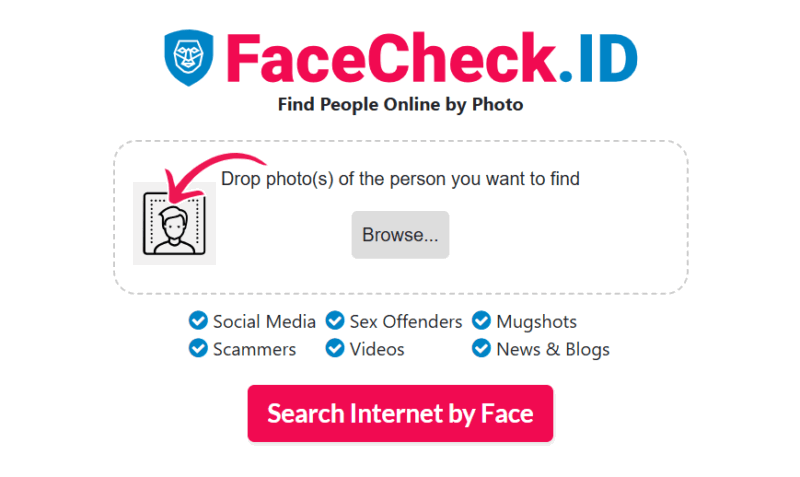
The most closely matching photos will appear at the top with a score given based on how likely the picture matches. You’ll also see the name of the website where the picture is uploaded. If you find pictures of yourself that you didn’t upload, it could mean someone is trying to steal your identity or uploading photos of you without your consent.
5. Punycoder
Homograph attacks are common, whether it’s sophisticated phishing attacks or account impersonation. Punycoder makes homograph attack detection easier by converting letters from different scripts to Punycode.
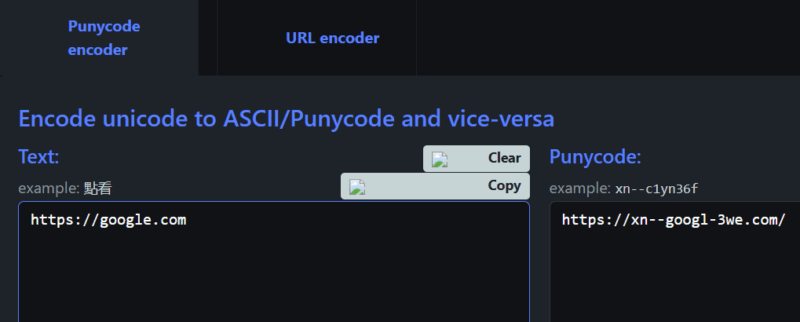
If you think a legit URL or name is faked using letters from different language scripts, just enter it in the Text field of Punycoder. If it has non-ASCII characters, the conversion in the right panel should start with xn--.
6. Have I Been Sold
As the name suggests, this online security tool is inspired by Have I Been Pwned but focuses on emails that were sold instead. Have I Been Sold keeps an extensive record of business email lists that are usually sold B2B. Enter your email, and it will show whether your email got sold in any such lists.
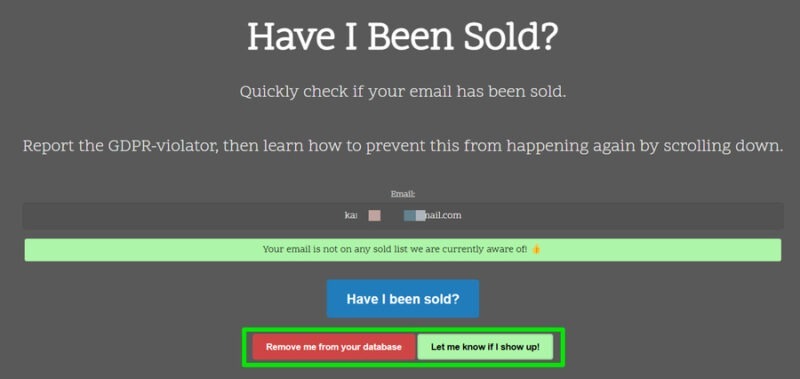
Since selling emails without consent is a GDPR violation, you can report the company that sold your email. The tool also allows you to set up a notification for future appearances in such lists. Click on the Let me know if I show Up! button to opt in for these notifications. You can click the Remove me from your database button to disable the notifications.
7. URLScan
If you come across a shady link but still want to know what it leads to, give URLScan a try. This online tool will load the website in a sandbox environment and provide extensive security details. The details it provides include the main page’s screenshot, IPs contacted, domains contacted, main IP, technologies used, direct links on the page, Javascripts loaded, cookies information, and much more.
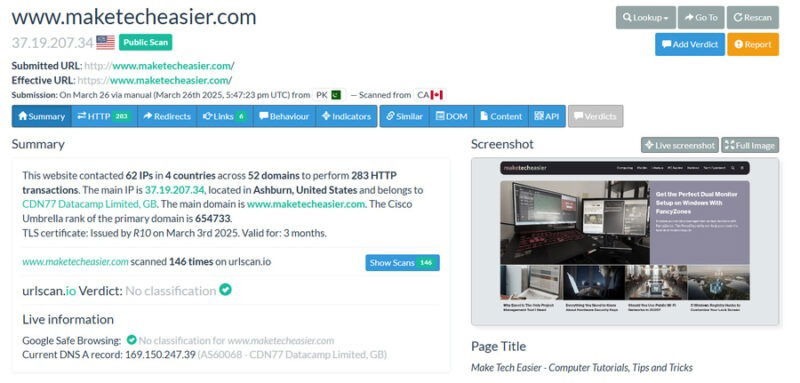
While all of this info has many uses, you can utilize this info to determine whether the resulting page is safe. For example, the screenshot will show you what you will see or whether the links it includes connect to the correct source.
It does have a few limitations in the free version – like 5000 daily public scans – but it’s sufficient for most users unless you’re scanning heavily.
8. ToS;DR
People often don’t read the terms of service pages of websites and services before clicking agree, as they are usually so lengthy and complicated. ToS;DR makes it easier to learn what’s inside ToS pages of websites by summarizing and grading them.
When you enter the website URL, it will tell you how privacy-invasive or bad a terms of service page of the website is. For the bigger websites, like Facebook, Reddit, Amazon, CNN, etc., it will show a grade from A to E to score how the terms will affect you. In quick points, it tells what a service can do with your account and information.
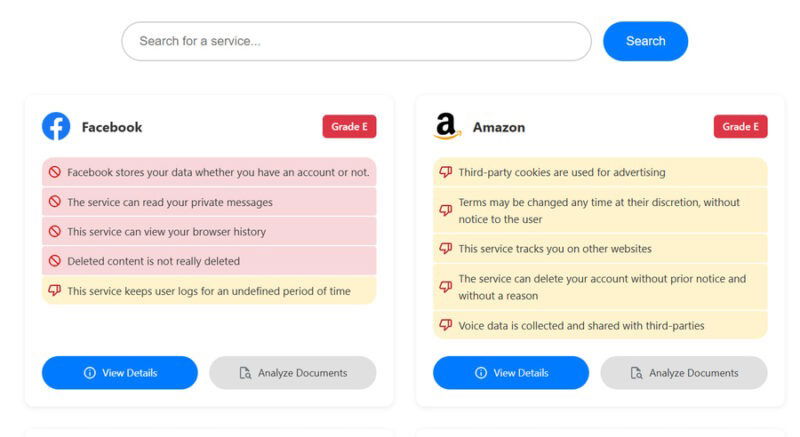
Even if it doesn’t grade a website, it will still show summarized points of its ToS page – or at least provide direct links to its ToS and other legal pages. You can click on each point to get a link to the written clause in ToS.
9. Webkay
Webkay is one of the more simple online security tools. It shows all the information that websites and services can see about you without needing your permission. The main purpose is to show how much of your information is revealed to the websites you connect to. The information includes your approximate location, OS, browser name and version, browser plugins, hardware specifications, connection speed and IP, and Gyroscope info.
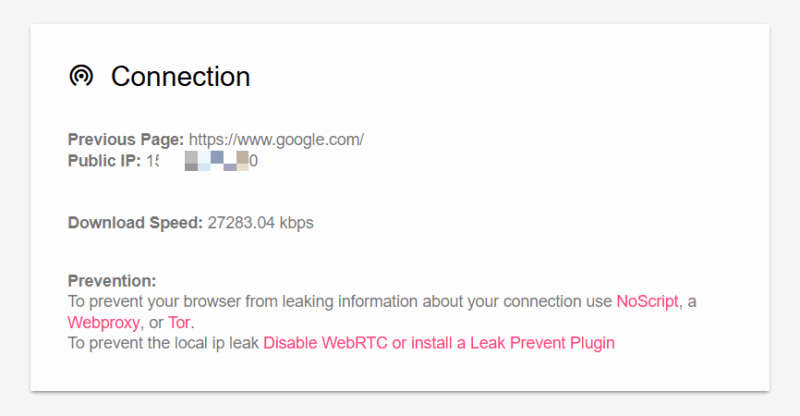
For each piece of information, it also tells exactly what you need to do to hide it, which mostly involves using the NoScript extension to block scripts. Additionally, it has extra features like scanning images for metadata and revealing local network details.
Keep these online security tools in your arsenal and check them regularly. You never know when a new threat will emerge or accidental changes will impact your setup. Just make sure you pair them with good security habits for maximum protection.