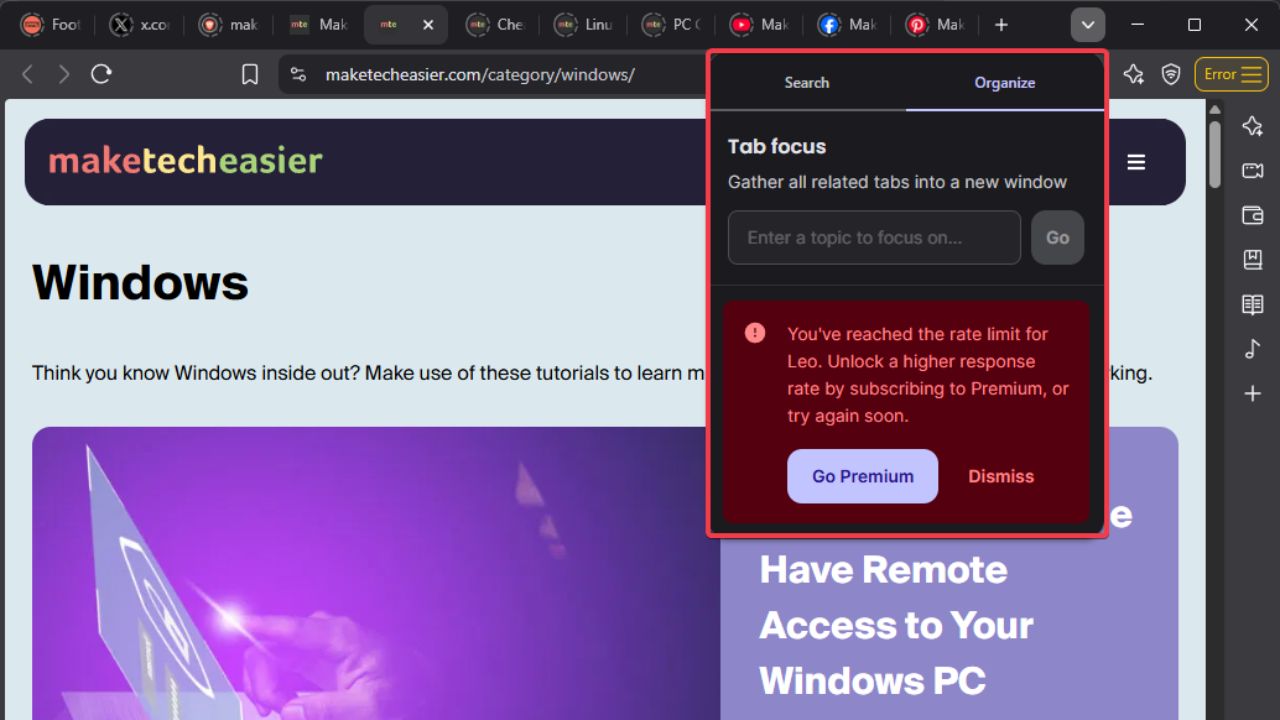
Let’s be real, your browser tabs are probably a mess right now and you can’t keep them straight. That’s where Brave browser has your back with the new Brave Tab Focus Mode. Powered by Leo AI in the Brave Nightly version, this handy feature helps to organize your tabs by topic quickly. If you’re a curious mind like me, this one’s a must-try feature. Ready to ditch the tab overloads? Let’s get into it.
What’s Brave Tab Focus Mode All About?
Brave Tab Focus Mode is like a personal assistant that helps to organize your browser. Simply tell Leo AI your topic, like work stuff, recipes, or travel plans, and it pulls related tabs into a new window.
It’s not just another soulless keyword-matching tool, it actually understands the context of what you’re browsing.
Among other useful Brave features to ease tab management, this stands out; perfect for anyone drowning in open tabs. It’s fast, smart, and sorts through the clutter immediately.
Enable and Use Tab Focus Mode in Brave
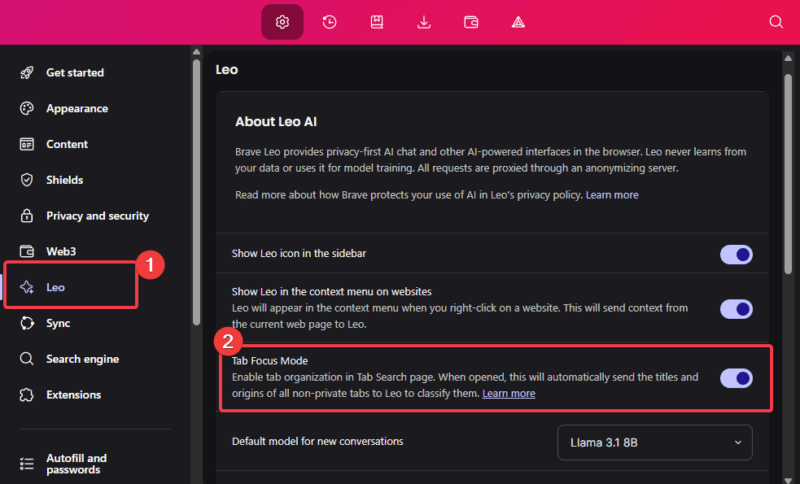
Enabling the Tab Focus Mode in Brave is super easy. Simply get the Brave Nightly version. Launch it, click the Menu (three lines), and select Settings. Now, hit the Leo section and turn on the Tab Focus Mode.
Click the Tab Search button (down arrow at the top right corner), choose Organize, and type your topic into the search field or select from the suggested topics.
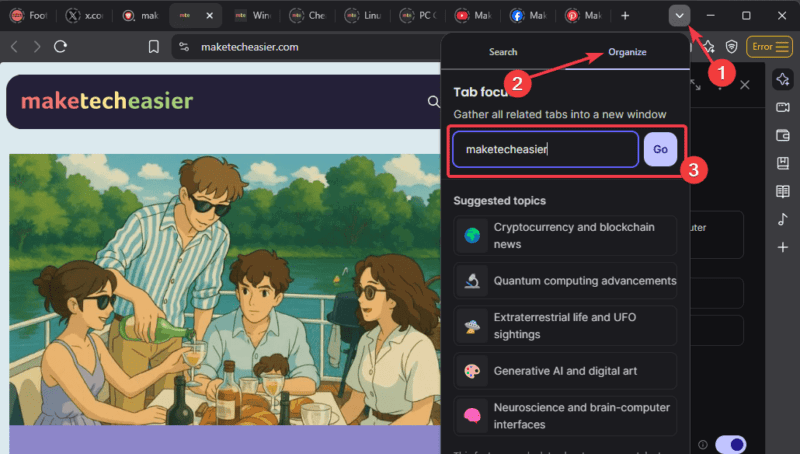
Leo will analyze the open tabs, round up tabs matching the topic, and pop them into a new window.
Heads up: this feature is only available on desktop for now, with mobile support coming soon. You can further boost productivity by pairing this feature with other AI tools in your browser.
The Good and the Not-So-Good
Let’s break it down and see if this feature is worth it or not.
The good:
- It’s fast, simple to use, and slashes tab chaos in seconds. It’s a game-changer for those juggling projects or multitasking while having multiple tabs.
- The free version works perfectly and you don’t need to upgrade to premium. However, premium users get higher daily limits.
The Not-so-good:
- Tab Focus Mode doesn’t work on private or Tor windows, it can only be used on regular windows.
- This feature is available only on desktops, with no mobile support for now.
- Leo AI sees tab titles and domains to work. If you’re strict about privacy, this may be an issue.
- Free users hit a daily cap on the number of searches they can make.
The benefits outweigh the cons, and it’s a good trade-off for a clutter-free browser. Further, Tab Focus Mode is not enabled by default; it’s optional.
Note: If you’re concerned about your privacy, try Brave’s private search engine.
So there you have it. Brave Tab Focus Mode is your new friend for turning your tab graveyard browser into a neat, clutter-free space. It’s not perfect, as it’s still in the testing phase, but it’s worth giving a try. Grab Nightly, enable this feature, and let Leo AI manage your tabs. Give it a try and share your experience below.