Trying to keep up with TikTok, YouTube has been working on improving its Shorts feature. The latest update? A batch of new editing tools that make creating short videos easier than ever – much like what TikTok already offers. Let’s look at what’s new and how it can help you create better YouTube Shorts.
Good to know: here’s how to quickly share ad-free videos with friends using this new YouTube Premium feature.
YouTube Expands Shorts Editing Tools
YouTube is finally giving creators what they’ve been asking for – more options when it comes to editing Shorts. With its latest update, the platform includes built-in editing tools that rival TikTok’s. Curious what’s included? See below.
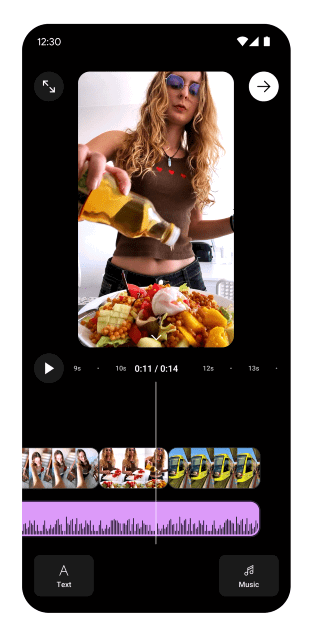
- New short video editor – YouTube has overhauled the editing screen for Shorts, giving users more control to trim, rearrange and edit clips using new gestures such as snapping and zoom. Creators can now record multiple clips and piece them together all from the YouTube app. A new option to preview the edited clip in a timeline view is available by swiping up from the bottom of the Shorts editor.
- Layered text and effects – creators can add text overlays with precise timing, stack visuals, and apply a host of effects
- Smarter audio sync – YouTube has introduced improved audio syncing for Shorts, enabling automatic alignment of music and sound effects with video cuts and actions. Users can also pull sounds from other Shorts.
- Voiceover capabilities – YouTube also offers voiceover tools for Shorts that allows users to easily record narration after filming, perfect for adding commentary, instructions, or reactions.
- Templates update – creators can personalize templates by importing photos from their gallery, with a range of effects available to enhance the videos.
- New sticker options – YouTube is finally adding sticker options for Shorts, now letting creators add stickers directly from their gallery. Even more exciting, users will be able to generate AI-powered stickers simply by typing a prompt.
- Enhanced sound library access – with improved tools for artists to upload music to Shorts, creators now have access to a larger and more diverse audio selection.
Tip: check this list of tips that will help you drastically improve your YouTube recommendations.
Take Advantage of YouTube’s New Shorts Editing Tools
YouTube notes that all these new features will be available “this spring.” That said, we can assume the roll-out has begun in most regions for both Android and iPhone users. Make sure you check whether there are new updates for the YouTube app before you check if you have the new features. Visit the Google Play Store or the App Store and update your app from there.
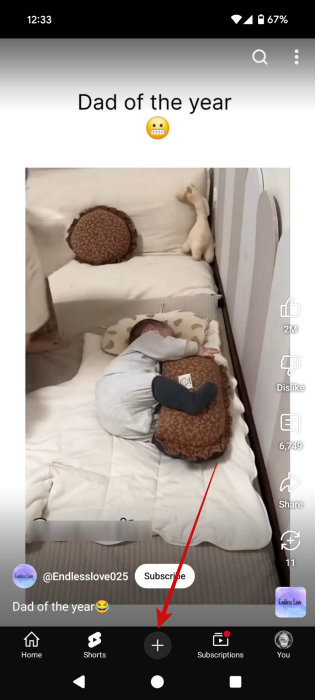
Once you do so, open the YouTube app and press the + button at the bottom.
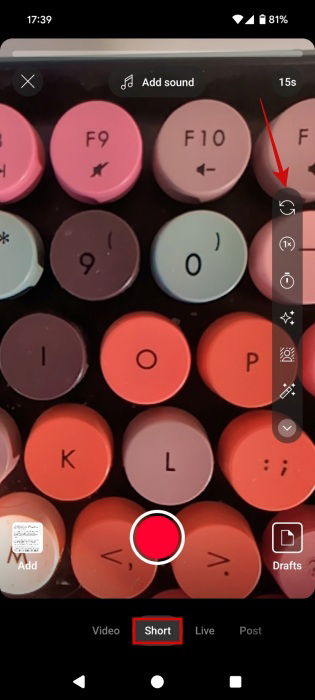
Make sure the Short option is selected at the bottom. You should see the editing bar on the right. Explore the new tools from there.
If the features aren’t available just yet, don’t worry. Give it some time, they’ll probably arrive on your device soon enough.
While you wait, you can use this workaround to post better YouTube Shorts. If you have a TikTok account, create a video using the many features the app puts at your disposal and post it as a private video. On the Posting screen, make sure you set the Followers can view this post to Only you can view this post.
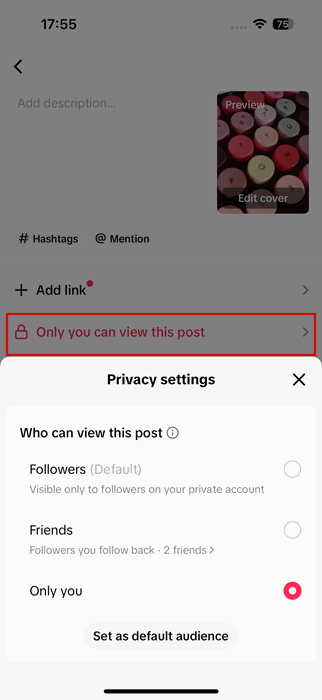
Once the video has been posted, open it. Press on the three dots in the lower right corner of the display.
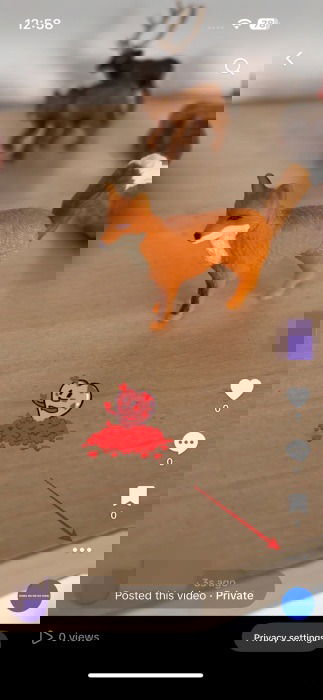
Select Save video.
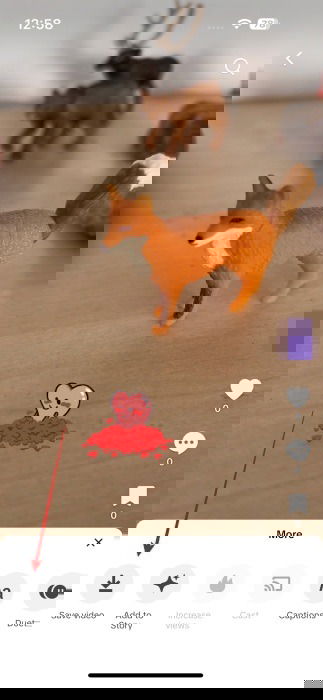
This will save the edited clip on your phone.
Now, you can use this clip to upload it into YouTube Clips. Quite effective, especially since you don’t really post the clip on TikTok, it won’t have the annoying TikTok watermark on it.
Alternatively, you can use another video creation app such as InShot (Android, iOS) to create your mini clip and then upload it from there on YouTube Shorts.
YouTube Shorts is just one aspect of the video streaming platform. If you want to learn to use the app to the maximum, check these YouTube features that your probably not using. Alternatively, learn how to optimize your video watching experience by automatically skipping sponsored sections in YouTube video.