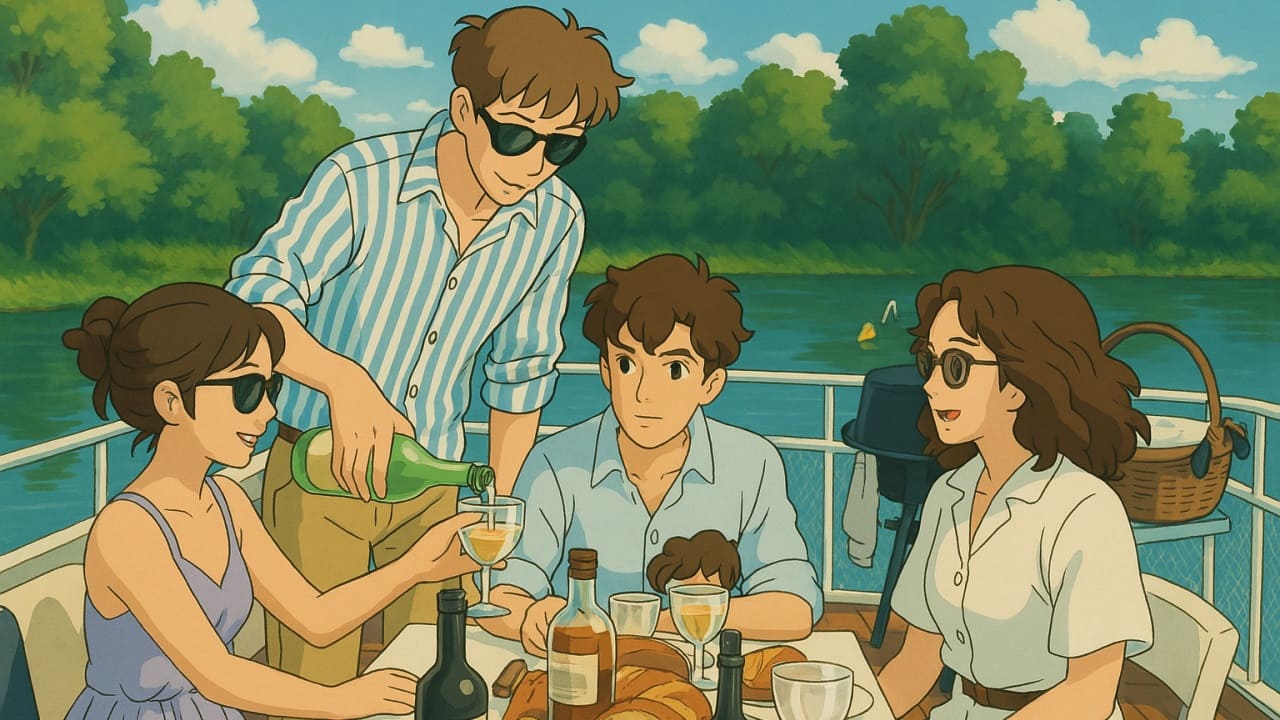
The Studio Ghibli-style art trend is taking social media by storm, and now you can create your own, even if you’re not a paid user! ChatGPT has just announced it is rolling out free access to its viral image-generation tool. Here’s how you can give it a whirl.
Good to know: check our list of tips on how to use ChatGPT for YouTube content creation.
Introducing ChatGPT’s Native Image Generator
ChatGPT has recently leveled up its image generation capabilities. Now powered by GPT-4o, the chatbot can produce even higher-quality visuals and unlock new creative styles – including the amazing Studio Ghibli-style illustrations. Before this update, ChatGPT relied on the DALL-E3 model for image creation.
With this new capability, ChatGPT can now transform your everyday photos into awesome illustrations inspired by Studio Ghibli’s signature animation style. From Princess Mononoke to My Neighbor Totoro and the Boy and the Heron, this legendary Japanese studio has created some of the most beloved animated films of all time.
Previously available only to paid ChatGPT users, the feature is now open to everyone. CEO Sam Altman confirmed that the new image-generation capabilities are accessible to all.
How to Create Studio Ghibli-Style Images with ChatGPT for Free
To try ChatGPT’s viral feature, open ChatGPT on your device. This can be done either on your PC or mobile device through the dedicated app or browser.
While this feature is free to use, you will still have to sign up with an account, as uploading images from your device is not available without one.
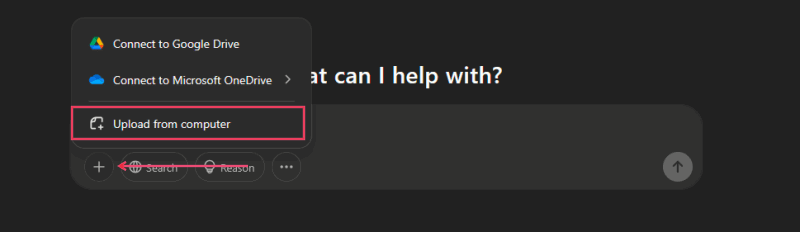
Press the + button in the text bar at the bottom. Select Photos/Camera (if you’re on mobile) or Upload from computer if you’re on PC.
Select your image and ask ChatGPT to turn it into a Studio Ghibli-style illustration in your own words.
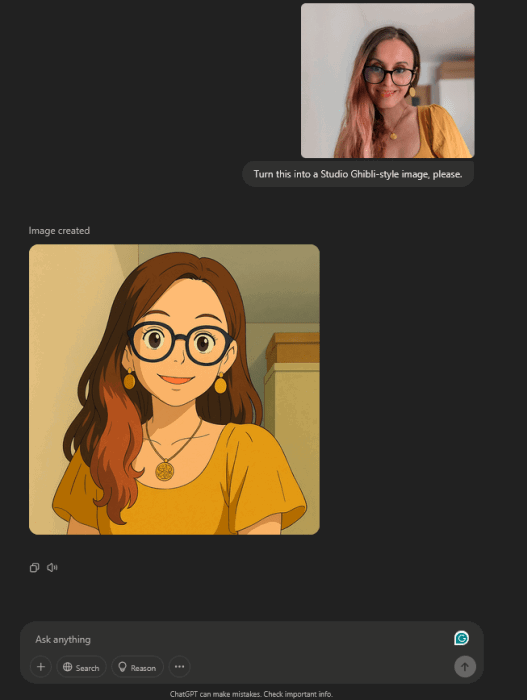
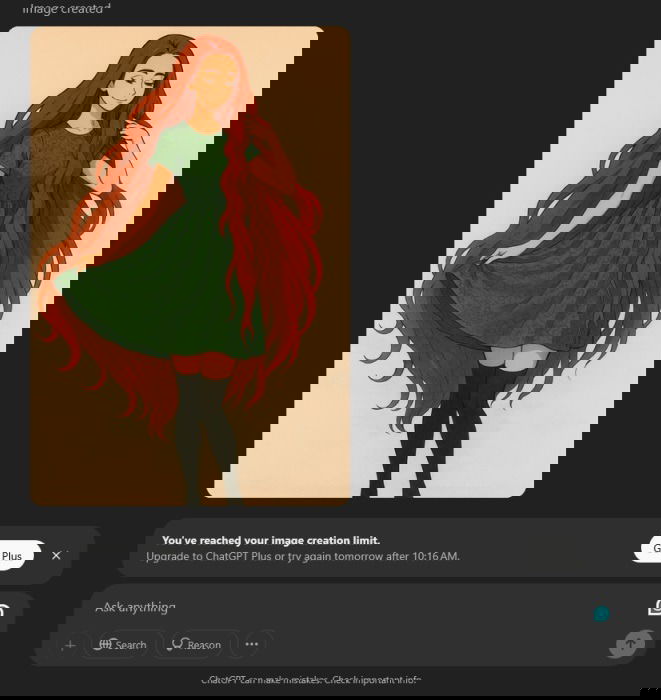
Now, wait for ChatGPT to create the image. The process can take a while. Free users can generate up to 3 images per day, and we were able to verify this in my testing.
What to Do If ChatGPT’s Studio Ghibli-Style Image Generation Doesn’t Work?
In our testing, generating via the ChatGPT web interface went smoothly. We didn’t have to wait too long for the AI bot to create our Ghibli-style illustrations. However, that was not the case when we tried using the mobile apps (both Android and iOS.) I also tried generating using ChatGPT’s mobile web interface on an iPhone.
Note: while ChatGPT is also accessible via chat apps like WhatsApp, it can’t transform images into Ghibli-style illustrations from there.
Every time, the process seemed to go on forever, sometimes even throwing an error that said, “Something went wrong.” After a long wait, we finally asked the chatbot what was up. This was its response:
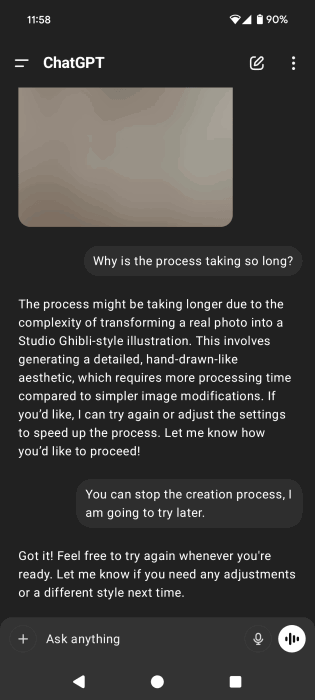
If you’re dealing with the same problem, I suggest you try doing the following:
- Switch to a PC – if you can, get on your computer and laptop and ask ChatGPT from there to create your Ghibli-style images.
- Wait a while – since free users only very recently got access to ChatGPT’s new image generation tool, we suggest waiting a bit before trying again. Right now, traffic is probably through the roof, but it should calm down soon. When it was first launched, the demand was so high that the servers struggled to keep up. That might be the case now, so just make a mental note and check back in a few days.
- Ask someone to help – if you don’t have an account with ChatGPT, you might be experiencing issues with the sign-in process. The recent sudden rise in registration has been affecting the flow of new user registration. You can try again later to sign up, or if you really can’t wait, ask a friend or family member with a ChatGPT account for help. Send them the photo and have them to oversee the transformation.
- Try an alternative AI chatbot: you can transform your pictures into Ghibli-style illustrations with other chatbots such as Grok. You’ll need to use Grok 3 for this. The option to generate images in this style is free to use, but in our experience, the results aren’t as good as when using ChatGPT.
If you want to expand your knowledge of how to put ChatGPT to good use, check out our list of ChatGPT hacks that can help you produce better results. Alternatively, in case you’re wondering whether premium chatbots are worth it, we’ve tried some of the,m and here are our conclusions.