Harmless links should be just that: harmless. Yet, clickjacking swoops in and destroys your trust in seemingly innocent website links and buttons. This guide shows various ways to protect yourself from clickjacking.
What Is Clickjacking?
When hackers hijack links, buttons, and clickable parts of a site, it’s called clickjacking or UI (user interface) redress attacks. Attackers place transparent layers over a site, causing you to click a malicious link instead of the one you thought you were clicking.
For instance, I could go to a site and click a link to download a free ebook. But an overlay on that link downloads malware or a keylogger instead. It alters the HTML of the site, including iframe and CSS (cascading style sheets).
What makes clickjacking such a serious threat is that the overlays occur on the actual website and not a spoofed version. After all, if you’re on a reputable site, you’re likely to let your guard down and expect to be safe.
Instead, the links you click give attackers access to your accounts, personal data, and even your entire device.
Clickjacking occurs in various ways, such as:
- Transparent or hidden overlays
- Click event dropping (clicking appears to not work, but you’re actually clicking an invisible malicious link)
- Repositioning
- Scrolling with a malicious pop-up
- Cropping (only attacks specific controls on the page)
In some cases, the attacks aren’t as serious, such as hijacking likes on social media. You click a button or link that is actually the like button for a spammy page/account. This is referred to as likejacking. In fact, there are various versions, such as cookiejacking, filejacking, and cursorjacking.
Bypasses Antivirus and Browser Protections
What makes me so anxious about clickjacking is that it often bypasses antivirus and anti-malware. Since these attacks happen on reputable sites and may not always download anything, traditional antivirus may not detect them.
Most browsers have built-in protections in place, but as we all know, hackers are always looking for new ways to exploit users online. Most basic clickjacking attacks are effectively blocked – but not double clickjacking attacks.
Instead of something malicious occurring during your first click, the attacker’s code inserts the hijacked overlay before prompting you for a second click. This could appear as a simple double-click to confirm an action or an annoying CAPTCHA. When you click the second time, you may inadvertently install a plugin and give the attacker access to your account.
Currently, browsers may not detect this more complex version, as it doesn’t use the typical iframe setup, putting you at a higher risk of becoming a clickjacking victim. This isn’t limited to just desktop browsers; users are also being targeted on mobile devices with double-tap prompts.
Protecting Yourself from Clickjacking
One of the easiest ways to protect yourself from traditional clickjacking attacks is to simply keep your browsers up to date. Despite double clickjacking being fairly new, browser developers are actively working on security fixes to help protect users.
It’s also vital to keep any plugins/extensions updated as well. Attackers often use plugins that already make changes to how a site functions to overlay their own malicious code.
Pay attention to your clicks and website prompts. Does your favorite site suddenly have a prompt to confirm an action when it never has before? It could be clickjacking. While confirmations are common on websites, it should be a red flag if a site never had them before. Test things out by clicking other buttons or links to see if there are confirmations on all of them.
When you click a hyperlink, does it lead somewhere? If not, don’t click it again. The exception is an ad-blocker with a link that leads to a pop-up, such as filling out a form. Your ad-blocker may have blocked the link’s pop-up. Check your ad-blocker before clicking the link a second time.
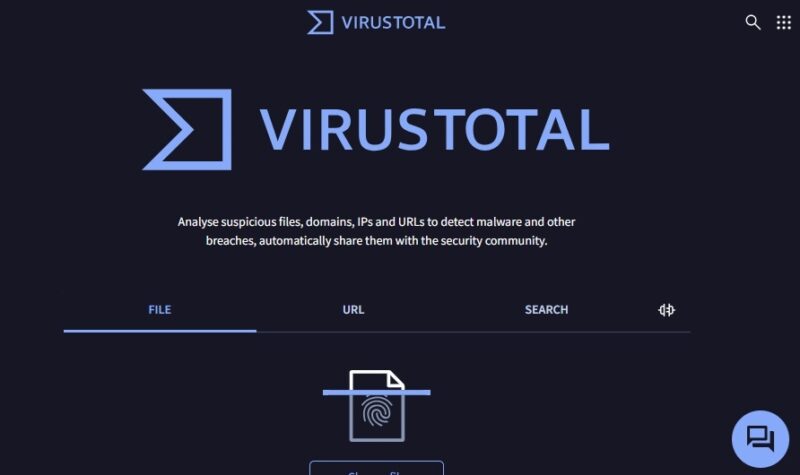
For new sites, any sites that look spammy, or trusted sites that are exhibiting suspicious behavior, check for issues on a URL scanning site. These sites check with various security providers for possible issues. Use these to freely check a specific page, the entire site, and even download links. Some of my favorite tools include:
- URL Avoid
- VirusTotal (perfect for download links)
- urlscan.io
- Google Transparency Report
- Hybrid Analysis
Some antivirus apps also include browser extensions that warn you if a site has an iffy reputation for security.
While clickjacking happens on legitimate sites, it’s definitely an issue on spoofed sites. Make sure you’re correctly typing in a URL. For instance, ensure everything is spelled correctly, such as “maketecheasier.com” versus “maketecheasyer.com.” A single typo could cost you. Google Chrome actually helps detect typos.
Finally, skip pop-ups. I know that shiny pop-up that says you just won the latest iPhone looks ultra-clickable, but don’t! Odds are that it’s not part of the site you’re trying to visit. Instead, it’s a clickjacking attempt or phishing scam. Either way, don’t click it. The same applies to suspicious ads, though ad-blockers reduce this problem.
The Threat That Keeps Coming Back
Clickjacking has started to disappear, thanks to built-in browser protections and site owners incorporating their own protections, but it wasn’t completely eliminated. Now, with double clickjacking, the threat is back in full force. Be cautious and pay careful attention to what you’re clicking online.
Even though clickjacking isn’t always detectable by antivirus, protect yourself from other threats by installing one. Use our guide to help decide between antivirus and anti-malware software.
Image credit: Unsplash. All screenshots by Crystal Crowder.