Whether you’re at a café, restaurant, mall, or traveling, using public Wi-Fi feels quite routine. It keeps you connected on the go, particularly when your cellular data isn’t working. While the risks of public Wi-Fi are greatly reduced compared to a decade ago, some dangers persist. Learn how safe public Wi-Fi is in 2025, and discover the best ways to keep your devices protected.
Public Wi-Fi: Is It Safer Now Than Ever Before?
The answer is both no and yes. It is true that public Wi-Fi is generally safer than a few years ago. Most users seem to trust Wi-Fi networks, especially at popular venues teeming with people. Few of us would think twice before connecting to the available Wi-Fi at a reputable place like Starbucks.
The main reason for this trust is that WPA2-AES encryption is common, and WPA3-AES is rising in popularity. Public Wi-Fi networks, especially WPA3, are strongly resistant to eavesdropping and man-in-the-middle, packet sniffing, and brute force attacks. This weeds out a vast majority of hackers.
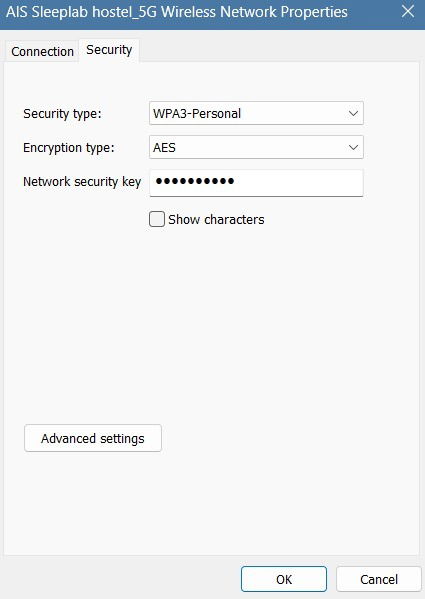
There is also greater user awareness about public Wi-Fi security. Many of us are careful not to share sensitive information, such as financial details, over public networks. Additionally, most websites enforce HTTPS, encrypting all the information transmitted between your device and the browser.
While Wi-Fi security is more advanced in 2025, it’s not foolproof. The following threats continue to loom large, so take them into account before browsing on an unknown connection.
1. Legacy Wi-Fi Protocols Are Still Around
As recently as March 2025, I came across an open Wi-Fi network with no encryption in a residential area in Bangkok. Many people were casually using this public Wi-Fi to send emails and watch videos, seemingly unconcerned about the potential risks.
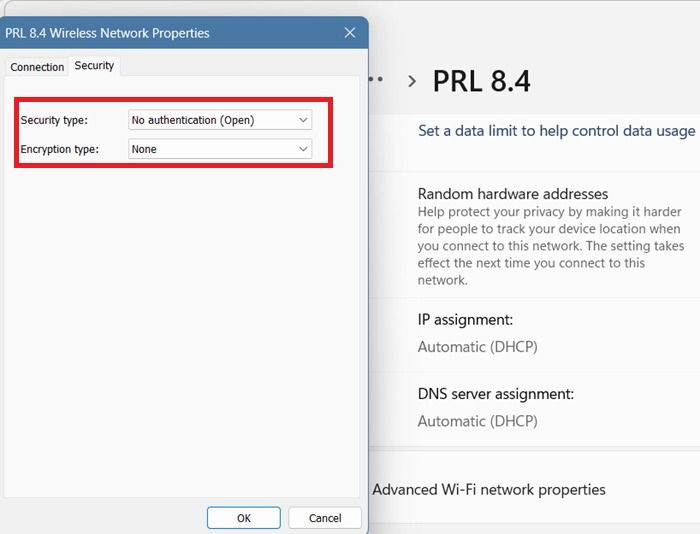
In addition to open Wi-Fi networks, legacy protocols like WEP and WPA can still be found. If you’re in a rush, you could end up connecting to these networks without verifying their integrity. These legacy networks suffer from weak encryption and are susceptible to hacking and session hijacking tools.
To help you stay secure, we’ve outlined various methods of checking the encryption of Wi-Fi networks on Windows, Android, iOS, and Mac – especially useful if you’re traveling internationally or living as a digital nomad.
2. Lack of Forward Secrecy – A Challenge with WPA2
The biggest challenge with WPA2-AES or WPA2-TKIP is that it lacks forward secrecy. Public Wi-Fi networks continue to use simple passwords to be shared with everyone. Anyone with access to this key can decrypt all past or future sessions on the network.
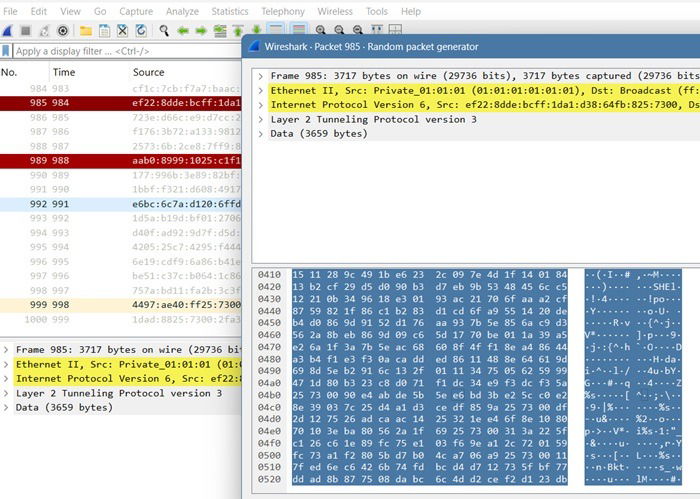
Penetration tools like Wireshark give a glimpse into the captured SSL/TLS traffic. If someone has access to the server keys, they can possibly decrypt all the data. This can potentially expose login credentials, emails, and more, so using a VPN is important in public Wi-Fi networks, as it encrypts all your data transfers.
WPA3 is the gold standard for Wi-Fi security, providing strong protection against the above attacks. It uses Simultaneous Authentication of Equals (SAE), which encrypts each user session separately. You may have experienced this at airports, where a unique session key is created after you share your passport number.
While WPA3 is highly secure, unfortunately, it will take a few more years before it is widely used at public venues.
3. The Real Problem of Fake Hotspots
As many frequent travelers have started noting, fake hotspots are becoming a major problem in hotels and other public places. Basically, anyone can create a fake SSID to mimic the original one provided by your venue.
All a fraudster has to do is enter a set of commands that appear similar to the original Wi-Fi hotspot. For example, instead of a hotel like “Best Inn,” the “I” can be replaced with a lowercase “L.” Hackers even duplicate the captive portals and logos for an authentic appearance.
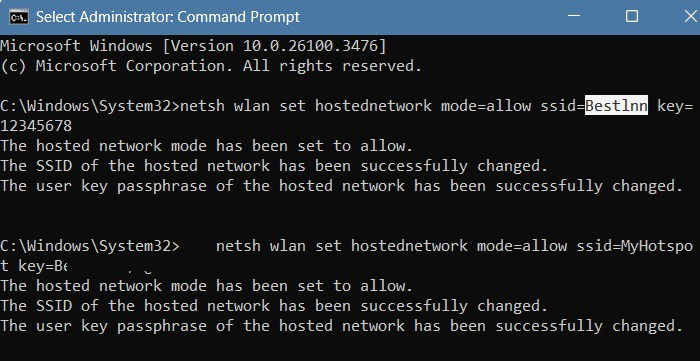
Again, the best way to tell a fake hotspot is to check its Wi-Fi encryption protocol. Of course, they wouldn’t be using WPA3 to protect your session. If there are multiple hotspots with the same name, you must use a VPN or one of its alternatives.
4. Be Wary of Your Browser Session Being Hijacked
Most websites enforce HTTPS today, but it doesn’t mean that every piece of information is safe from hackers. HTTPS protects the content of your communications but not the metadata.
If you’re using a public Wi-Fi network on secure WPA3, you would think that every security hole has been plugged. But hijacking can strike your device in a public network – even if you’re using a very secure connection. To hijack a session, a hacker takes over your browser data through account takeover attacks (ATO) or malware, which can originate in the dark web.
The human element is one of the biggest reasons behind the above attacks. Your identity is at the core of your device security. On Android, you can use Identity Check to prevent your device from being hijacked. Likewise, iOS, Windows and Mac devices also use biometric authentication to prevent your account from being taken over.
Safety Precautions for Using Public Wi-Fi
The risks of public Wi-Fi, although far less than several years ago, are still very common in 2025. You can, however, use public Wi-Fi, as long as you have these safety precautions in mind:
- Keep your browser and operating system up to date.
- Use only top VPN apps for iPhone and Android to encrypt your connection.
- Use an antivirus on your desktop devices. It should have a firewall, email and Web protection, and phishing protection.
- Enable two-factor authentication (TFA) on all your important user accounts. It is quite useful against the latest threat, such as QR code phishing.
- Don’t auto-connect your device to unknown Wi-Fi networks. Verify the encryption protocol used for each user session.
- Use cellular data when in doubt. If you’re conducting financial transactions or something very sensitive, you’ll be more secure with your mobile data plan.
Image credit: DALL-E 3. All screenshots by Sayak Boral.