Nova Launcher is a highly popular Android launcher with over 50 million downloads. But the app’s future is uncertain because Branch, the new parent company, has cut off the entire Nova development team. A lack of future updates can lead to compatibility issues with upcoming Android versions. Clearly, it’s time to replace Nova Launcher with a close alternative.
1. Kvaesitso
Many of us would have a hard time pronouncing its unusual name. But as a Nova Launcher alternative, Kvaesitso shares its minimalism and a clutter-free home screen. Similar to Nova, it has a global search feature for apps, calendar events, contacts, and web services.
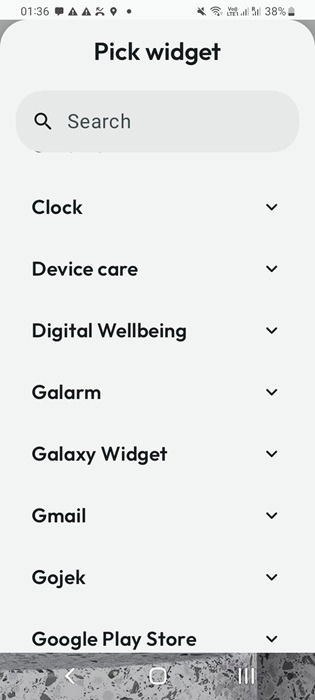
Furthermore, the Android launcher is open source, super lightweight, and intuitive to the eye. The performance feels superfast. I feel this is due to the Pick widget feature where I can add apps like Gmail. After this, I just have to swipe down anytime I want to. The infinite vertical scroll gets me straight inside the app’s core. Within Gmail, it just becomes faster to read emails.
Installing Kvaesitso is a bit complex as it’s not available on Google Play. First download the repository through F-droid. It’s a parallel app store for open source apps. Ignore any “file might be harmful” warnings. You will also have to allow Install unknown apps in Settings. After this, wait a while for the repositories to load slowly. You can then use the F-droid search button to locate apps like Kvaesitso.
2. Lawnchair
An open source launcher, Lawnchair, is ideal for those who prefer a minimalist design, but with more customization options. Its standout feature is its close resemblance to Google Pixel home and app screens, as well as its icons. Even if you don’t have a Pixel device, you can enjoy its smooth text and fonts, fluid transitions, and efficient use of screen space.
Further replicating the Google Pixel look is a YouTube home screen at the bottom. Lawnchair uses adaptive icons which change shape depending on your device model. It helps give a consistent appearance no matter which screen you are using. Unlike Nova or some other launchers, I can add more customization for the fonts, colors, spaces, and other icon details.
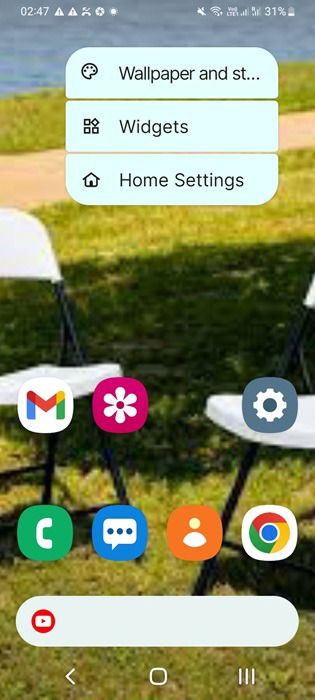
When you pull down the app drawer, you can cluster your favorite apps into neat categories. There is also an At a glance widget like Pixel’s, and finally, a global search functionality. All of these minor details make app management a breeze. The app is frequently updated to ensure that you don’t miss out when new features are introduced to your Android phone.
3. Niagara Launcher
As far as Android apps go, Niagara Launcher can be considered the best alternative to Nova Launcher. It has a clean, minimalist design which barely has any impact on your phone’s performance. What I like about Niagara is how I can arrange all my apps alphabetically in a vertical line. From there, I can pull any of them in based on their first letter, rather than having to flip through several screens.
Another thing I really like about Niagara is its Offset wallpaper feature, where you can fix the centering issues of wallpapers. Even your phone’s stock home screen may not have this feature. You can also dim the wallpaper which makes it easier to read the app text and search items. The launcher also allows you to quickly find hidden apps on your phone.
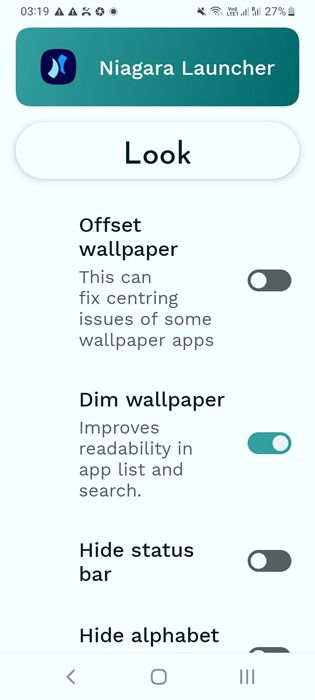
Thanks to a well-thought-of Usage breaker, you can take a break from apps which you might be overusing. This is a great way to conserve Android phone battery. You can choose your favorite apps to be easily accessible from the home screen. They’d be available in stacks and you won’t miss out on any notifications. With a global search button and widgets for calendars, weather, and media sources, you get a complete home screen solution.
4. Microsoft Launcher
Syncing your Microsoft account on Android is a useful experience for those who are heavily dependent on its apps. As I primarily use Windows devices, it means having quick access to Copilot or carrying on with Outlook emails on Android. Unfortunately, the Android operating system has very different design elements, and it takes a lot of adjustment to work with Microsoft files.
Here is a Nova Launcher alternative you can’t miss out on. If you use a lot of Microsoft apps, this is definitely a good one to have. Microsoft Launcher enables one-stop access to all Office apps including Word, Excel, PowerPoint, and OneNote. You can also quickly move around your saved OneDrive files directly from within the launcher window.
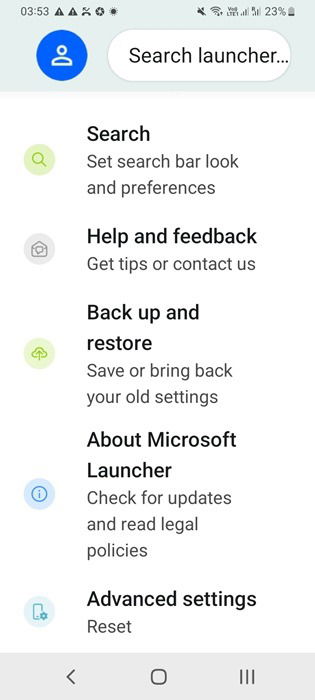
For those who are shifting from Nova to Microsoft, the transition feels very smooth. It also has a global search button and a widgets feature. The interface is clean, intuitive, and absolutely minimal. You can also hide your apps and protect them with passwords, which is better for overall security. With timely and frequent updates from Microsoft, you will never be out of touch with the latest Android versions.
5. Smart Launcher 6
What made Nova Launcher very popular was its minimal impact on your device. The con is that you couldn’t have a more customizable interface. Smart Launcher 6 gives you the best of both worlds. It gets you the same uncluttered, mean look of Nova. However, you also get access to pretty advanced home screen features.
At first sight, you can see the adaptive icons, which is a big one for me. There is a Smart Search button which makes Smart Launcher 6 a more sophisticated alternative to Nova. This is a launcher that also works well with gestures and hotkeys giving you enhanced productivity. Like Microsoft Launcher, you can further hide your apps and protect them with passwords.
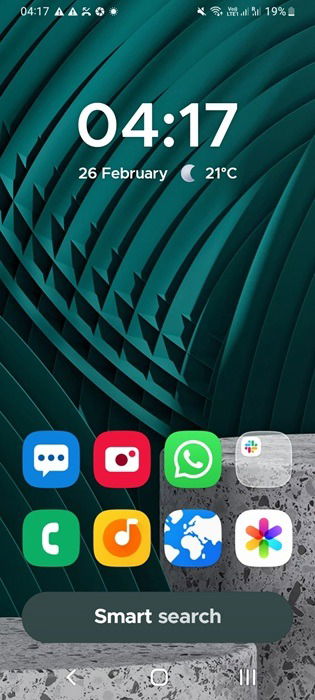
The overarching theme of Smart Launcher 6 blends quite well with your current wallpapers. It gives you the neatest and tidiest app drawer you could wish for. Performance wise, the app screen barely has any impact on your device. The app is highly rated with millions of downloads on Google Play. It is being frequently updated, ensuring enough widespread appeal for the future.
6. Olauncher
In terms of Nova Launcher alternatives, it doesn’t get any better. When it comes to digital minimalism, Olauncher leaves the least footprint on your screen. There is no separate “Settings” page or a separate app drawer. Instead, everything seems fully automated with an aim to minimize your screen time.
With Olauncher, all your actions on the screen are controlled through long presses, swipes, and gestures. For example, if you just swipe “left” on your screen, it opens the camera. Swiping “right” opens the phone dial. A simple double tap can lock the device, and that’s it. Even if your phone isn’t very latest, you can now enjoy these amazing features.
You can easily control the number of apps on your home screen, adjust their alignment, and choose whether the keyboard or status bar belong. The app works seamlessly with Android’s stock user interface. Personally, this launcher is my new favorite as it’s a great time-saver and easy on the phone battery.
Having explored all the best Nova Launcher alternatives, it still remains a viable option for Android suers. However, you can make it better using one of these unique Nova Launcher Themes. Apart from these minimalist examples that we have covered here, there are many other extensive Android launchers that you can use.
Image Credit: Unsplash. All screenshots by Sayak Boral.