Did you know that there’s a handy feature in Android designed to ensure you never miss important notifications? Even if you have accidentally swiped away essential alerts from the notification drawer, Android offers a built-in utility called Notification History, allowing you to review previously lost notifications. Here’s a quick tip on how to enable and use Notification History in Android.
Enabling Notification History in Android
Although the Notification History is a part of core Android functionality, most smartphone manufacturers disable it by default. If you are using Android 12 or later, you can take advantage of this feature. For this guide, I am using an OnePlus device running Android 15, but the process is similar in Android 12, 13, and 14.
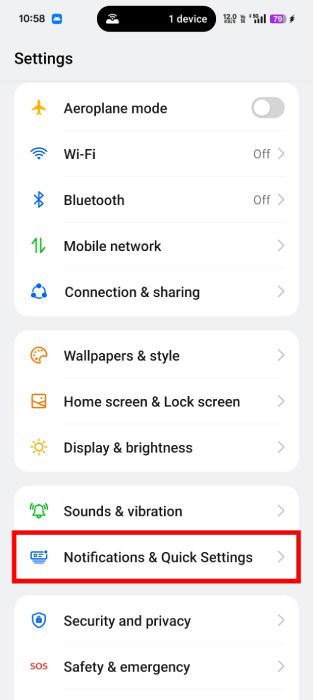
Go to the Settings app and open Notification & Quick Settings.
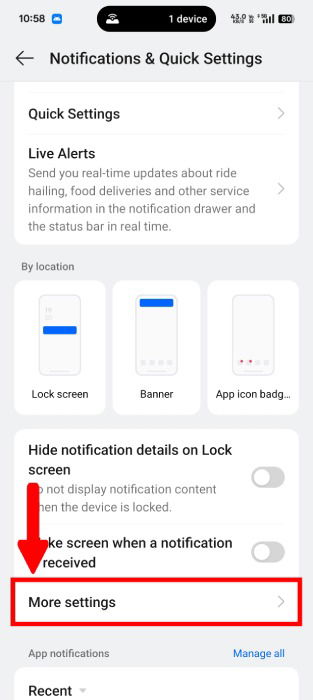
From the Notifications settings, scroll down and tap on More Settings. In case you are using a device other than OnePlus, look for Advanced Settings or Manage Settings.
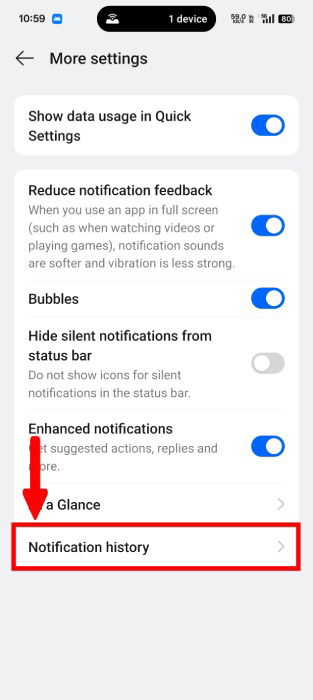
Tap on the Notification History.
You may notice that the Notification History is disabled by default. Turn on the toggle, located next to the Notification history label. Since the Notification History was turned off, enabling it won’t display any previous notification entries immediately. You should wait until you start receiving notifications.
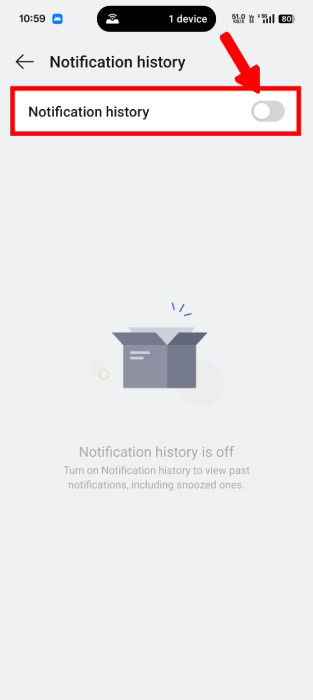
Now that you have activated it, the system will start recording your notifications, including those that have been snoozed.
Accessing Notification History in Android
There are three methods to access the notification history. The easiest method is to open the Notification Drawer and tap History, which will now appear at the end of the notification panel.
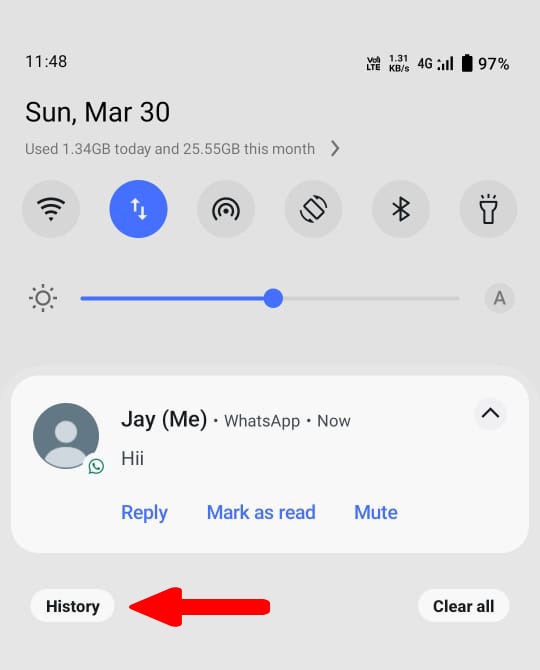
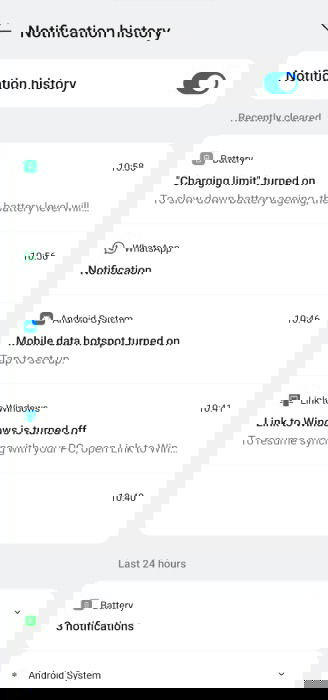
You will be redirected to the Notification history page. Here you will see every notification that you received in last 24 hours.
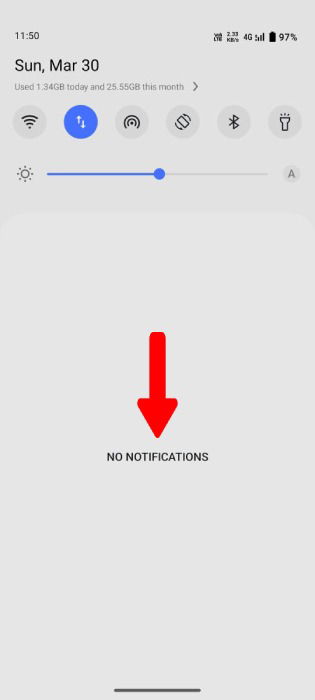
The second method to access Notification history is by tapping on the No Notifications text. This text will appear when you clear all your notifications.
The last method to get your notification history is to open Settings -> Notifications & Quick Settings -> More Settings -> Notification History.
Note that not all methods will be available on every device. For instance, on my OnePlus devices, the first two methods were not accessible. However, if you are using devices with stock Android, you should be able to use any of these methods.
The Notification History is truly quite a useful feature for keeping track of missed alerts. However, if you are using numerous apps on your device, you may still be daunted by notifications. In such cases, you may want to consider blocking unwanted notifications to reduce clutter.
Image via: Unsplash, Flaticons. All screenshots by Jay Kakade.