Android has been sneaky with SafetyCore – an app that peeks at your photos and data for sensitive content without your permission, and it’s on by default. If that feels intrusive to you and want to remove it, you’re not alone. This guide will provide a simple way to remove Android System SafetyCore without much hassle.
What Is Android System SafetyCore, and Should You Care?
Android System SafetyCore is a built-in tool that Android sneakily introduces to your device during system updates. The app’s goal is to keep you safe by flagging dodgy content in your photos and data – like bank details or explicit pictures.
Although Google says it’s to keep you safe, here’s the catch: you were neither informed nor sought to give permission before the app started running in the background with unlimited access to all your data.
This seems like your phone is playing spy without your permission. Hence, everything about it feels sneaky and off. Besides, big tech companies are known to engage in data mining and sales. So, it’s a stretch being asked to trust them with your secretly accessed data.
Maybe you don’t need your phone playing detective on every snap or information you receive or send out. So, it’s important to ditch it while it’s still possible to.
Disable/Remove SafetyCore from Your Device
The best way to remove Android System SafetyCore is to hunt it down since it doesn’t show up as a normal app.
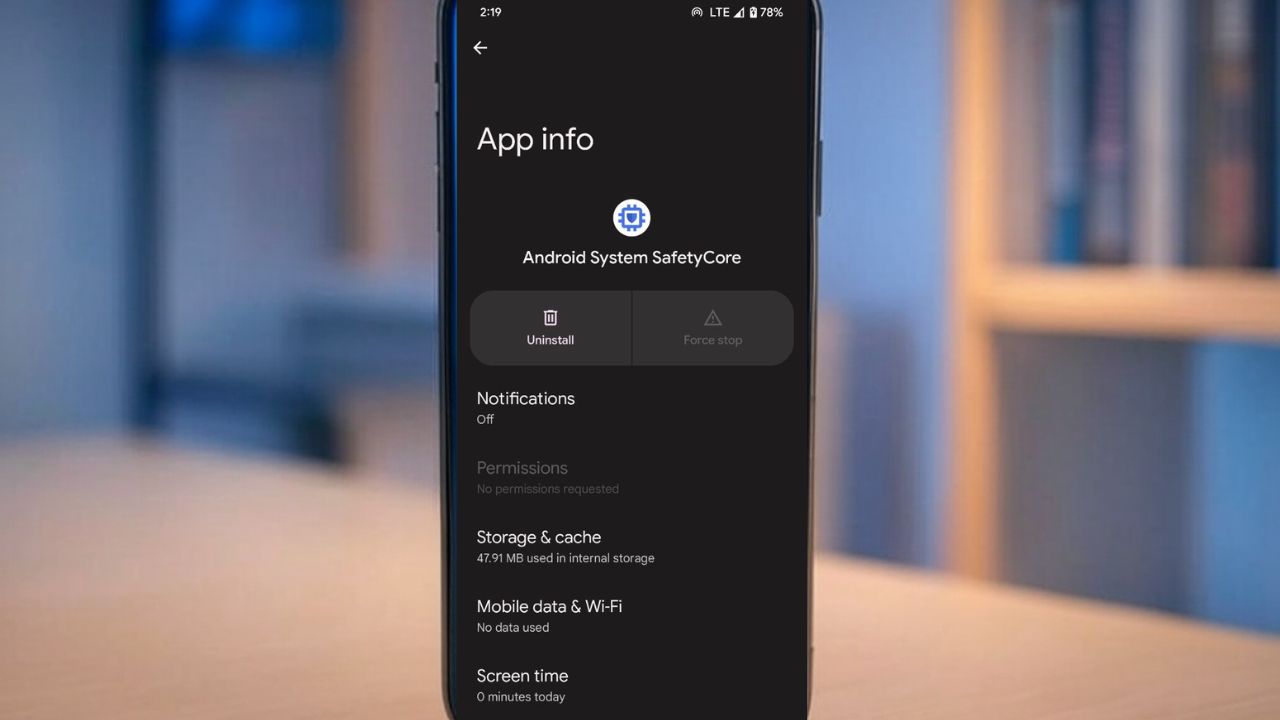
Navigate to Settings -> Apps, hit the three dots at the top right corner, and select Show System Apps. Samsung and Pixel users may find it difficult to locate since the app can hide in the menu. In that case, search for SafetyCore.
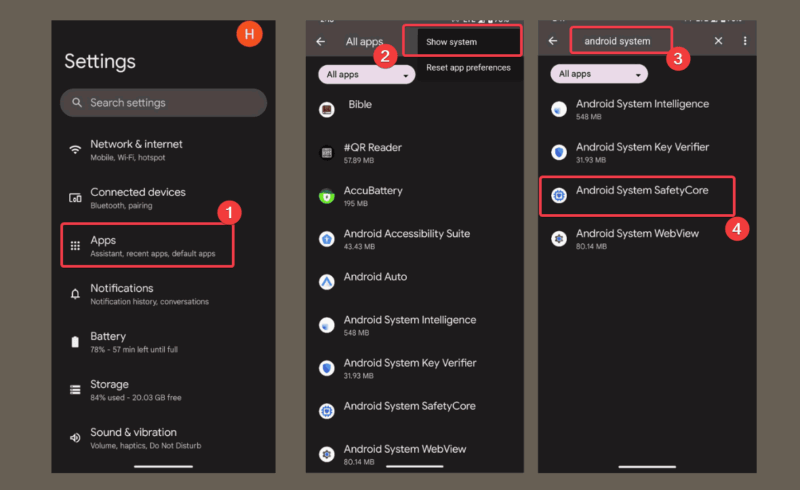
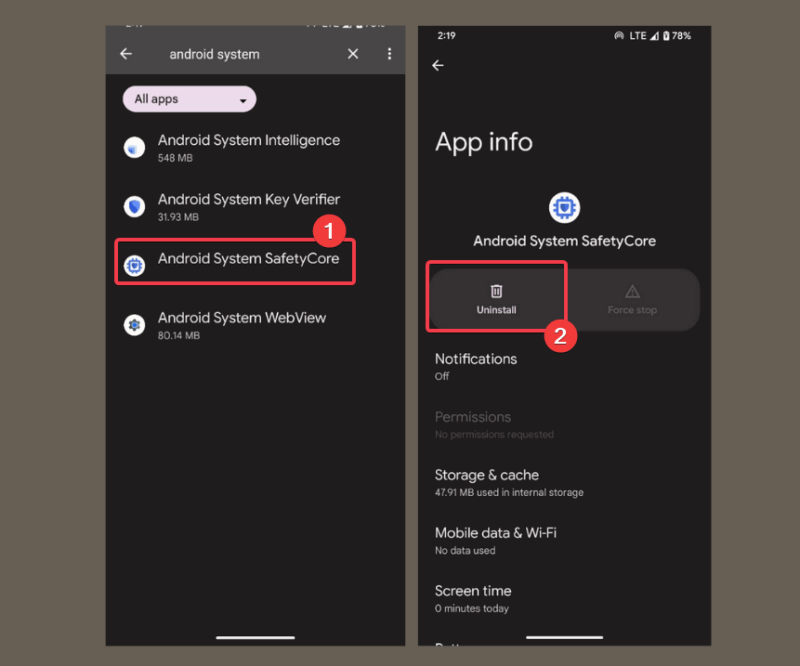
Once you locate it, tap it, and click Disable or Uninstall to switch it off, depending on your phone manufacturer. This should remove it, unless your phone is stubborn and the button is greyed out.
Note: The next step is optional as it requires you to jailbreak your phone.
If you want the Android System SafetyCore app gone by all means, then you need to root your phone. It’s basically like jailbreaking your phone to take full control, and that lets you uninstall it completely.
It is however dangerous and could mess up your warranty or worse. So, if you’re unsure about taking such risks, try these steps to uninstall system apps without rooting your phone.
Then, restart your phone and head back to the system apps list to check if SafetyCore is no longer present. In addition, you can explore how to clean up leftover files from disabled apps.
Note: If your device has no Disable or Uninstall option, try stopping apps running in the background as a workaround to quiet it down.
There you go on how to remove the Android System SafetyCore app from your phone. It’s your phone, and your rules; nobody should force you to embrace an app that has unlimited access to your data without your consent. Want more tips? Check ways to restrict app permissions. So, try these steps and tell us your experience in the comments section below!