If you’re a long-time Skype user, hearing that the popular video-calling platform is shutting down in May 2025 probably didn’t give you the warm fuzzies. Read on to learn why Microsoft Teams replacing Skype isn’t such a bad thing after all.
Teams Offers Much of the Same Features
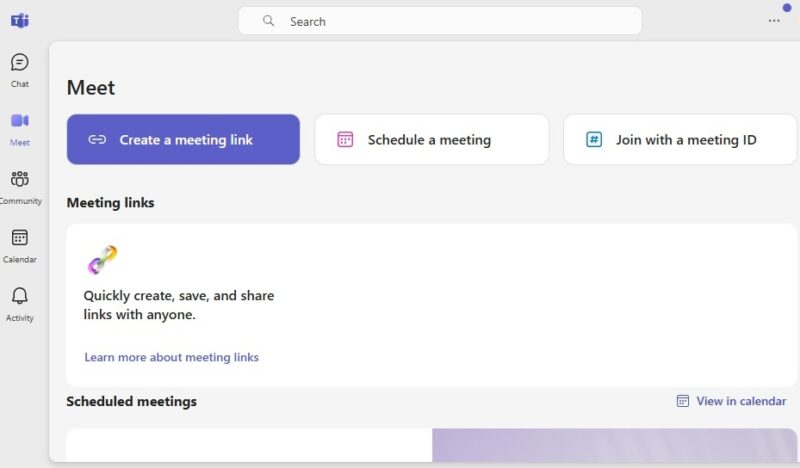
Microsoft Teams may sound drastically different than Skype, but it actually offers many of the same core features. In trying out Teams, I found that you’re still able to have both group and one-on-one calls, easily message contacts, and share files when needed. It’s still ideal for both individuals and teams.
The interface looks a little different, but it’s easy to get used to, along with being uncluttered. For me, I found that it didn’t take long for me to feel just as at home with Teams as I did with Skype.
There Is Still a Free Tier
To quell the fear I know most of you have: do I have to pay? Microsoft Teams replacing Skype doesn’t mean you lose a free video meeting app. Teams offers both free and premium plans.
There isn’t a free plan for businesses, but there is a free personal plan that offers 60-minute group calls with up to 100 participants and unlimited chat with your friends and family. You even get data encryption and 5 GB of cloud storage.
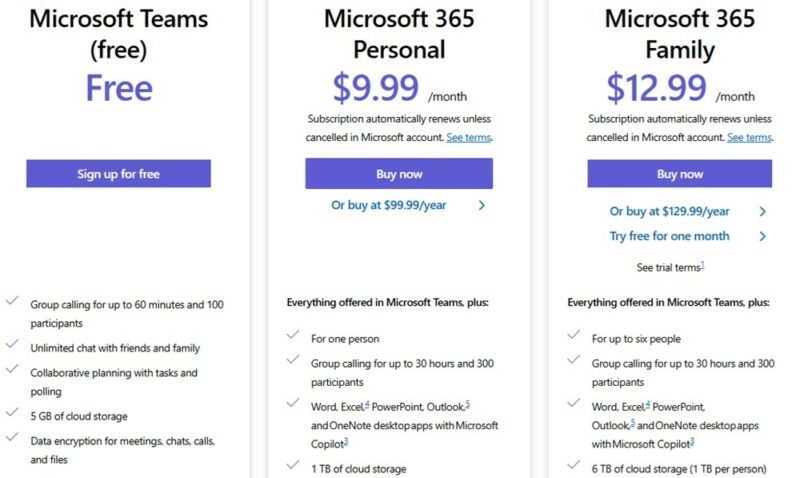
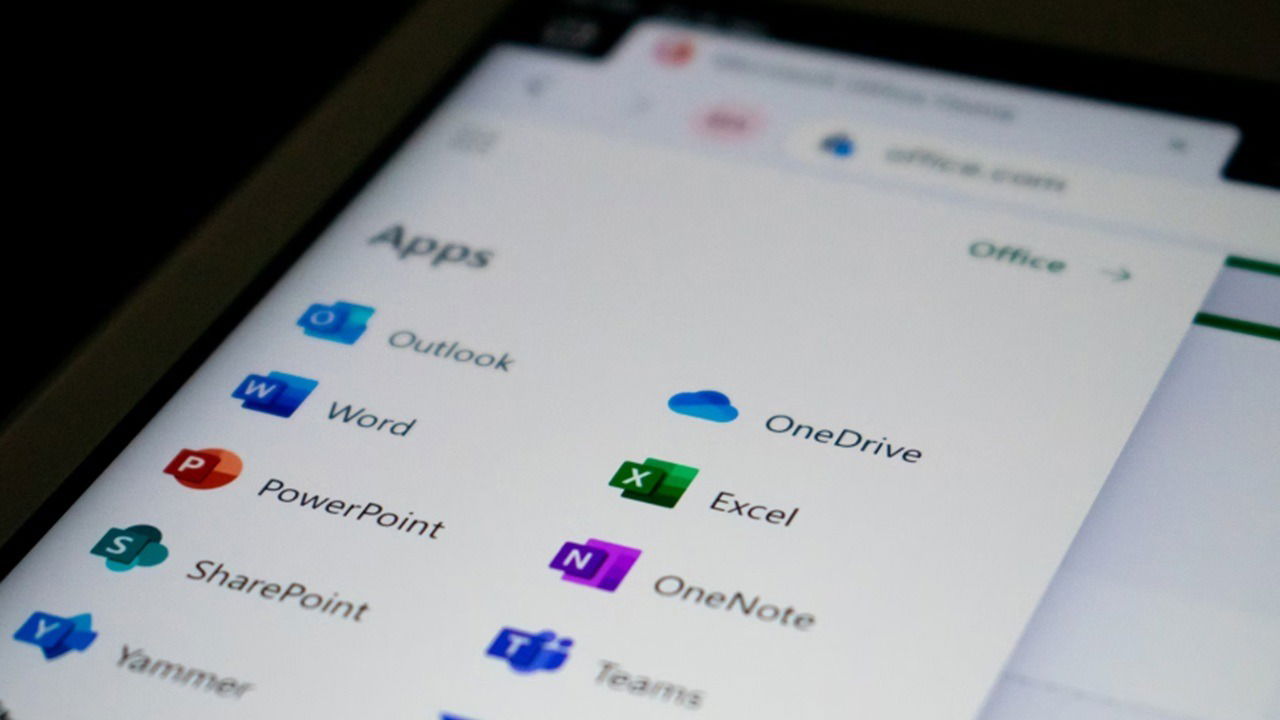
If you already have a premium Microsoft 365 plan, Teams is included, along with the core Office apps.
Easily Manage Calendars Within Teams
Tired of jumping between your calendar and Skype to see when your next upcoming meeting is? Now you don’t have to. Just click the Calendar tab and check upcoming dates. I love that there isn’t any need to switch between apps – it’s all in one. I can even start a new meeting directly from the calendar.
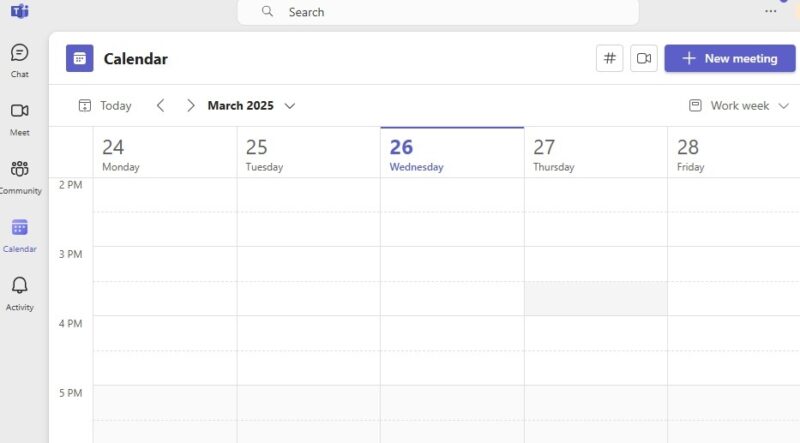
Of course, if you just need Teams for personal use, it works well there, too, making sure you send a quick message to friends and family on their birthdays.
Enjoy More Advanced Meeting Features
Both Skype and Microsoft Teams are designed for meetings. However, Teams gives you a few extra features that, in my opinion, make it more professional and enjoyable to use, such as:
- Live captions
- Blur backgrounds
- Online meeting recordings
- Better message organization
- Integration with Office apps
- Built-in storage, thanks to Office 365
- Support for up to 10,000 participants vs. 100 on Skype
While simply chatting one on one with friends may not give Teams an advantage here, those extra features are nice for more professional calls.
Create and Find Communities
Skype could help you stay connected, but I wouldn’t call it a community builder. With Microsoft Teams replacing Skype, it’s time for you to go beyond just video calls and messaging. It’s free to create and join communities directly within Teams.

Communities are a way of gathering everyone in one place. Share files, messages, upcoming events, and much more. Think of it as your own private Facebook, but infinitely better because … well, it’s not Facebook.
Microsoft’s Making the Transition Easy
The worst part of a service shutting down is transitioning to something new. Since Microsoft owns both services, the transition is a bit easier than usual. I had my doubts. After all, Microsoft has a way of mucking things up, as we’ve all experienced with Windows updates.
Just log in to Teams with your Skype account, and you’ll be prompted to import your Skype contacts, messages, etc. Then, start using Teams. It really is that simple.
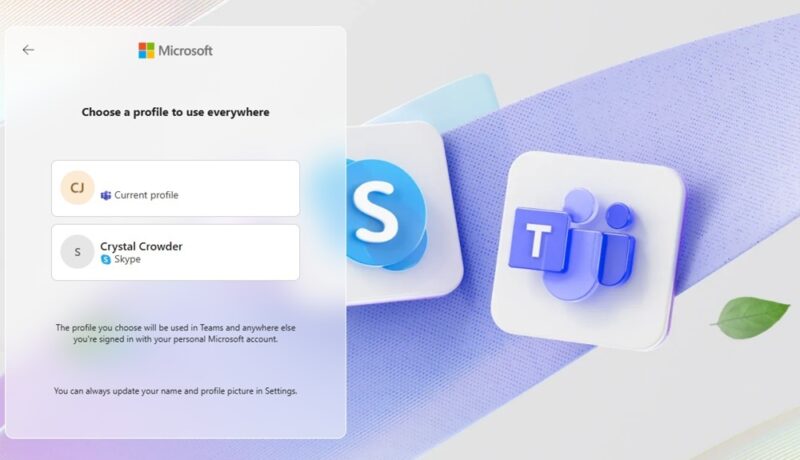
Don’t want to transition? You don’t have to. Go to the Skype Export page, choose what you want to export, and download it. You can even delete everything from your account when you’re finished.
Take Advantage of Numerous Integrations
I’ve already mentioned Teams integrates with other Office apps, which makes sense. But Teams also supports hundreds of third-party integrations. Skype doesn’t.
Take advantage of adding various apps and service integrations, such as Zoom, Adobe Creative Cloud, Mural, Trello, and so much more.
Please note that many integrations do require a premium plan. Also, you may need to pay for individual services from the third-party provider. But if you can’t find the perfect app or integration for your team, Microsoft lets you create your own.
A Few Thorns to Deal With
Let me be honest with you: Microsoft Teams replacing Skype isn’t all unicorns and rainbows. Most notably is the free group meeting limits. Skype lets up to 100 people meet for up to 24 hours for free. If you ever used Skype during an epic gaming marathon, switching to Teams with a one-hour limit could feel devastating. But remember, you can just create a new meeting each hour.
Skype’s interface is simpler, though Teams is welcoming as well. But if you don’t care about all the extra features Teams has, you may prefer Skype. Additionally, Teams isn’t the only video meeting alternative for Skype.
The worst part of losing Skype is losing its ability to call landlines and mobile phones. Yes, you had to pay for this feature, but it was handy. Teams doesn’t offer this.
As you make the transition to Teams, make sure you check out these Teams keyboard shortcuts to make using it even easier. And, if you ever run into trouble using your camera with Teams, refer to our troubleshooting guide.
Image credit: Unsplash. All screenshots by Crystal Crowder.