Imagine you’re a YouTube Premium user, enjoying your ad-free videos, and now you can share it with friends – well, sort of. All thanks to YouTube’s hot new trick that lets you share YouTube Premium with friends through video link sharing. Although it’s still a test feature and not universal yet, let’s explore how it works, the catch, and where it stops.
What’s This Ad-Free Sharing Feature About?
Here’s the deal: YouTube’s tossing a bone to Premium users in test regions like Canada, Brazil, and the UK. You might be able to share up to 10 premium videos a month, each with 10 ad-free views perks.
It’s not everywhere yet – just an experiment for select users in the test zones. Think of it as a teaser to flex your ad-free life to friends and family members without subscription splitting.
Meanwhile, you can explore these hidden YouTube features if you’re curious about other YouTube hacks.
How to Share Ad-Free YouTube Premium With Friends
Sharing is a breeze. Open a video, like a tech review or a gaming guide, hit the Share button, and if you’re lucky, you’ll see Share ad-free. Tap that to generate a sharing link.
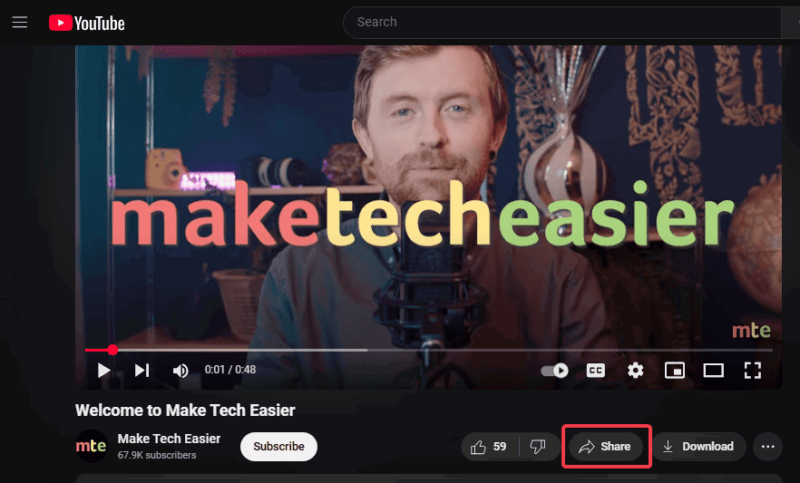
Now, send that link to your friends via text, WhatsApp, Discord, or whatever. Your friend clicks and watches, no ads, and no premium login are needed.
But hold up, this only works with regular videos. Don’t try with YouTube Shorts, music, or live stream because they are off-limits.
Oh, and if ads are ruining your vibes lately, it’s because YouTube is cracking down on ad-blockers and forcing us all to deal.
What Are the Limits You Should Know?
Here’s a rundown of the main limits of this YouTube feature:
- 10 shares a month: Each selected user gets 10 shares a month. Once you exhaust this cap, there are no extensions or extras.
- 10 views per share: Whether you share a link to 1 or 10 friends, you can only watch a video 10 times before it expires. Once the 10 views cap is met, the ad returns.
- Recipients of the links must be in the testing zones also for the ad-free sharing to work.
- Views from friends who have YouTube Premium don’t count on the link shared.
- Track your shares: Once you click the Share button on a video, you’ll see what’s left for the month.
- Greyed-out option: The ad-free sharing becomes greyed out once you’re tapped out or the video is ineligible for the feature.
While this is a neat way to share YouTube Premium with friends, it’s not unlimited. Hence, the need to play within these rules.
Still on the fence about going premium? Our take on YouTube Premium and YouTube Music might sway you.
So, there you go with the new slick feature to share YouTube Premium with friends without handing over your account. Although capped at 10 shares and available in select zones, it’s worth trying out to give your friends a taste of ad-free bliss. Try it out if you’re in the test zones or nudge a friend to hook you up. Once you give it a spin, let us know how it went in the comments section.
Image credit: Youtube premium service on laptop screen by DepositPhotos