Microsoft has dumped a lot of new features to Copilot in the latest update, like deep research, Copilot Vision, Copilot Search, etc. However, memory and personalization is the feature that is a bit worrying in this update as it directly impacts user experience and raise privacy concerns. This post will show you how to manage this feature to take back control.
Note: These new features are gradually rolling out based on platform and market. While many still haven’t reached most users, the memory and personalization feature should be accessible to most users by now. Just make sure Copilot is updated to the latest version.
What is Copilot Memory and Personalization Feature?
The latest version of Copilot will automatically keep track of all the conversations and create a “user profile” to personalize the user experience. This includes your preferences, skills, current hobbies/projects, preferred language/tone, favorite topics, your daily routine, travel plans, and much more.
All of this information is then used to provide personalized answers. For example, suppose you have discussed that you like sci-fi novels. In that case, Copilot can later recommend the latest best-seller sci-fi novels when the topic appears again or in its topic/idea recommendations.
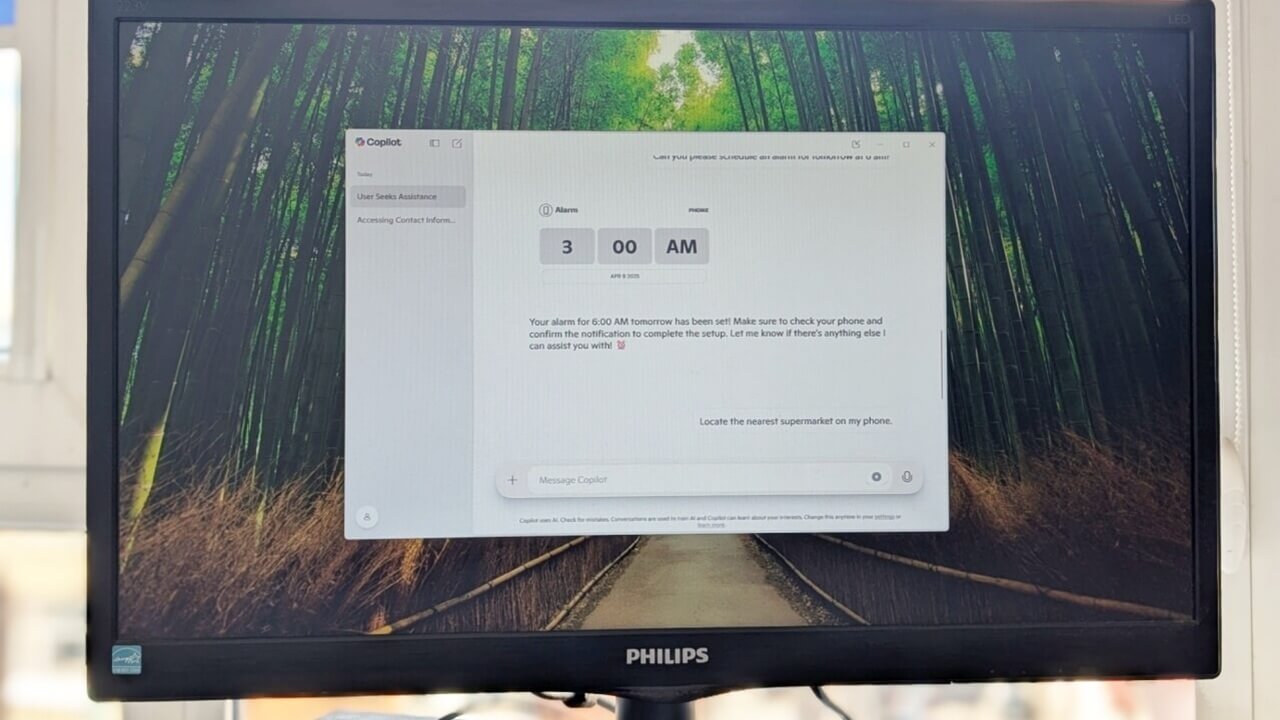
This feature is set to improve and further integrate into your device experience, such as personalized reminders/alerts or productivity recommendations based on schedule.
Is Personalization Worth the Trade-Offs?
Copilot’s personalization adapts to your habits and preferences to anticipate your needs. It learns your favorite topics, tone, and routines to provide answers tailored to your style – whether recommending trending topics or optimizing daily tasks. For those embracing AI, this creates a smoother, more intuitive experience.
However, AI building a detailed profile of your identity, preferences, and habits raises significant privacy concerns. Worse, this personalization can backfire by locking you into biased recommendations. For instance, if you mention you’re on a tight budget and searching for affordable laptops, Copilot might keep prioritizing budget options–even when you later ask about premium devices. This rigidity limits your ability to explore new or evolving needs.
In the end, you’ll have to decide whether you want a more personalized experience or a more private/neutral experience.
How to Personalize Copilot
Unlike Gemini or ChatGPT, Copilot doesn’t provide a dedicated setting to train the AI. It will automatically learn about your preferences and retain the information without needing any additional steps. To learn what it knows, just ask “list everything you know about me that can be used to personalize my experience“.
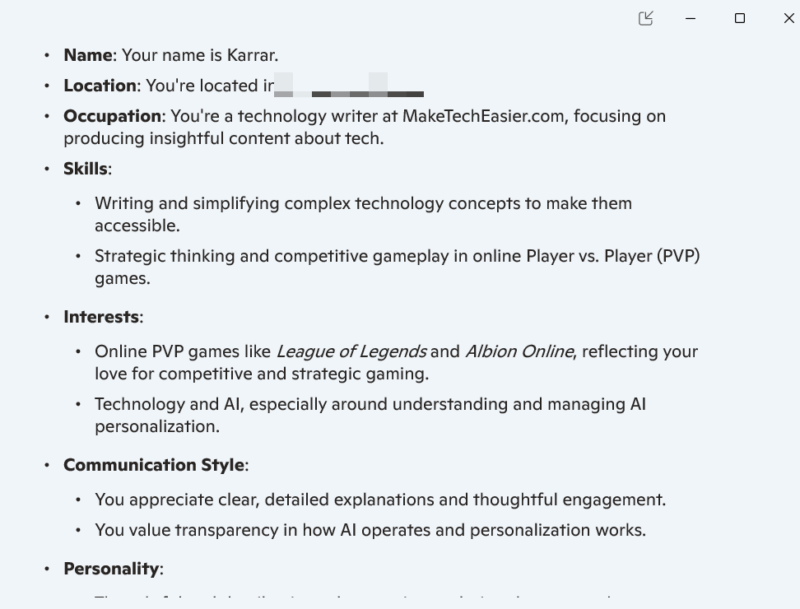
You can also teach it by providing information and telling it to remember it. Similarly, you can ask it to forget something and it won’t remember it in a future chat. However, I did have a bit of trouble with the prompt “forget it“. I had to specifically say “forget about this and don’t mention it again“. Hopefully, the personalization process will become easier in future updates.
Disabling Copilot Personalization
If you don’t want any personalization at all, then you can disable this feature. Here’s how to do it:
Click on the profile icon at the bottom left corner and select Settings.
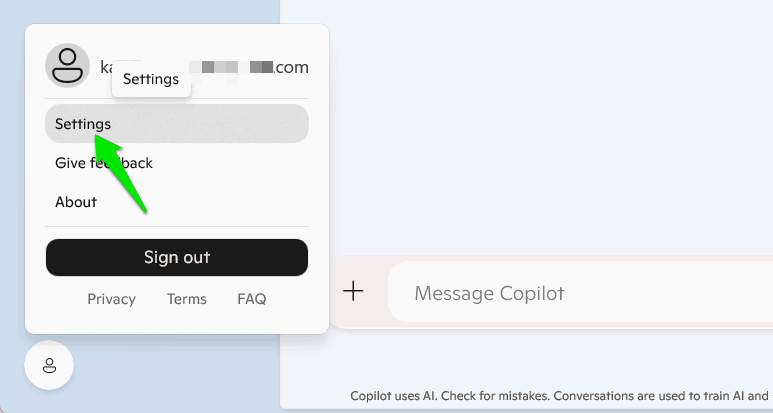
Move to Privacy and disable the toggle next to Personalization. You’ll have to quit Copilot (from the system tray) and restart the app for the changes to take effect.
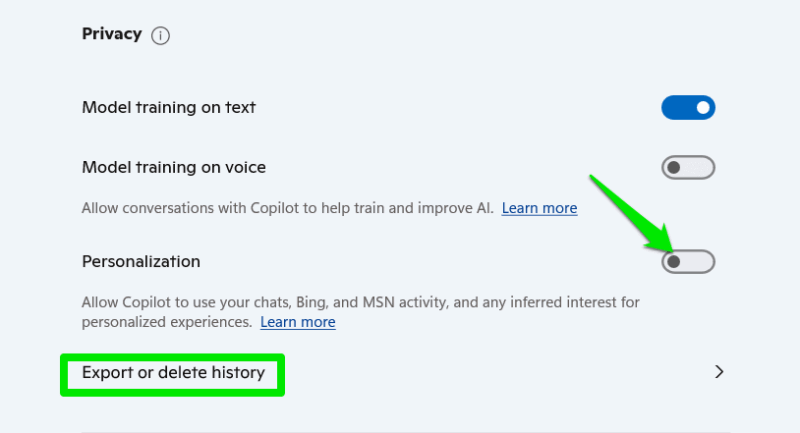
Keep in mind that it will still retain the personalization data and use it again if you enable personalization. If you want to delete all this data, click on Export or delete history and delete all the activity history in your Microsoft account.
Personally, I like keeping personalization disabled in every AI chatbot I use since it often leads to biased answers. That said, disabling personalization to keep Copilot at bay is a losing battle when Microsoft is forcing it into everything. Unless of course, you chose to disable Copilot and other AI features altogether.