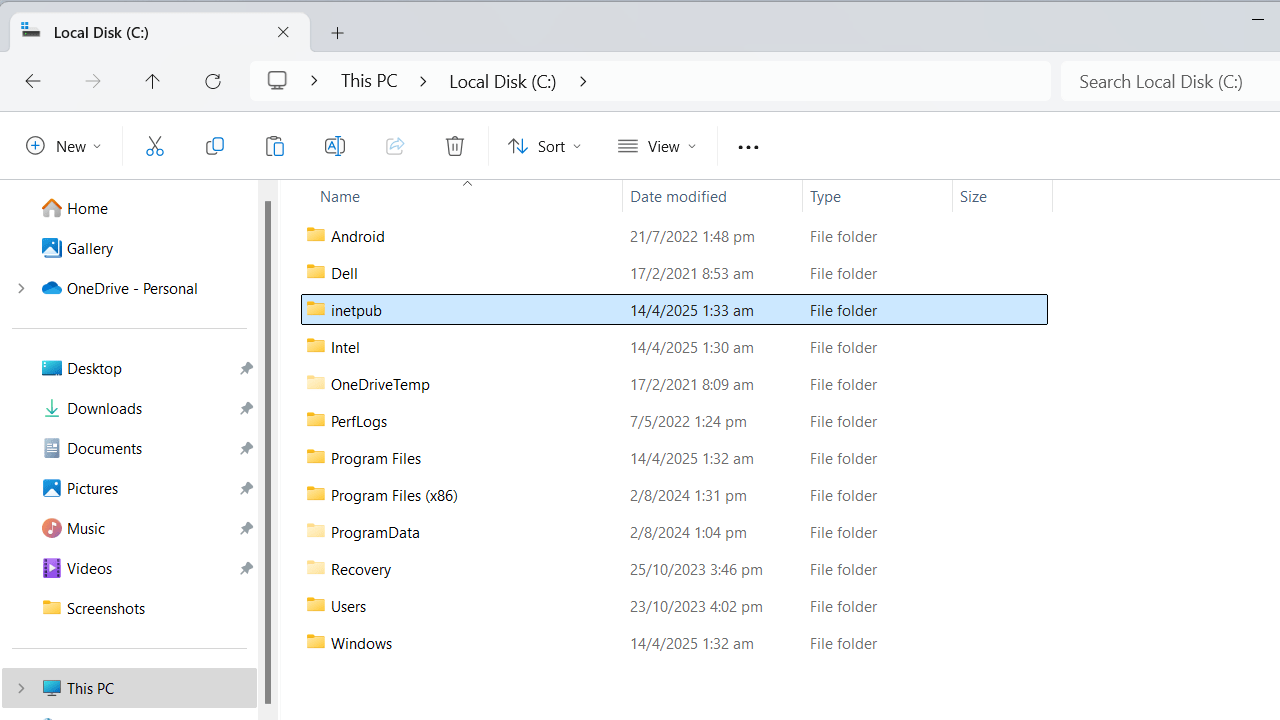
Inetpub is an empty folder in Windows under C drive. Many people might not think much about deleting it, as the folder seems unnecessary. Still, you should not do it, and Microsoft has issued an advisory to leave it alone. However, if you did delete the inetpub folder by accident, follow our quick steps to recover it.
Why You Should Not Delete Inetpub Folder
Short for “Internet publishing,” Inetpub is a core folder in the Windows operating system. Its typical location is “C:\inetpub” and the folder is usually empty (0 bytes) with no measurable impact on RAM or CPU.
Inetpub starts filling up only when you use Microsoft’s Internet Information Services (IIS) to host websites and web applications. We have a good example that shows how you can use inetpub to run Nginx server on Windows. It can also have subfolders, created when you install a third-party solution such as ownCloud.
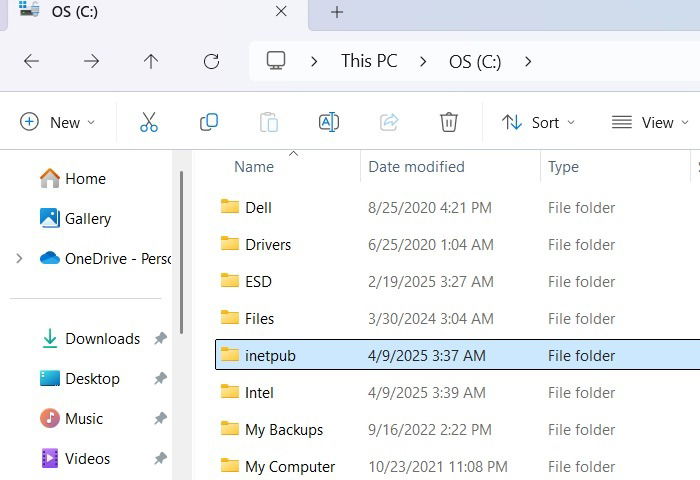
Many Windows users might think they don’t need the inetpub folder. This was always the norm since a very long time when the folder remained invisible. But starting from April 2025 version 24H2 KB5055523 update, inetpub began appearing as a default on all Windows 11 devices.
Users assumed it was a glitch and some deleted it based on some incorrect advice in Reddit, X, and BlueSky threads. The misinformation suggests that your future updates could freeze with the inetpub folder present. Our team has verified that your Windows updates are not affected at all.
Rather, deleting the inetpub folder can create opportunities for hackers to introduce backdoors and exploits overriding your user account privileges. Even if you do not use IIS, any malicious files uploaded to your web directories in Windows will leave behind strong evidences in inetpub. That subfolder “C:\inetpub\logs” is automatically created during network-based intrusion attempts. Your PC needs this security mechanism.
Quick Fixes to Bring Back the Inetpub Folder
Microsoft has issued an advisory asking users not to delete their inetpub folder, and the reasons are related to a vulnerability called CVE-2025-21204. But this advisory should hold true even in a distant future. Leave the inetpub folder as is.
We have seen how inetpub serves as a placeholder for Windows with critical security implications. That is why Windows recreates this folder in updates, even when you delete it. So, your best solution is to Check for Updates under Settings. Ensure that you toggle on the latest updates as soon as they’re available menu. Migrating to a new update automatically serves you a new inetpub folder.
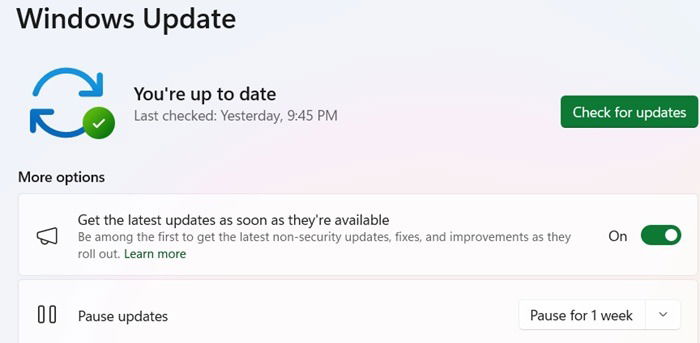
If you do not want to wait for the next Windows update (and you shouldn’t because zero-day threats in Windows are becoming a real problem), here is a faster fix.
Go to the Control Panel and select Programs -> Turn Windows features on and off. This will open a pop-up menu. Enable Internet information services and click OK.
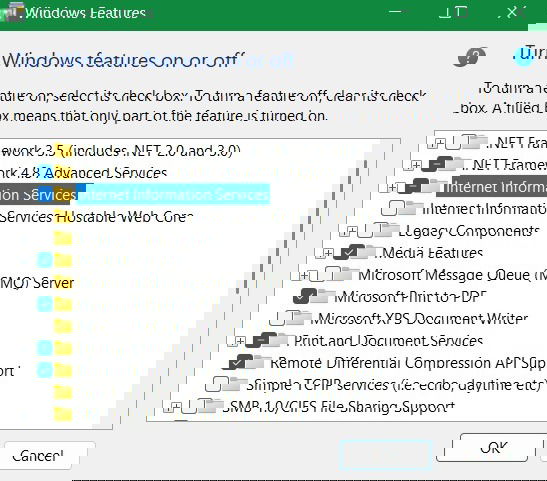
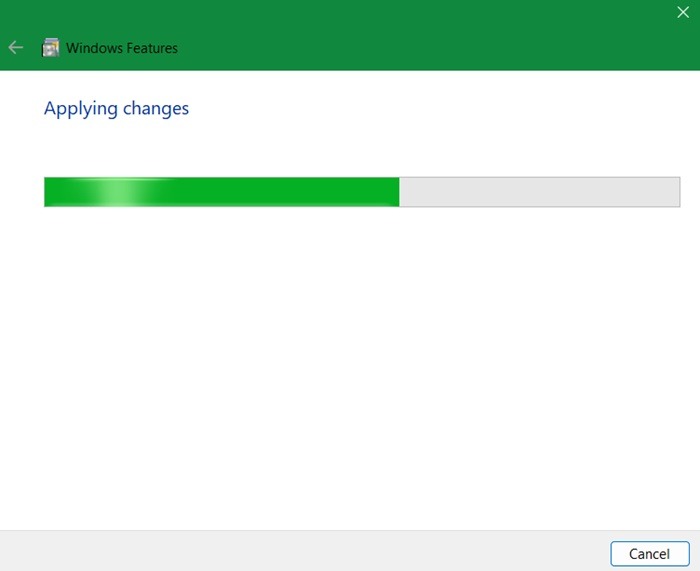
The IIS feature will search for the required files and then apply the changes. It can take up to a few minutes for this process to finish. Once it says Windows completed the requested changes, you can turn off the pop-up menus.
The inetpub folder, this time, will again set itself under the same PC account. But it will not be empty unlike the system update default. This time it comes with subfolders including log files, temp files, and wwwroot.
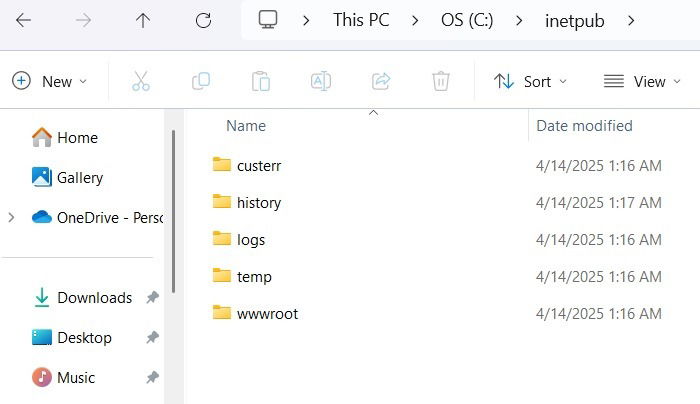
Many users don’t want the above non-empty inetpub folder as it can be a slight resource burden on PCs with less RAM. The best way to get rid of it is to go back to Control Panel’s Turn Windows features on and off menu, and disable the IIS menu from there. It will then prompt you for a quick PC restart. After that, the subfolders are removed and you’ll only have the empty inetpub folder once again.