The ChatGPT image library is your new best friend for tidying up your AI-generated arts. This handy feature allows you to organize images made with ChatGPT’s 4o model. It’s a perfect fix to declutter your messy chat threads. Let’s explore how it works, and why it’s a total game-changer.
What is the ChatGPT Image Library?
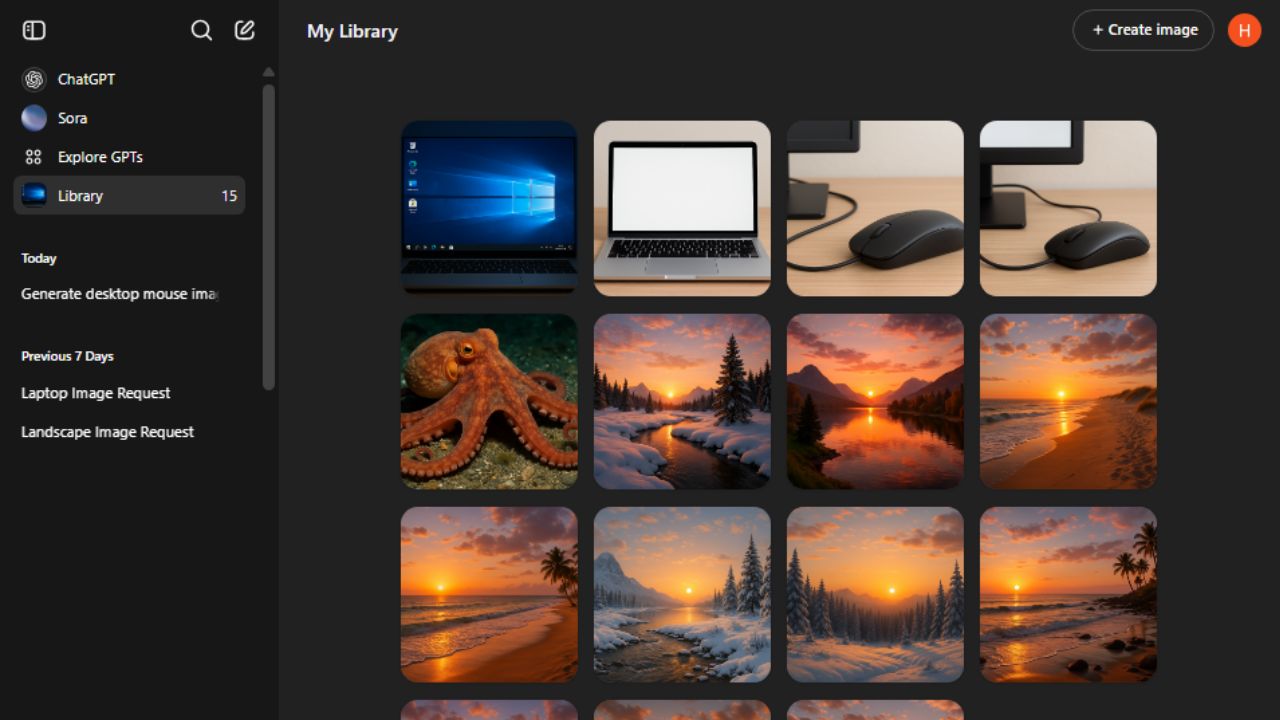
ChatGPT image library is a new addition that serves as a central hub for your AI art. It neatly stores all images you’ve created using ChatGPT’s 4o model. Note that it doesn’t include images from DALL -E or custom GPTs.
This feature as with other new features is being rolled out gradually. For now, it’s available on iOS and web platforms. In addition, not all your previously generated images are added yet. Older images are being added gradually to boost your image library.
Meanwhile, you can try the viral ChatGPT’s Ghibli Studio-style image transformation for a more dynamic and creative image library.
How to Use ChatGPT Image Library
It’s super-easy to use the ChatGPT’s new image library. Launch ChatGPT on your phone, or open it on your browser. In the left sidebar, click on the Library icon to open it.
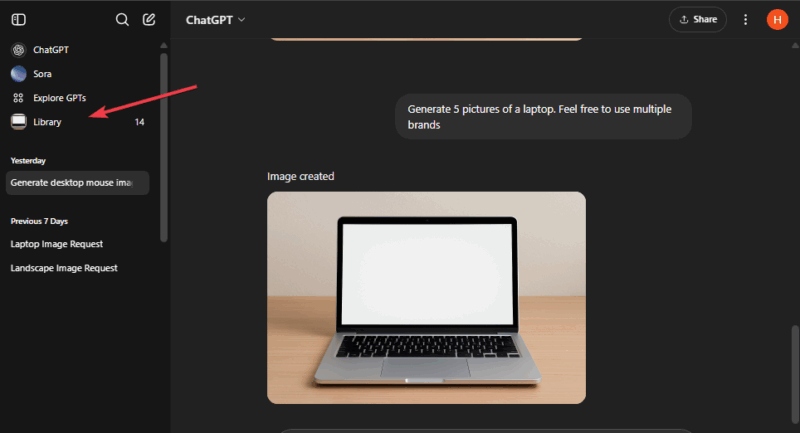
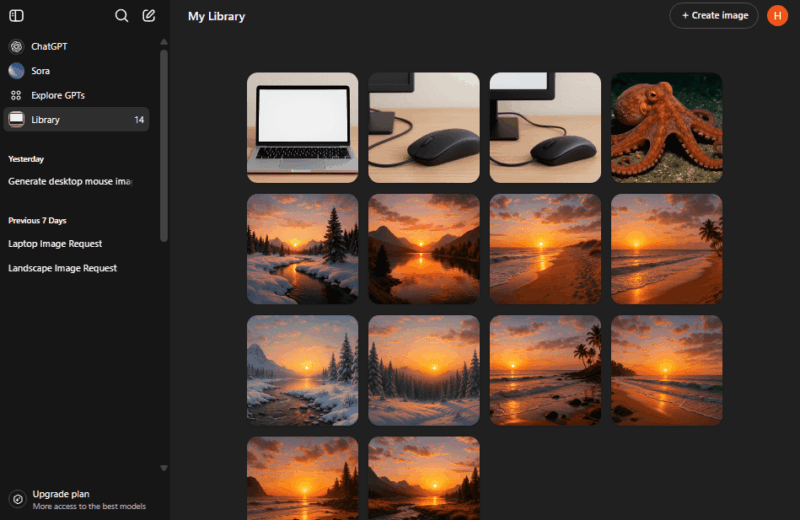
You’ll see all your images in a grid. It’s arranged from newest to oldest — like scrolling through your phone’s photo gallery, but for your AI art.
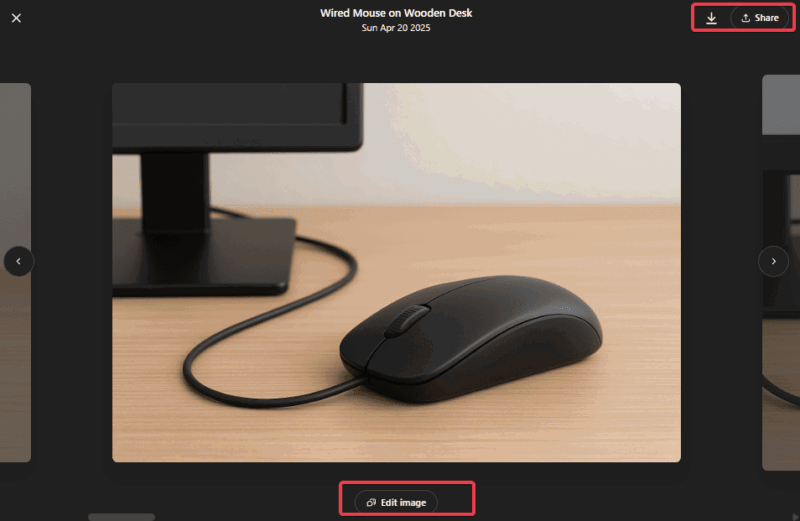
Each image has a tag, generated by ChatGPT to ease the search. Also, you can mess with the options a bit like clicking any image to view, edit, save, or share it instantly.
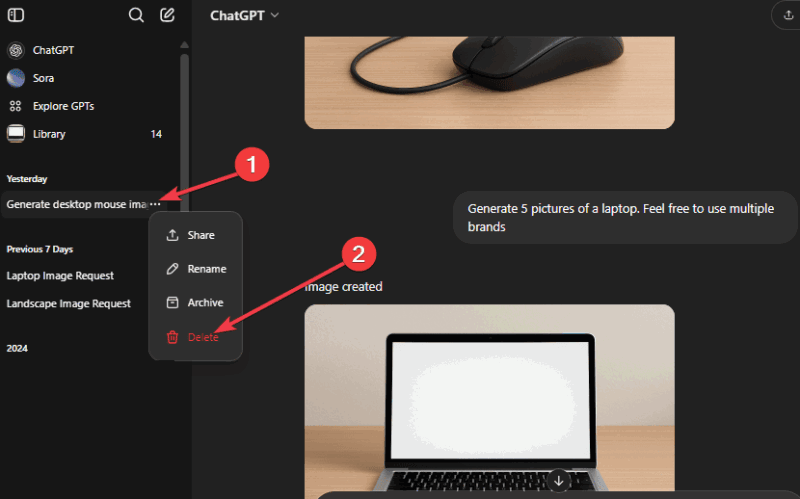
Further, if you need to delete an image from your library, locate the conversation thread it came from, click the more options (three dots), and hit delete from the prompt. Doing this will delete all images from that thread in your library.
This setup makes managing your ChatGPT image library a no-brainer. Meanwhile, there are more ChatGPT tricks and hacks you can check out to level up your game and use hidden features from OpenAI.
Why the Image Library Matters
This new feature makes it easy to manage your AI art. Here’s why it’s a game-changer:
- It saves time and prevents you from always searching through threads to find your arts because everything is in the image library.
- Saves you from dealing with huge files and organizes them effortlessly without any lags.
- A tidy gallery lets you focus on creating, not searching. Thus, perfect for design brainstorming and drafting.
- OpenAI might further improve on the feature later by adding a delete button, one-click sharing, and more.
This feature changes ChatGPT from being just another tool to an ideal place for creative minds. Further, you can check how the ChatGPT’s image input functions help with daily tasks.
The ChatGPT image library is a simple feature, yet powerful enough to ease how you access your generated arts. It saves time and effort, organizes your prompts, and manages all your digital arts. Hence, it’s a no-brainer to explore it now to see all your previously created AI arts.