Dynamic Island redefined how iPhone users interact with notifications and live activities. But who says Apple users should have all the fun? If you’re looking to bring this feature to your device, we’ve rounded up the best Dynamic Island alternatives for Android.
Good to know: learn how to easily remap the buttons on your Android phone.
1. Check Your Android Phone
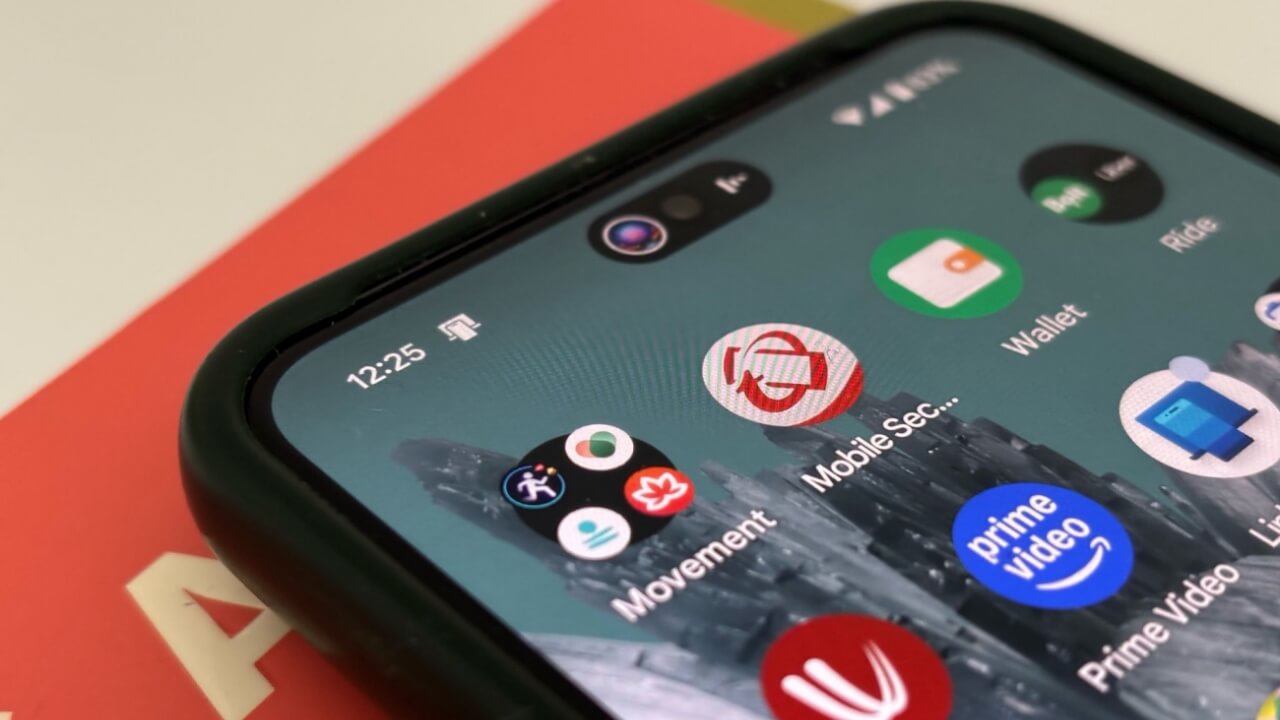
Select Android phones may already feature a Dynamic Island-like cutout at the top. You’ll need to check your phone to see if that’s indeed the case.
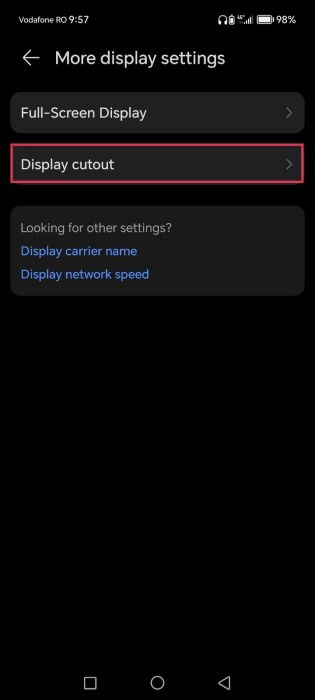
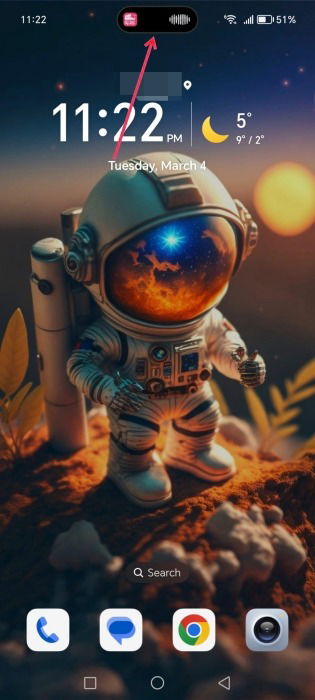
For instance, newer Honor phones have such a feature preinstalled. Displayed cutout can show notifications as well as when select apps are running in the background.
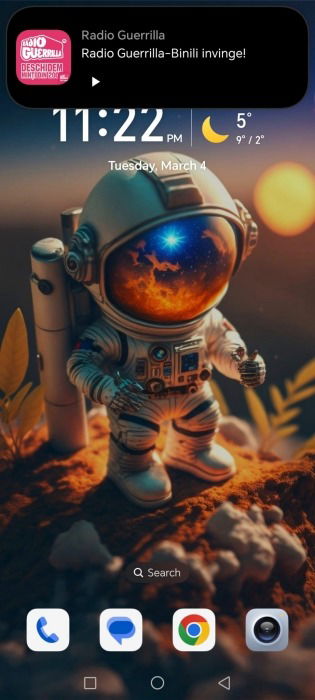
Tapping on the cutout, of course, reveals more options that will interact. In this case, I can easily play or pause the radio stream.
If your phone doesn’t have this option, don’t worry, as you can still get this functionality on your phone via third-party apps, as shown below.
2. NotiGuy
NotiGuy is a Dynamic Island app for Android that adds a pill-shaped cutout that will display your notifications. It works well and offers additional options, such as mapping your phone’s camera hole.
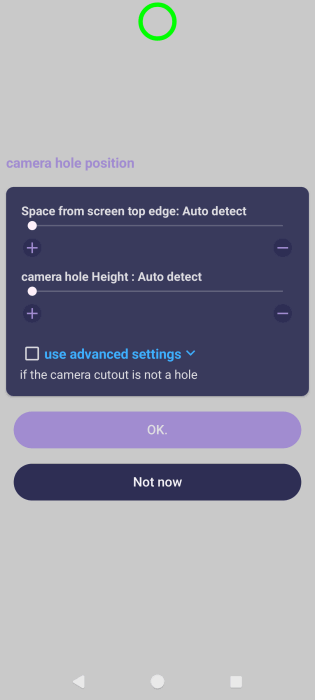
Install the app and allow it to detect the camera hole position. Adjust it using the sliders. For phones that don’t have a camera cutout, use the Advanced settings option.
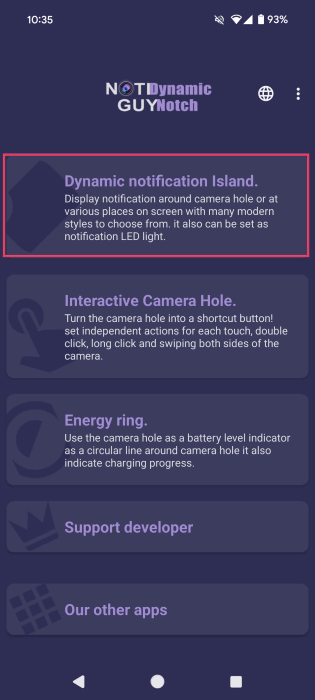
Go through the slides that explain the app’s features to get to the main app screen. Tap on the Dynamic Notification Island option at the top.
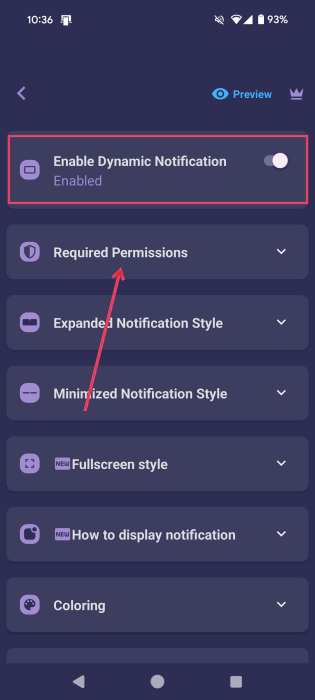
Make sure the Enable Dynamic Notification option is turned on.
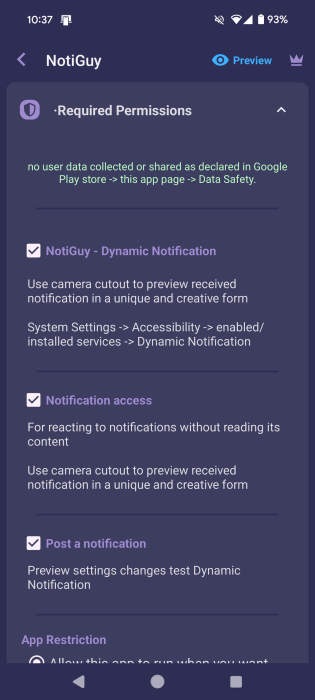
Continue to Required Permissions. Go through all the permissions and check the box next to them. You will need to enable access to the app via Settings.
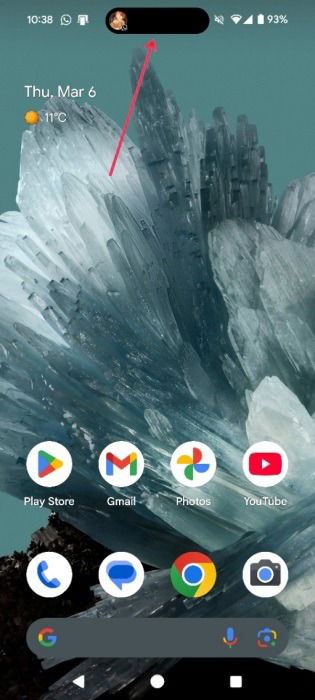
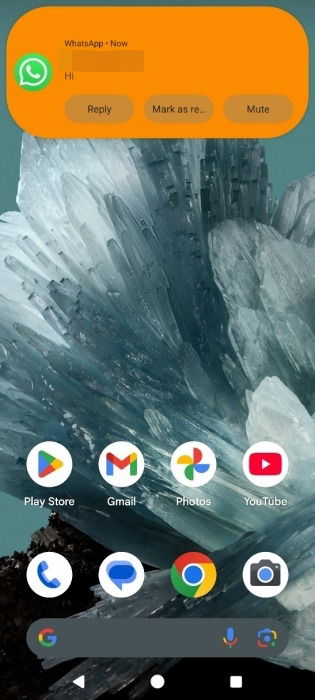
The Dynamic Island will be activated every time you receive a notification on your phone. For instance, I received a new WhatsApp message notification.
Tapping it reveals options to interact with the message, such as Reply or Mark as read.
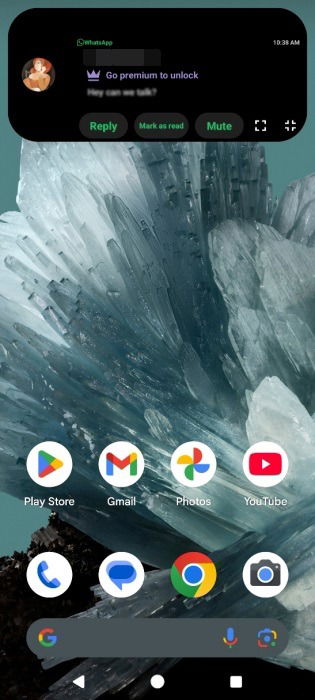
While viewing a preview of the message is not available in the free version of NotiGuy, you can still make it out through the blur effect.
Furthermore, you can modify the shape of your Dynamic Island by going to Minimized Notification Style and selecting your preferred option.
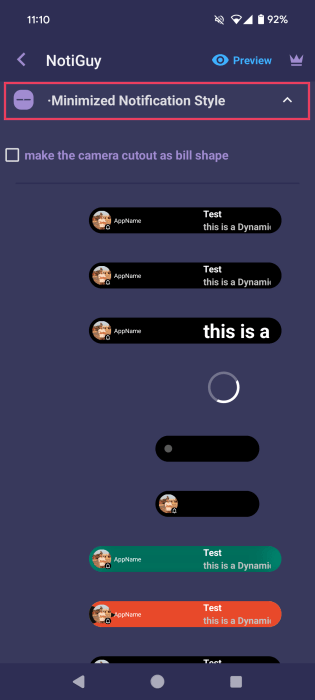
Note that the Dynamic Island offered by NotiGuy covers notifications only. It won’t activate when you play Spotify, for example, or engage with other apps on your phone.
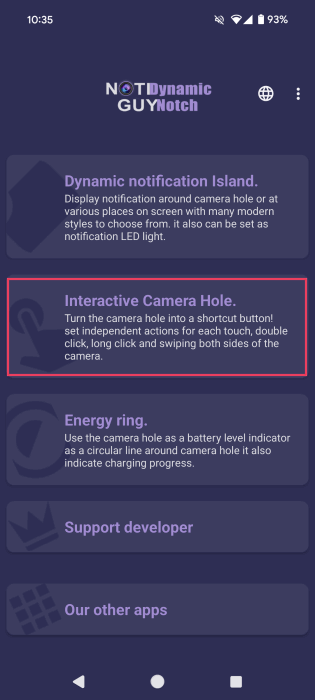
As an extra, the app allows you to map your camera hole, which is something I find quite interesting. In the app, tap on the Interactive Camera Hole option.
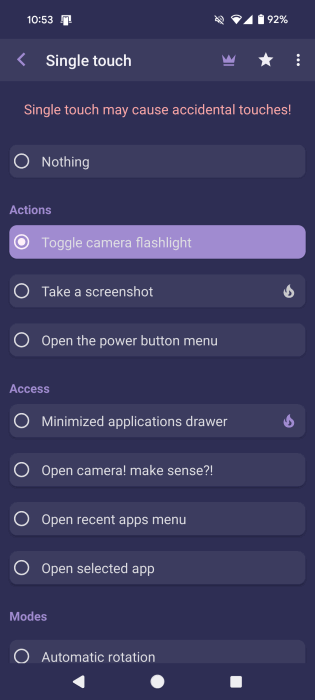
Give the necessary permissions at the top, then select Single touch. The other options are premium.
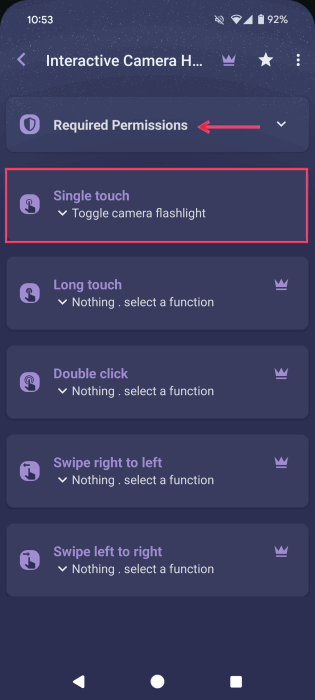
Select your action, such as Toggle camera flashlight. I had it set up for a while, and it worked quite well. You can also opt to open a select app or have music play/pause, among other tasks.
Tip: check out these AirTags alternatives for Android for an easy Bluetooth tracker.
3. dynamicSpot
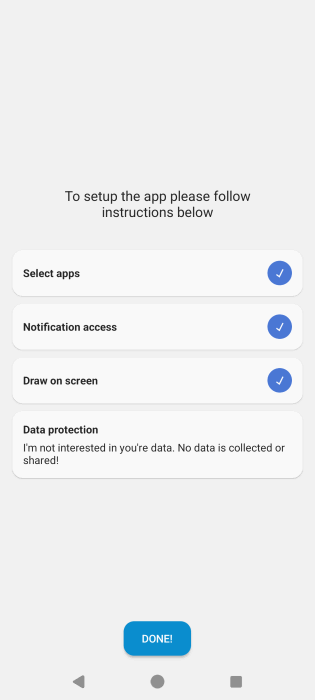
dynamicSpot is another app that can bring the Dynamic Island experience to Android. It’s free to use for the most part but comes with some options that are only available for a premium. Open the app and give the necessary permissions.
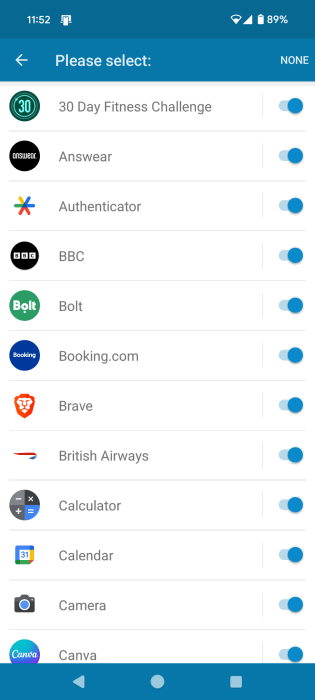
Choose which app notifications and other information should appear in Dynamic Island.
Note: dynamicSpot is not limited to showing notifications for apps. It can also show, for instance, when you’re playing music in an app, such as Meditative Mind.
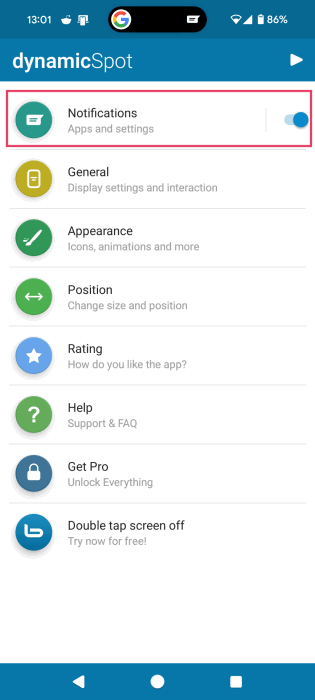
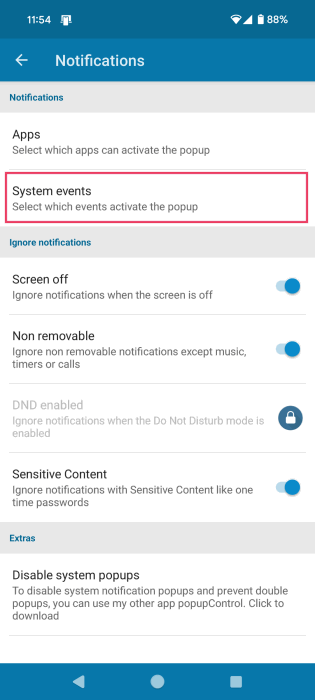
You can also opt for the app to display system notifications in this style. Go to Notifications in dynamicSpot’s main screen.
Select System events.
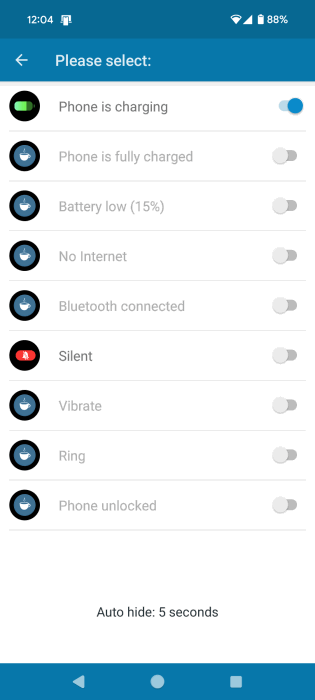
You can only enable the first option, Phone is charging, for free. You’ll need to upgrade to a subscription for the others.
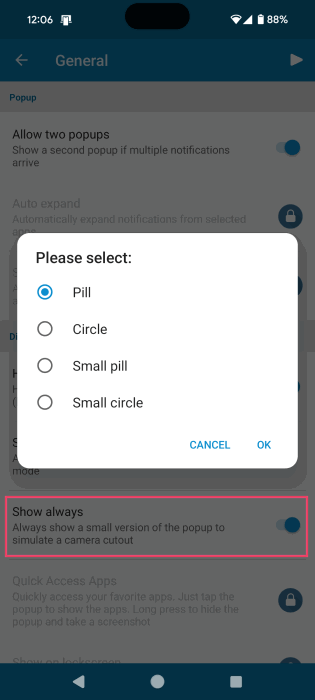
If you like how the Dynamic Island looks on your screen, under General, have it Show always. Select whether you want to have it Pill– or Circle-shaped.
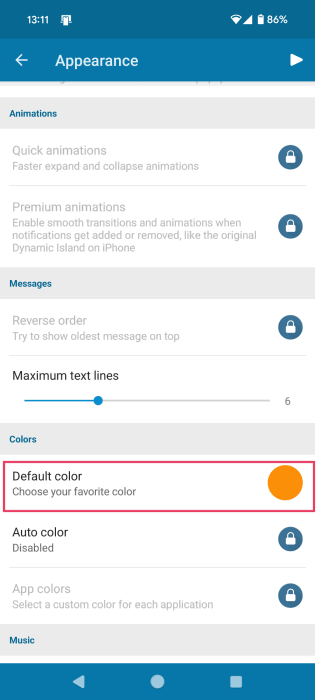
Further modify how the Dynamic Island looks by heading to Appearance. For instance, choose a different background color or select which icons to show.
More options, such as the displaying a Visualizer when playing music or showing quick animations, are hidden under a paywall.
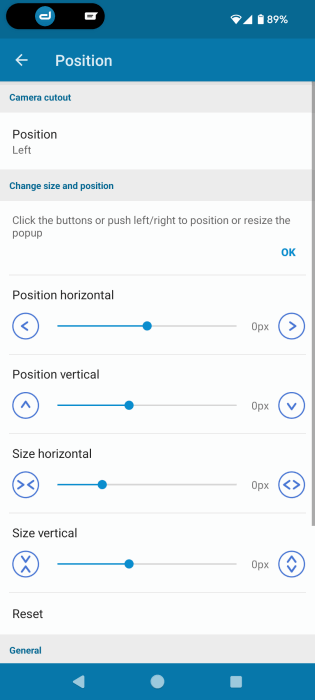
Finally, dynamicSpot lets you change the position to the Left size of the screen if you prefer. Alternatively, use the bars below to move it to a custom location on your screen.
As in the previous app, when you press on the Dynamic Island, it will show ways to interact with the app.
4. Dynamic Bar (DNotch)
Dynamic Bar offers a beautiful take on the Dynamic Island concept for your Android phone. It’s a free app for the most part, but keep in mind that it’s filled with ads to soldier through until you can customize the notch to your liking.
Open the app, and toggle on the Display Notch option at the top, and grant the necessary permissions.
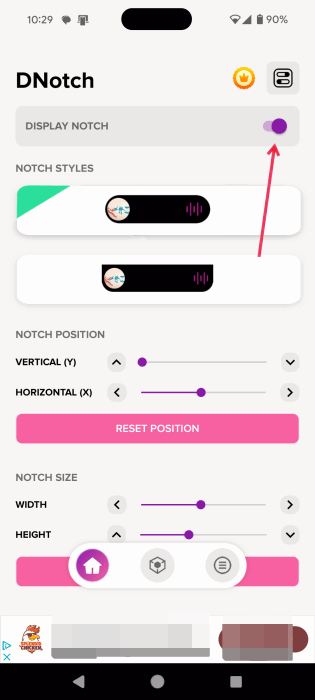
Select one of the Notch Styles. Make sure to also fine-tune the notch’s position and size by using the bars at the bottom.
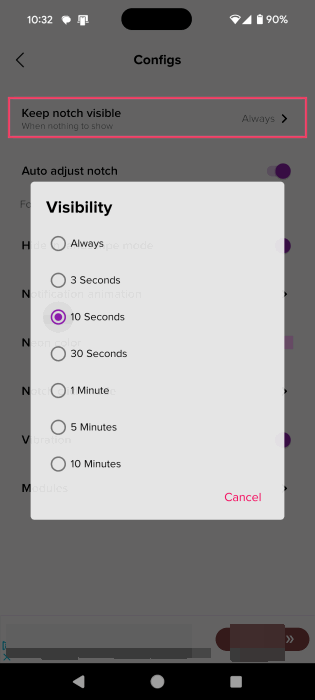
By default, Dynamic Bar will show the display cutout on your screen. If you don’t want that, tap on the panel icon in the upper-right corner to access the Configs screen.
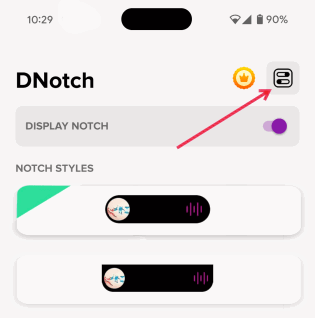
Tap on Keep notch visible at the top, and select a different option.
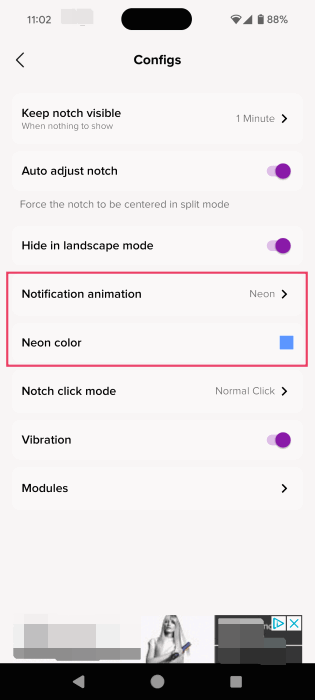
From the same screen, choose a different color for the notch’s neon border color, which will light up when you receive a notification, for instance, and switch up the animation.
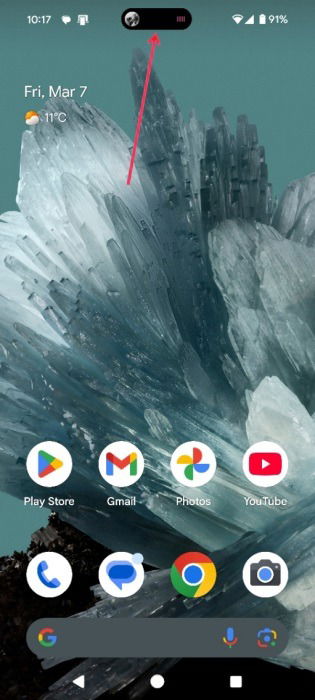
Dynamic Bar allows you to more easily interact with apps running in the background, such as Spotify. The notch looks really good, showing a tiny glimpse of the album’s cover art.
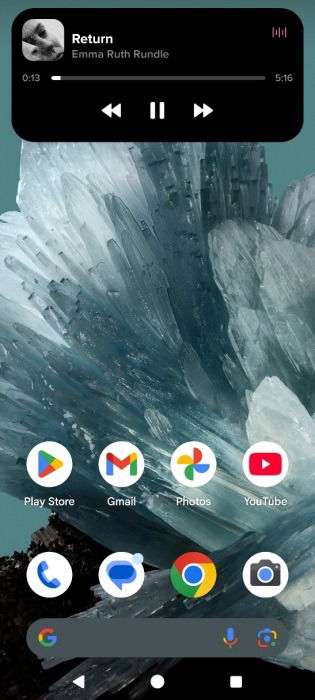
Tapping on the notch will reveal playback controls, which means you don’t have to open the app if you want to skip a song or pause.
Modify what and how Dynamic Island displays by tapping on the second icon in the floating bar at the bottom.
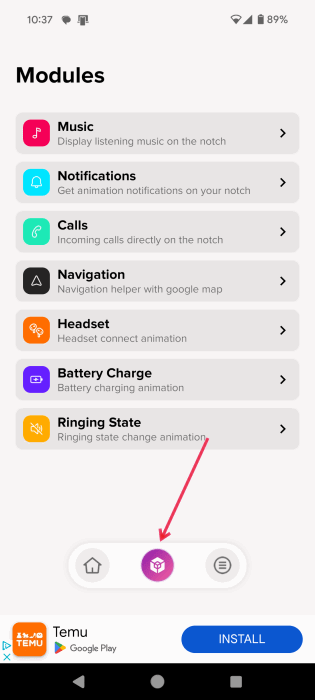
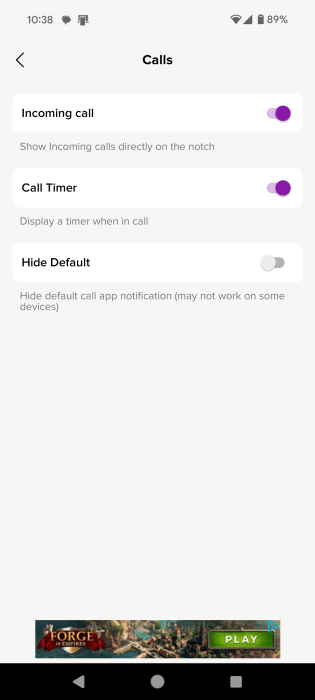
Go through the various modules to modify what is shown and with which apps.
Tip: learn how to “AirDrop” files between Android and iPhone with these handy apps.
5. Dynamic Notifications
Dynamic Notifications is a super simple dynamic island app that doesn’t flood you with extra features you probably don’t even need.
Open the app, and toggle on the option at the top. Grant the necessary permissions as instructed by the app.
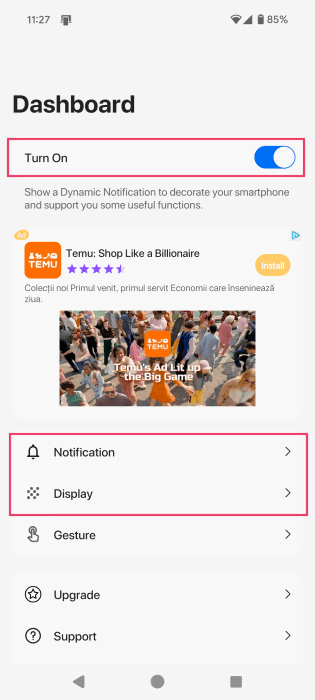
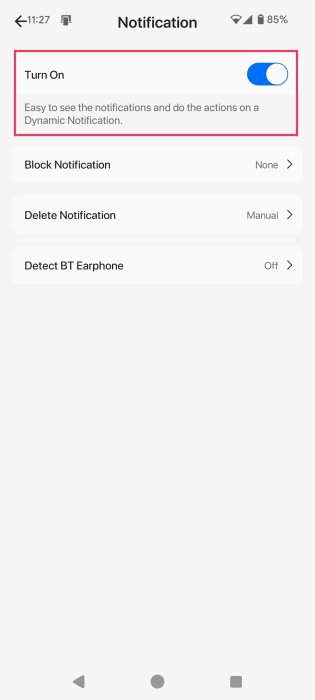
Customize your experience by tapping on Notification and enabling the Turn On option at the top.
Select Display, then turn on the Allow Move option at the top. You can also modify the height and width of your notch.
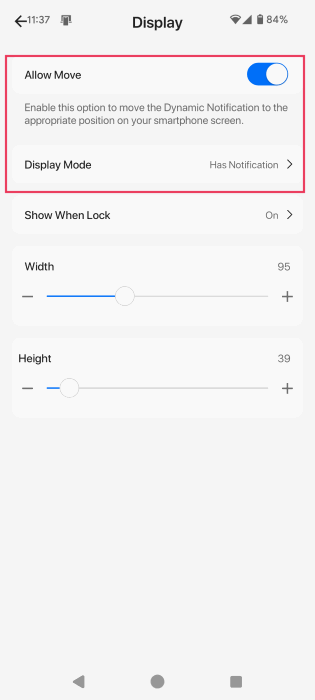
Make sure to switch the Display Mode to Has Notifications if you don’t want to always see the notch.
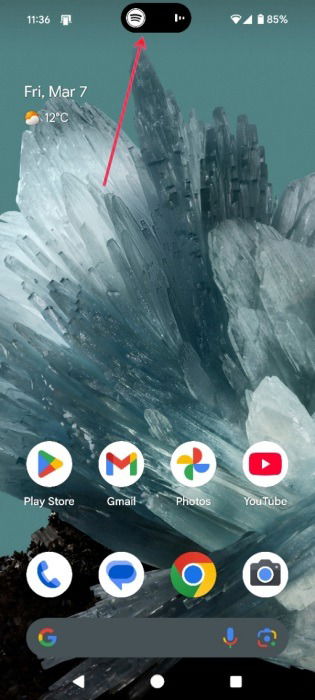
The Dynamic Island will display notification info as well as alert you when certain apps, like music apps, are playing in the background.
If you wish to continue modifying your Android phone interface further for a superior experience, learn how to customize your Android lock screen. Also, check out these Nova Launcher alternatives to give your phone a fresh look.
Images and all screenshots by Alexandra Arici.