Google has been hard at work to improve its Gemini AI model. To further improve its abilities, Google has added a new feature called Audio Overview to Gemini. You can now use Audio Overviews to transform documents, slides, and reports into engaging, podcast-style audio discussions between the two AI hosts.
Generate Audio Overviews in Gemini
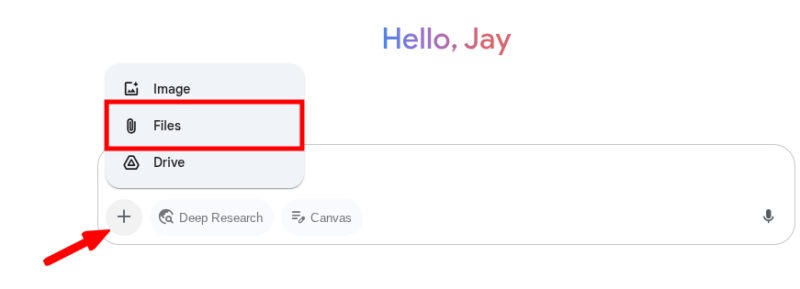
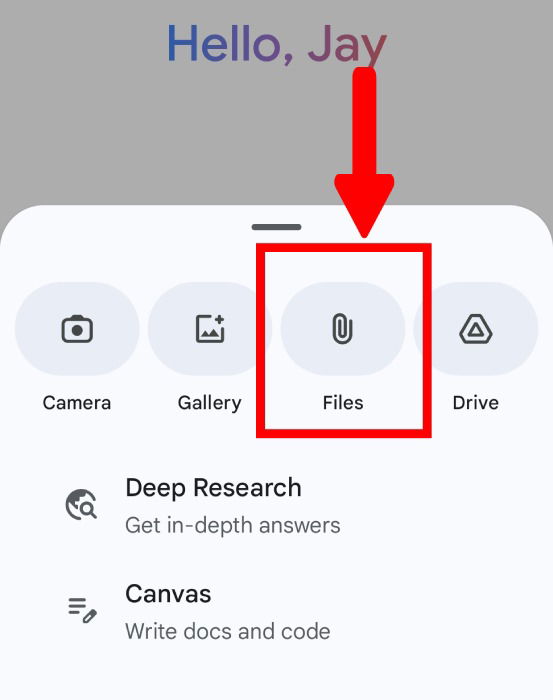
To start generating podcast-style audio discussions, open the Gemini website (or app). Click the ‘+’ icon (located adjacent to the Deep Research button) and select Files.
Gemini supports a wide range of file types, ranging from document files like .DOC or .PDF to tabular data forms like .CSV. However, you may have to consider Gemini Advanced to work with code files like .PHP or .JAVA.
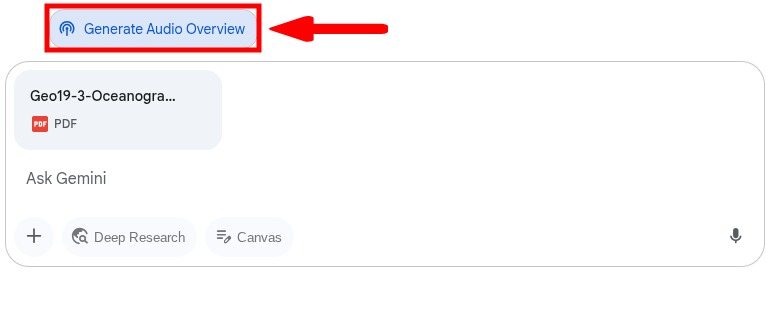
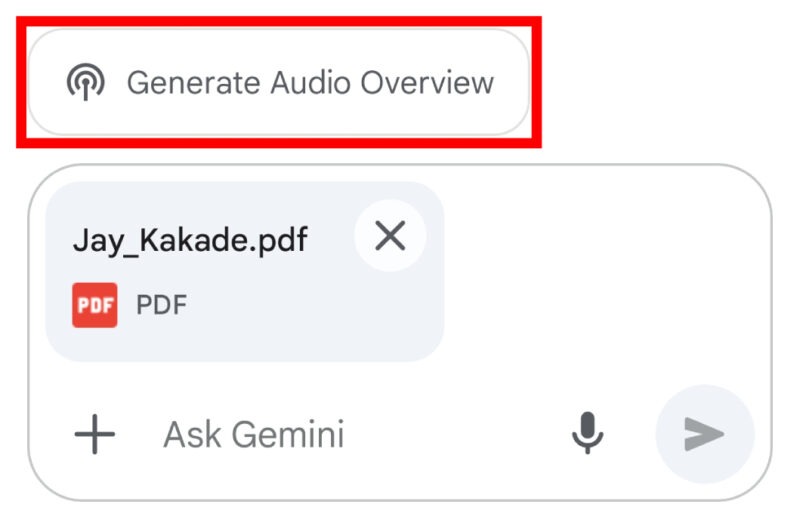
Once the file is uploaded and processed, the Generate Audio Overview button will appear. Click on the Generate Audio Overview to start the process.
Gemini will start generating an Audio Overview, which may take a few minutes to complete, depending on the length of your document. In the meantime, you can leave the chat window or exit Gemini.
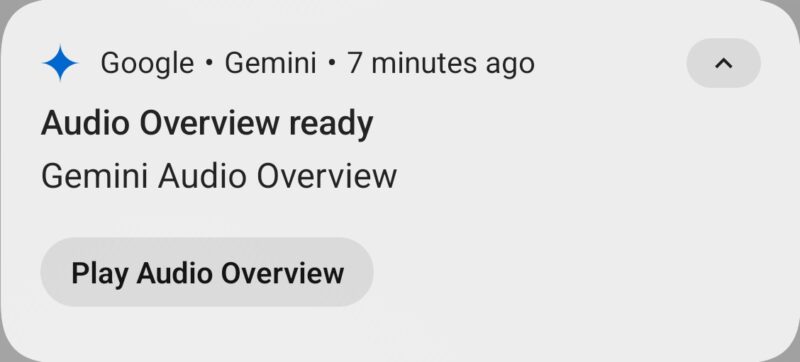
When the audio overview is ready, you will receive a notification from the Gemini website on your PC (if you have allowed website notifications) and on your mobile.
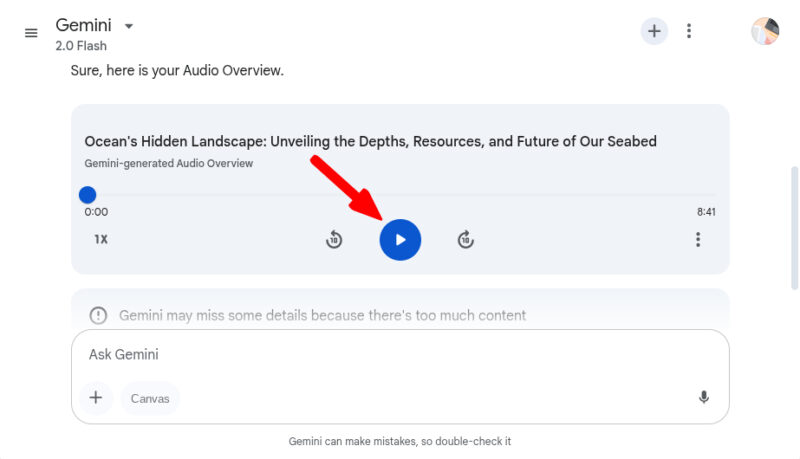
To play the audio overview, hit the Play button on the media player. The Audio Overview’s media player allows users to jump between the timestamps using the progress bar, use 10-second forward or backward buttons, and adjust the speed of the audio.
On the Gemini app, tap on the Plus button, and select Files. Choose the file you would like to convert into the audio conversation.
After the file is uploaded, click on the Generate Audio Overview button that appears.
Once the Audio Overview is generated, click on the generated output. The Gemini app will redirect you to your default browser and display an Audio Player. Click on the Play button to start the audio.
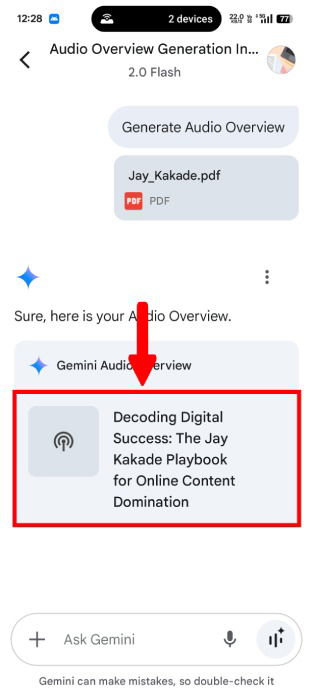

As of now, you can’t directly play the Audio Overview within the app itself.
Sharing and Downloading Audio Overviews
Now that you have transformed your document into a podcast, you can share this Audio Overview and even download it for later use. Click the Overflow Menu (three dots) button and choose Share Conversation.
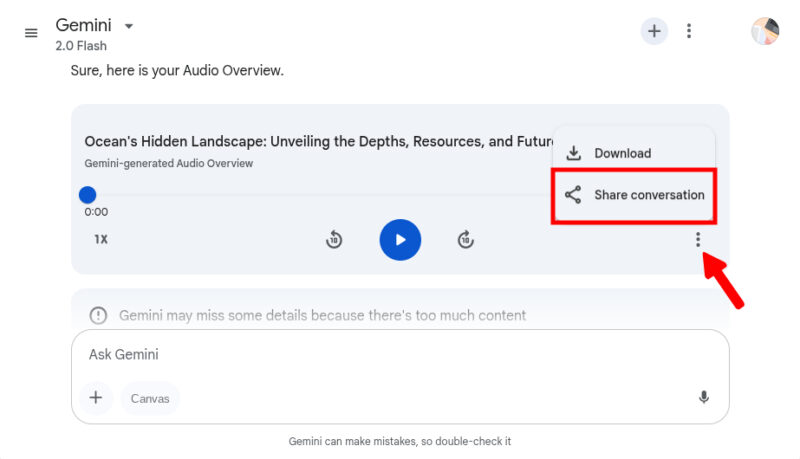
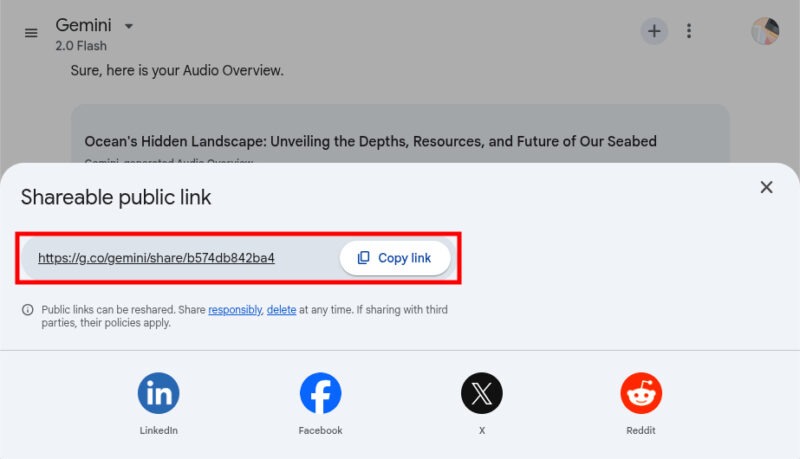
From the pop-up menu, copy the shareable link and distribute it as desired.
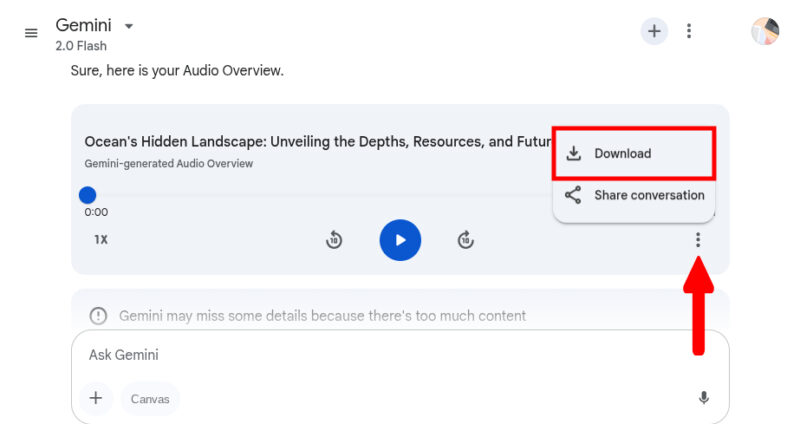
In case you prefer to listen it offline, you can download this audio conversations. Click the Download button from the Overflow Menu and the download will start immediately.
Google Gemini’s Audio Overviews feature may come quite handy, especially for those dealing with a large amount of information. Though Gemini has already included some features to enhance your productivity, you may want to consider using Gemini’s extensions and boost its capabilities.
Image credit: Unsplash. All screenshots by Jay Kakade.